

GitHub Copilot setup: API key, Base URL, and models
Install GitHub Copilot, configure the BetterToken Base URL and API key, choose an available model, and troubleshoot common errors. With examples.
To connect GitHub Copilot to BetterToken, prepare an API key, enter the Base URL shown below, and choose a current Model ID from the model plaza.
Key settings
| Field | Value |
|---|---|
| API Key | BetterToken API key |
| Full request URL | https://bettertoken.ai/v1/chat/completions |
| Model | A current Model ID from the model plaza |
Prerequisites
- The current version of the tool is installed
- A BetterToken API key: register and get one
- A Model ID from the model plaza
Additional requirements
- Latest VS Code installed
- GitHub Copilot / Copilot Chat installed and signed in
- Copy the exact Model ID from the model plaza.
- A model ID is available, for example
YOUR_MODEL_ID
Install
Install or open GitHub Copilot, then continue with the manual setup below.
Manual setup
| Field | Value |
|---|---|
| API Key | BetterToken API key |
| Full request URL | https://bettertoken.ai/v1/chat/completions |
| Model | A current Model ID from the model plaza |
Setup steps
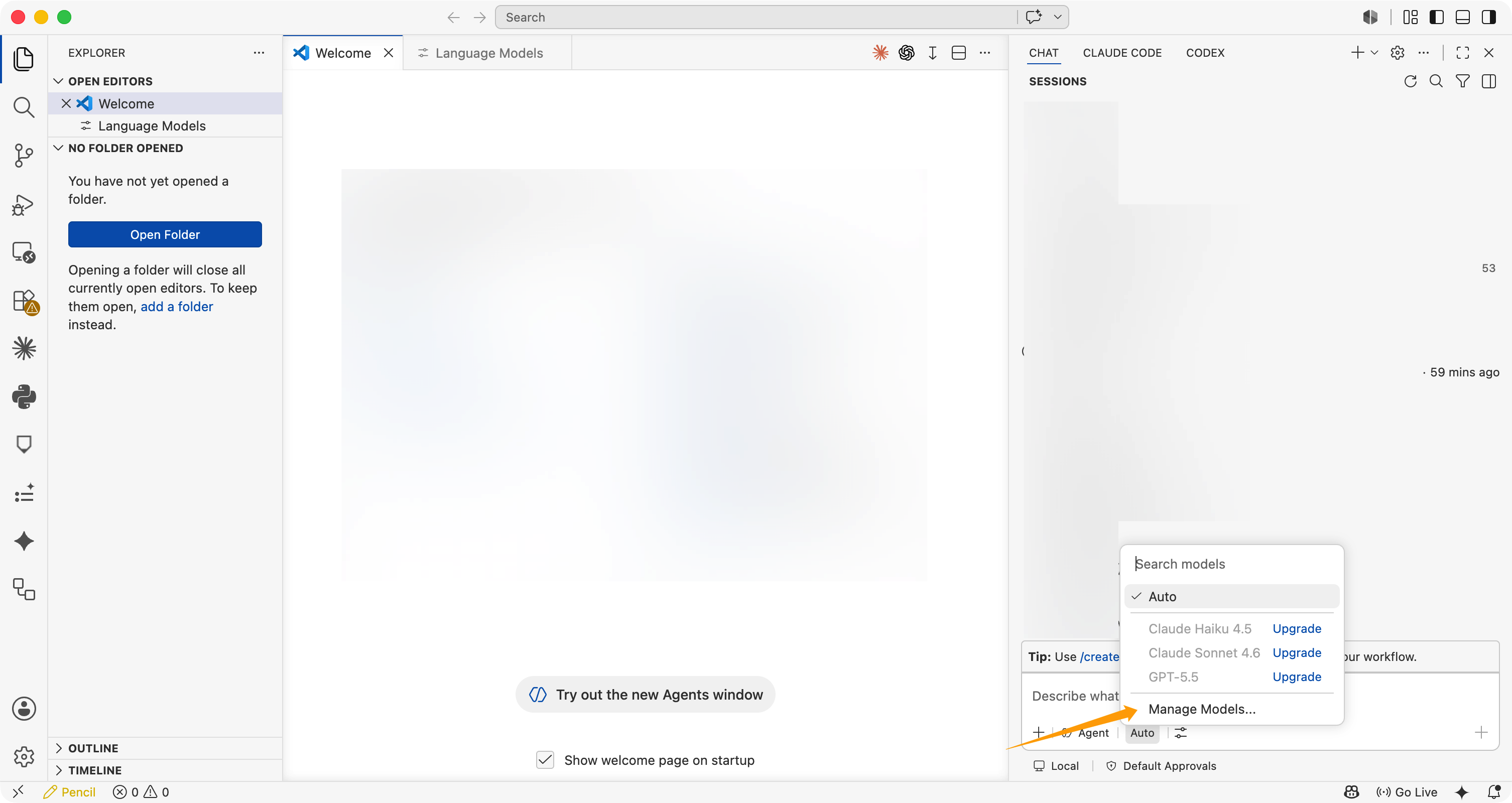
Open model management
In the Copilot Chat input area, click the model selector, then choose Manage Language Models (gear icon). You can also run Chat: Manage Language Models from the Command Palette.
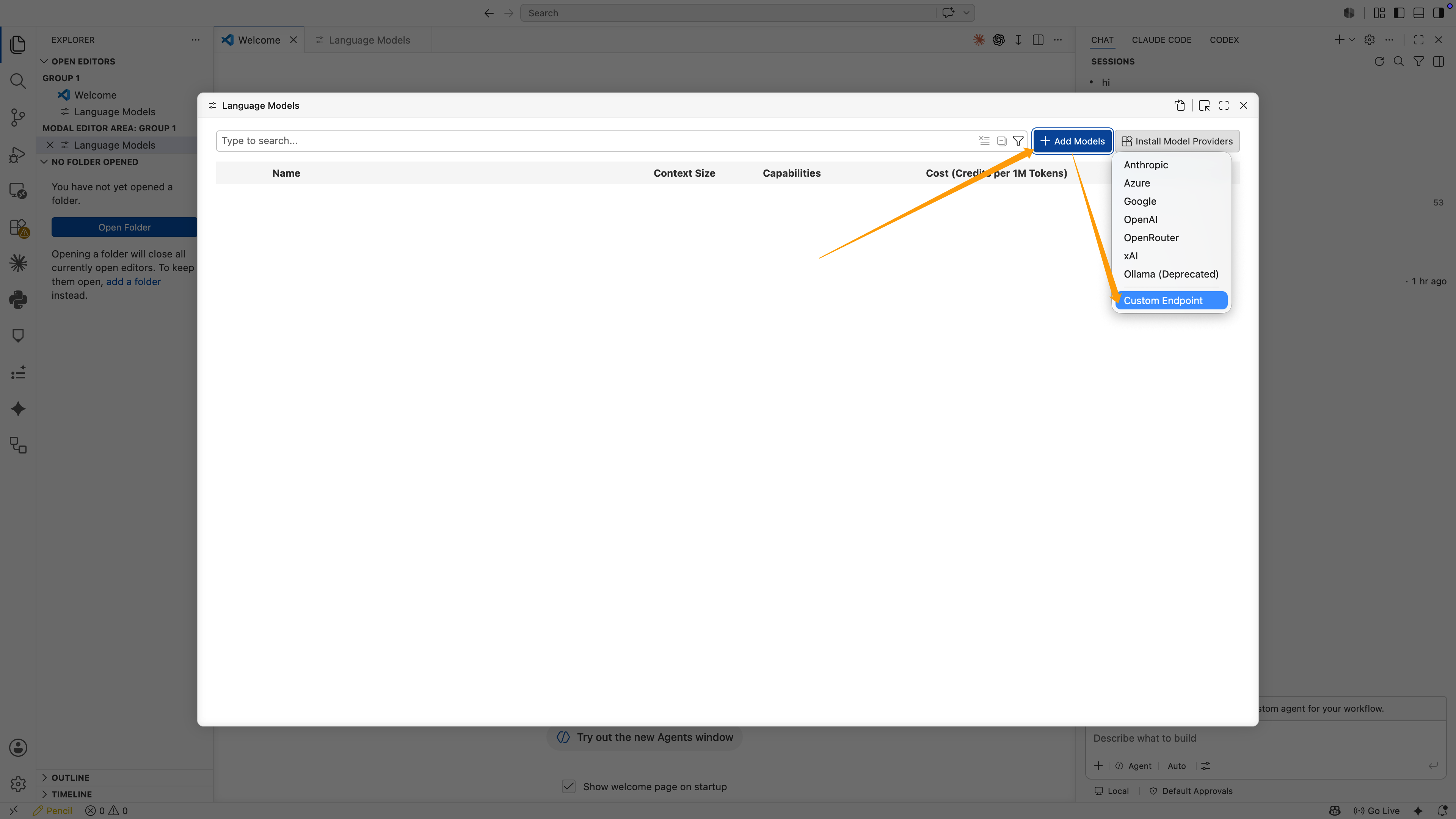
Add Custom Endpoint
In Language Models, click Add Models, then choose Custom Endpoint.
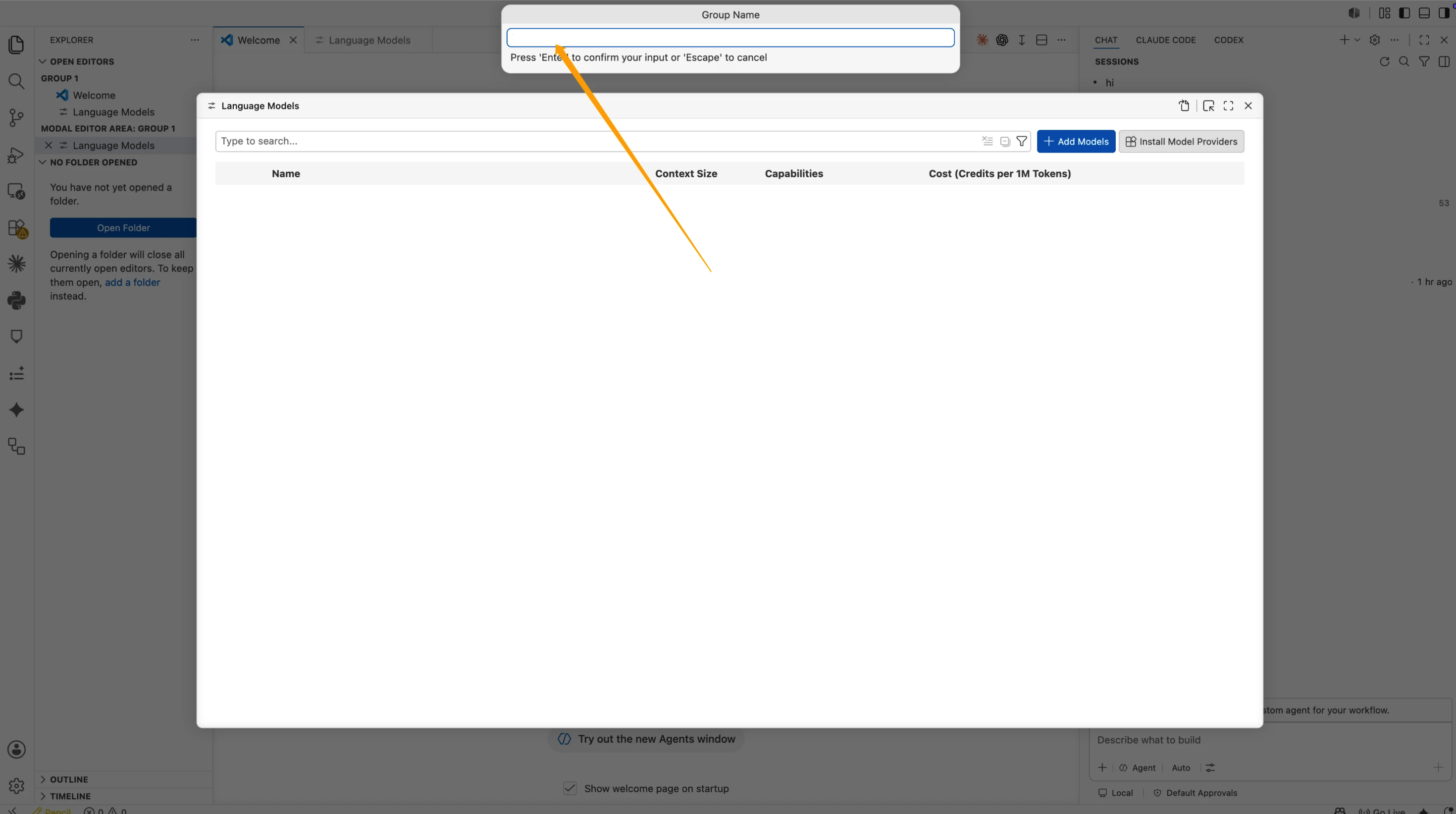
Enter the group name
In Group Name, enter:
BetterTokenThen press Enter.
Enter the API Key
VS Code will ask for the API Key. Paste your BetterToken API Key, then press Enter.
This value will not be shown directly in the configuration file. VS Code stores it as a local secret and generates a reference like this:
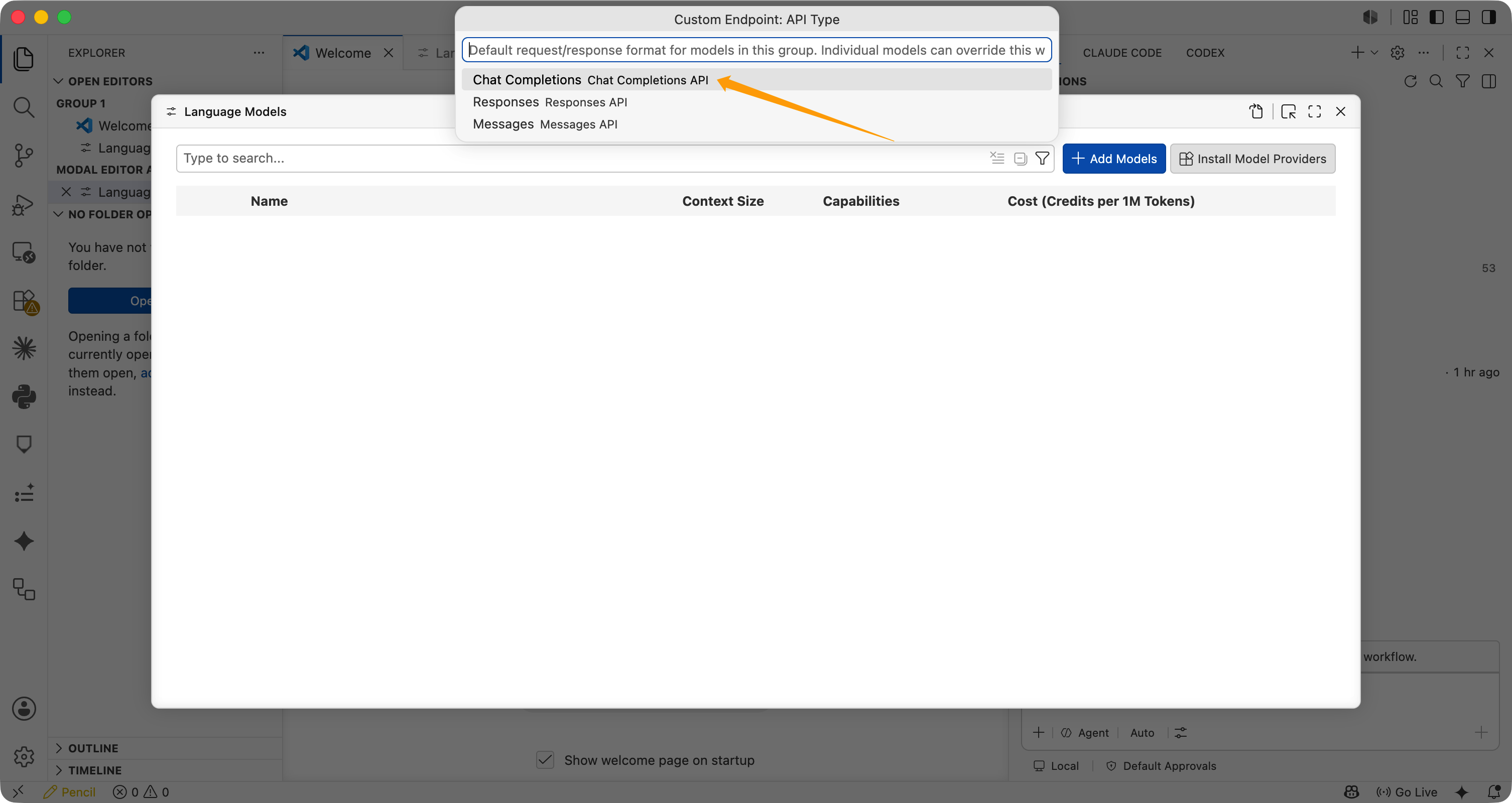
"apiKey": "${input:chat.lm.secret.xxxxx}"Select the API type
In Custom Endpoint: API Type, select Chat Completions.
Edit the JSON configuration
VS Code opens chatLanguageModels.json. Confirm or update the configuration:
Before saving, replace the example token limits with the selected model’s confirmed limits. Their sum must not exceed its context window. The example leaves tool calling and image input disabled; enable each only when both the model and endpoint support it. Agent mode requires tool calling. See the official field reference.
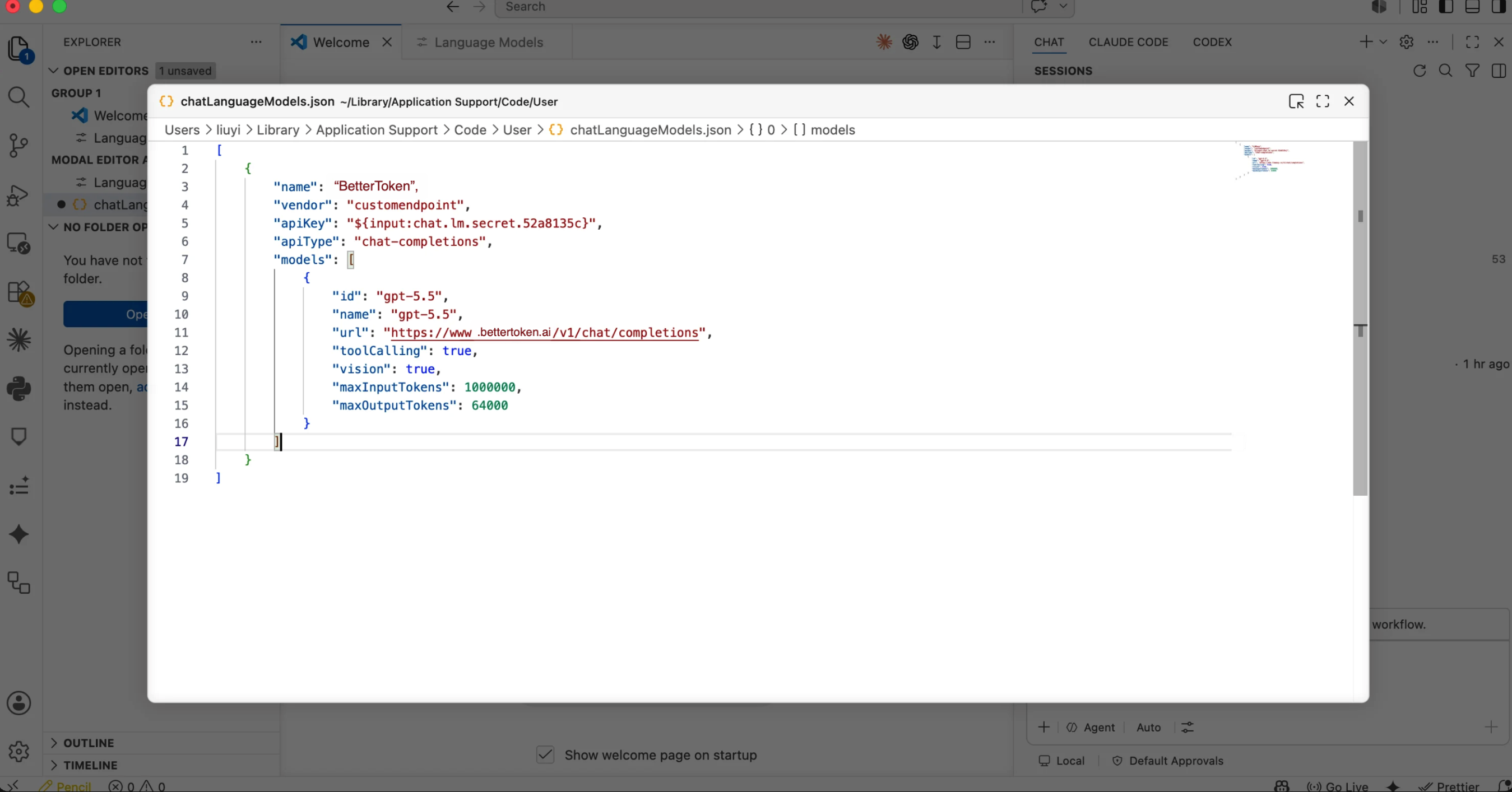
[ { "name": "BetterToken", "vendor": "customendpoint", "apiKey": "${input:chat.lm.secret.xxxxx}", "apiType": "chat-completions", "models": [ { "id": "YOUR_MODEL_ID", "name": "YOUR_MODEL_ID", "url": "https://bettertoken.ai/v1/chat/completions", "toolCalling": false, "vision": false, "maxInputTokens": 1000000, "maxOutputTokens": 64000 } ] }]Check these fields:
| Field | Value to set |
|---|---|
name | BetterToken |
apiType | chat-completions |
id | YOUR_MODEL_ID or another model ID from the model plaza |
name | Same as the model ID |
url | https://bettertoken.ai/v1/chat/completions |
toolCalling | Set true only for confirmed tool support; required for Agent mode |
vision | Set true only for confirmed image-input support |
maxInputTokens | Replace the example with the confirmed input limit |
maxOutputTokens | Replace the example with the confirmed output limit; keep input + output within the context window |
Save and reload VS Code
Save chatLanguageModels.json, then run:
Developer: Reload WindowAfter reload, return to the Copilot Chat model selector and choose YOUR_MODEL_ID.
Send a test message
Send a simple message in Copilot Chat:
Describe the model you are using in one sentence.If Copilot Chat replies normally, the BetterToken Custom Endpoint is configured successfully.
Verify the connection
Send a short test prompt. If the tool returns a response without an authentication or Model ID error, the connection works. Fully restart the tool after changing its configuration.
Switch models
Open the model selector or change the Model field in the configuration. Use the exact Model ID from the model plaza, then restart the current session.
Common errors
Why should I enter the API Key in the prompt?
VS Code stores the API Key in local secret storage and references it in JSON with ${input:chat.lm.secret...}. This is safer than writing the real API Key into the JSON file.
Why use Chat Completions?
The verified working configuration uses Chat Completions. The URL is:
https://bettertoken.ai/v1/chat/completionsFor this Chat Completions example, keep apiType and the full URL as shown; do not stop at /v1.
Does this replace GitHub Copilot inline completion?
No. This Custom Endpoint is mainly used for Copilot Chat language model calls. GitHub Copilot inline completion is still provided by GitHub Copilot itself.
What should I do if I see Invalid token?
Check these items in order:
- The API Key was entered in the VS Code prompt
- JSON keeps the
${input:chat.lm.secret...}reference - Copy the exact Model ID from the model plaza.
urlishttps://bettertoken.ai/v1/chat/completionsapiTypeischat-completions- The model ID is a model from the model plaza
Technical details
Protocol, endpoint, and internal provider fields
In this Chat Completions example, the model’s url field requires the complete address https://bettertoken.ai/v1/chat/completions. VS Code does not append /chat/completions for this field.