Install CC Switch
- macOS
- Windows
- Linux
Homebrew is the easiest option. You can also download the latest
.dmg or .zip from GitHub Releases.What to prepare
- BetterToken API Key (register here)
- Claude Code uses the Anthropic protocol, so its
Base URLishttps://bettertoken.ai - Claude Desktop with a non-Claude provider requires the latest Claude Desktop and CC Switch
v3.16.5or later - Codex, OpenCode, and OpenClaw use the OpenAI-compatible protocol, so their
Base URLishttps://bettertoken.ai/v1 - Prepare one current GPT provider model ID for Codex, OpenCode, and OpenClaw. You can copy it from the BetterToken model plaza, or let CC Switch fetch it from
/v1/models
On first launch, CC Switch automatically imports the configs it already finds on your machine. You can keep your official provider as a fallback and add BetterToken alongside it.
BetterToken uses two access modes: Anthropic and OpenAI-compatible. To avoid mixing
https://bettertoken.ai with https://bettertoken.ai/v1, it is better to create providers per app instead of trying to force Claude Code and the OpenAI-compatible tools into one universal provider.Add a BetterToken provider
- Claude Code
- Claude Desktop
- Codex
- OpenCode
- OpenClaw
1
Open Claude Code in CC Switch and add a provider
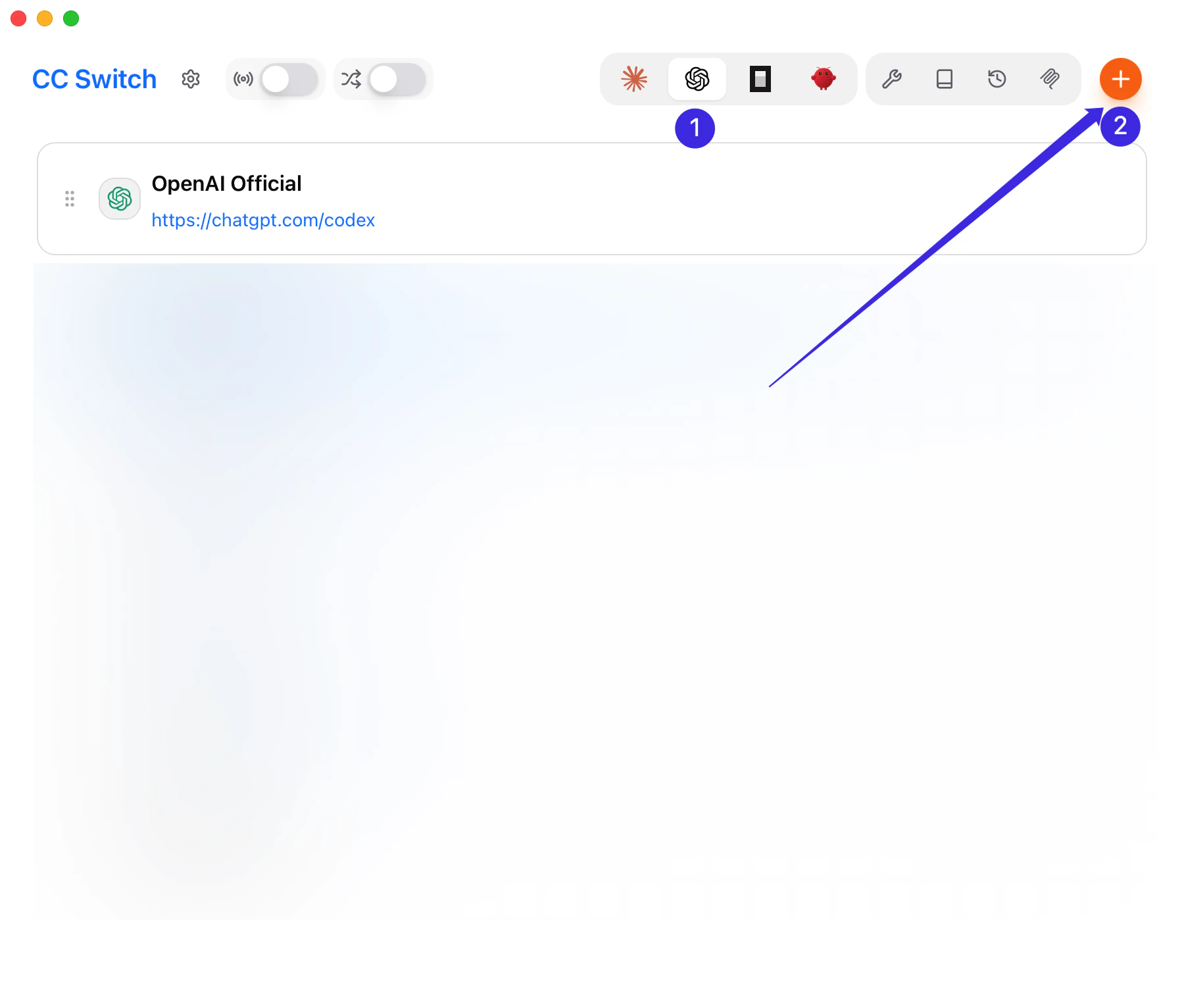
Open CC Switch, switch to Claude Code, and click Add Provider.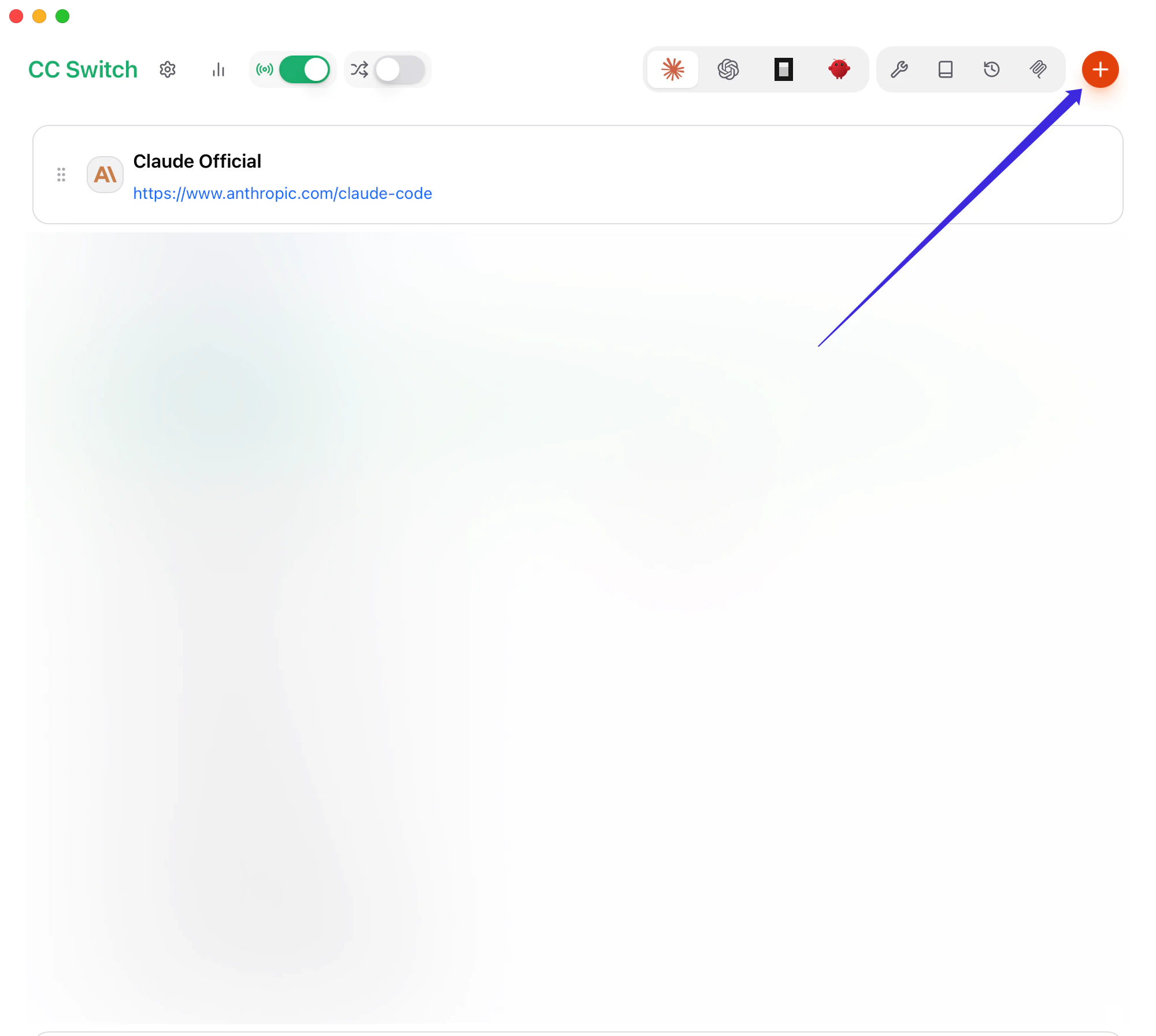
2
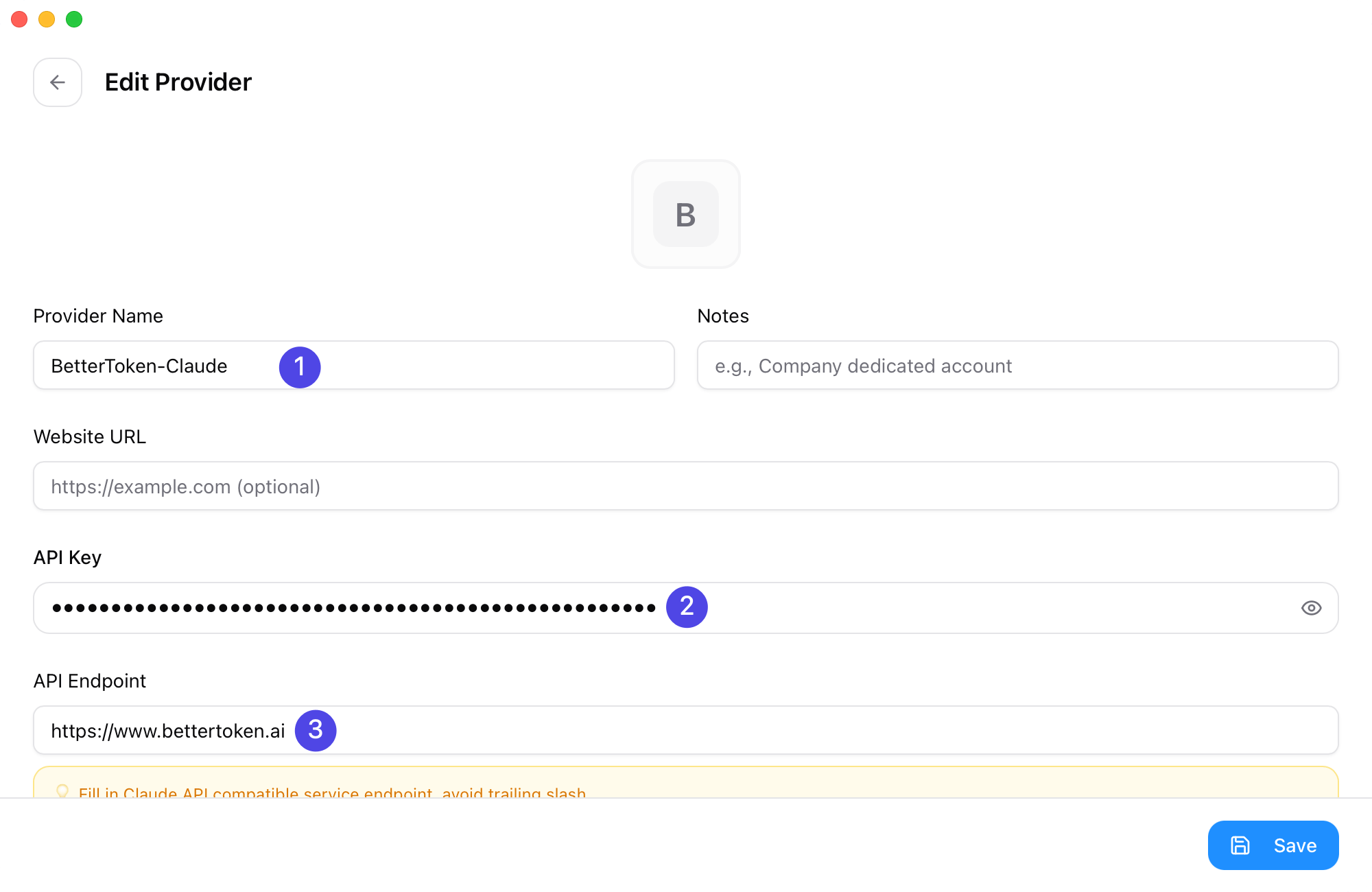
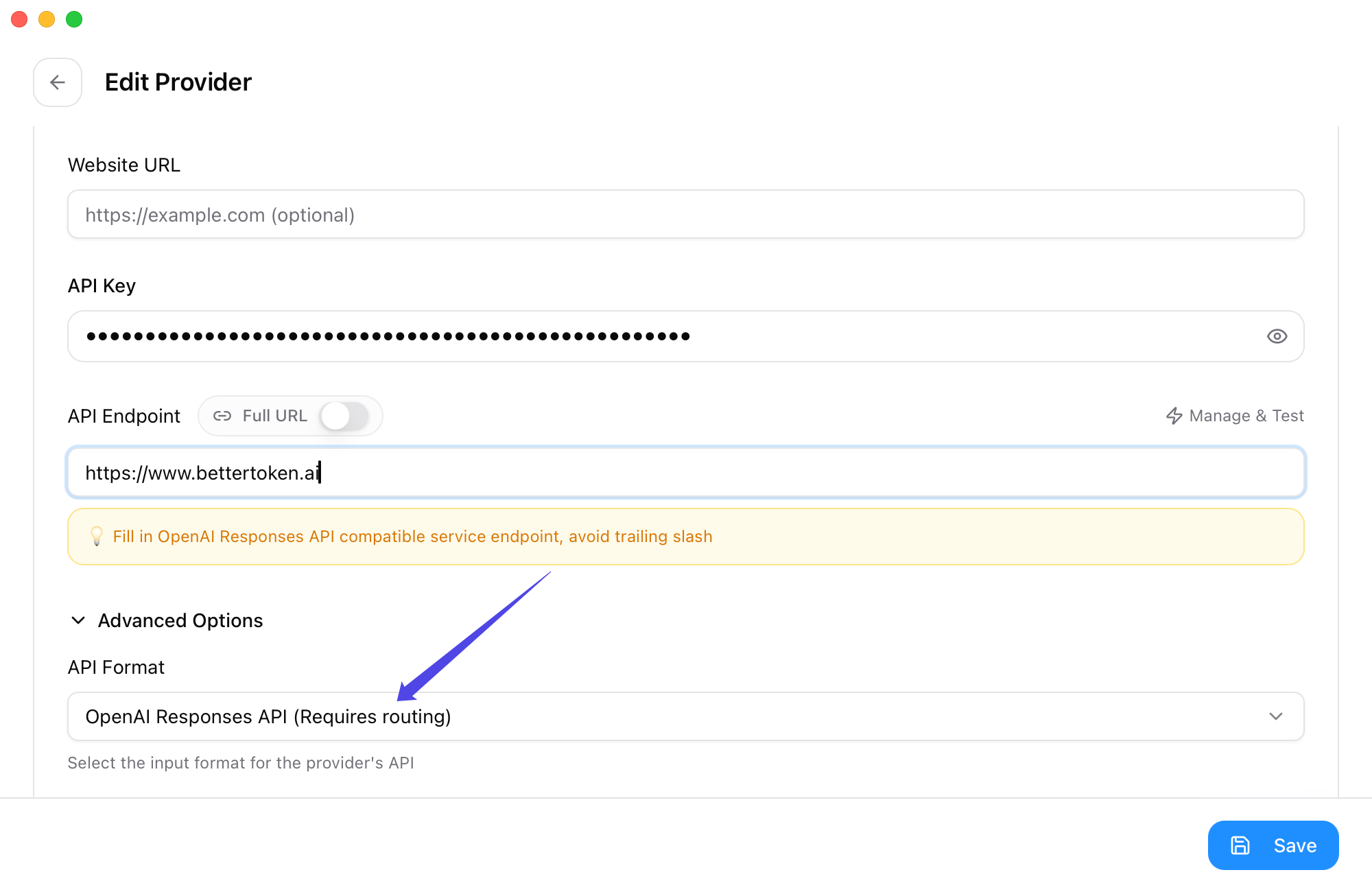
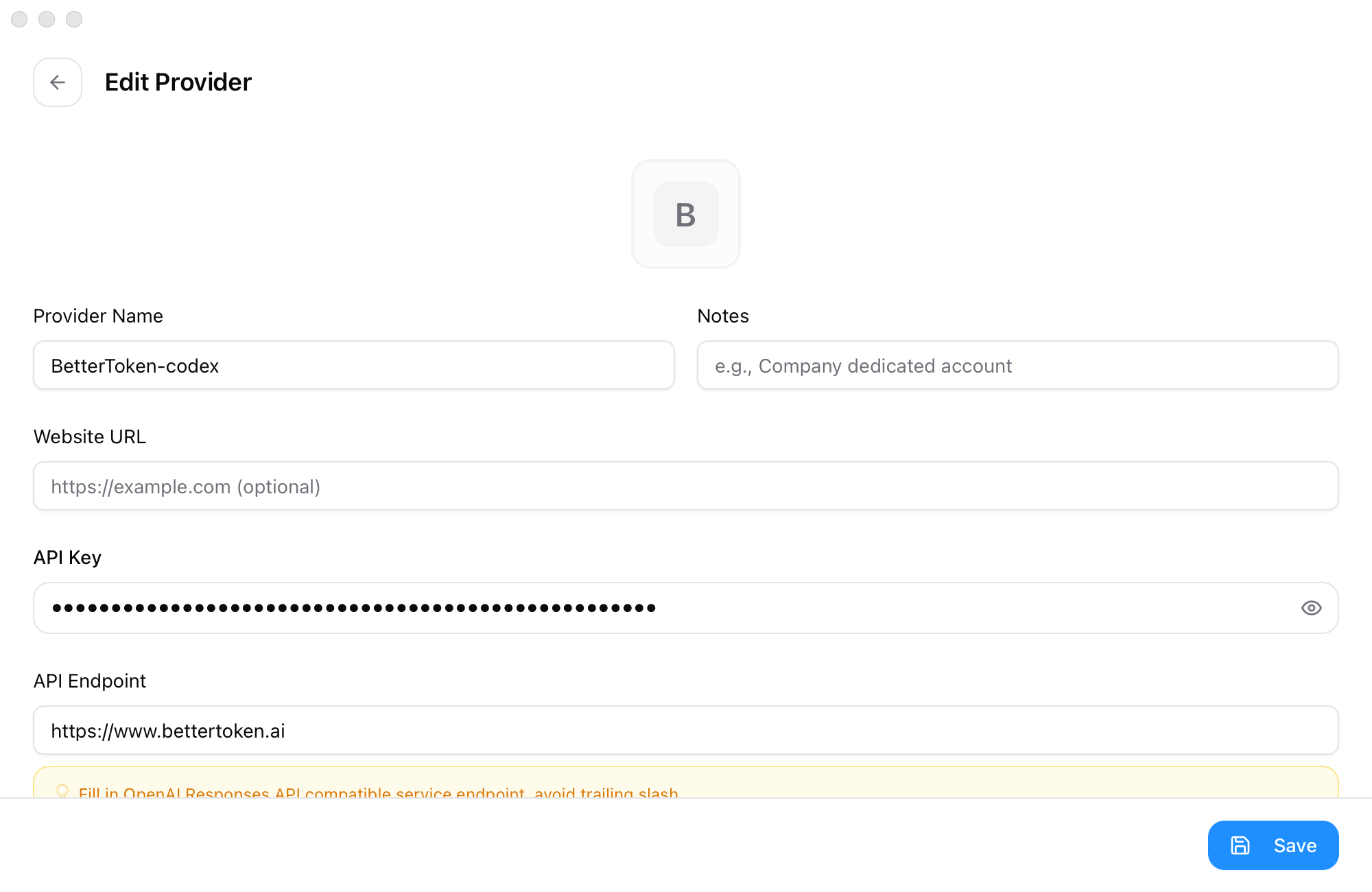
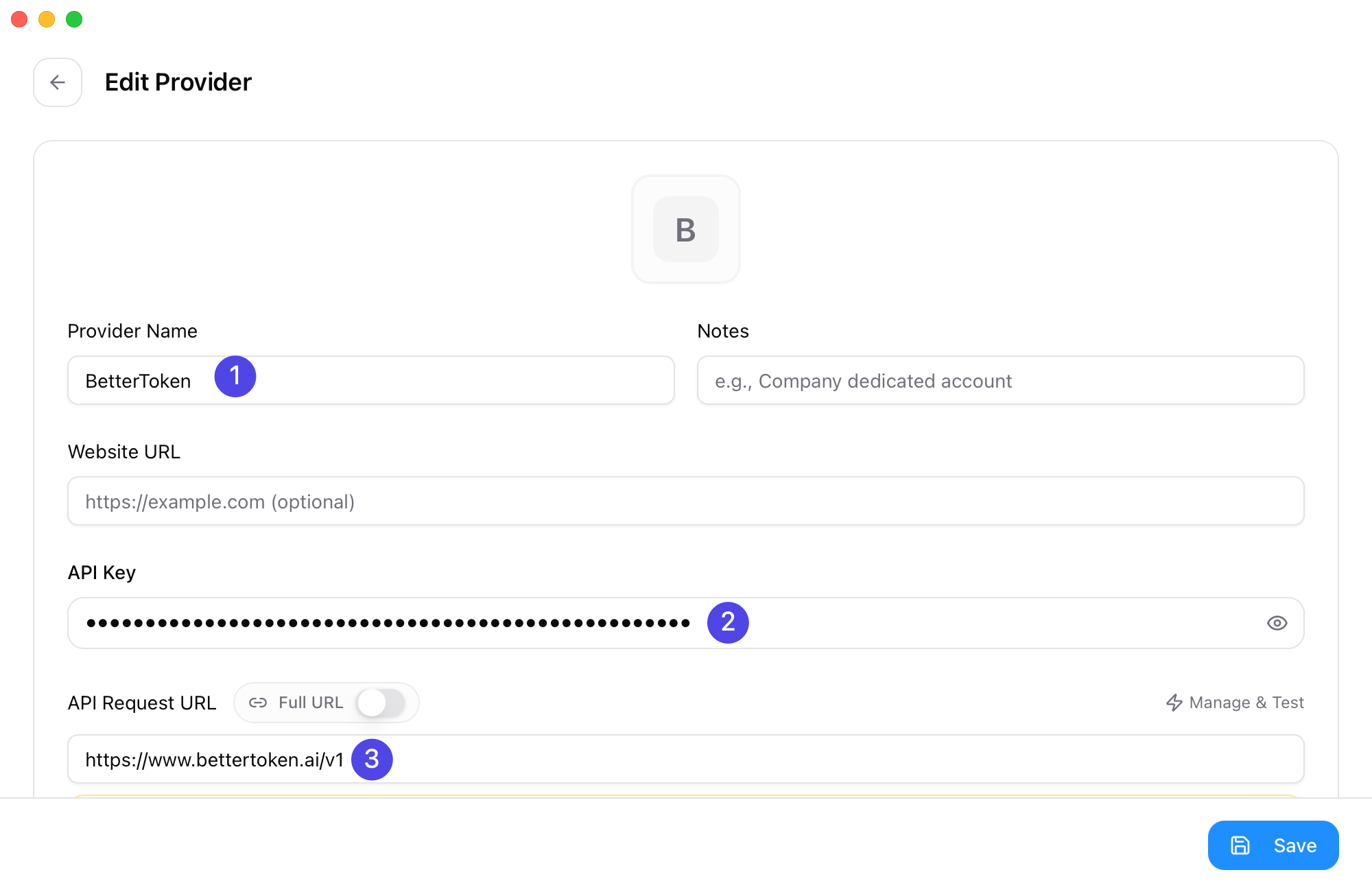
Fill the basic fields
- Provider Name:
BetterToken-claude(or another name that makes the provider easy to identify) - Base URL:
https://bettertoken.ai - API Key: your BetterToken API Key
- API Format:
OpenAI Responses API
- Provider Name
- API Key
- Base URL
3
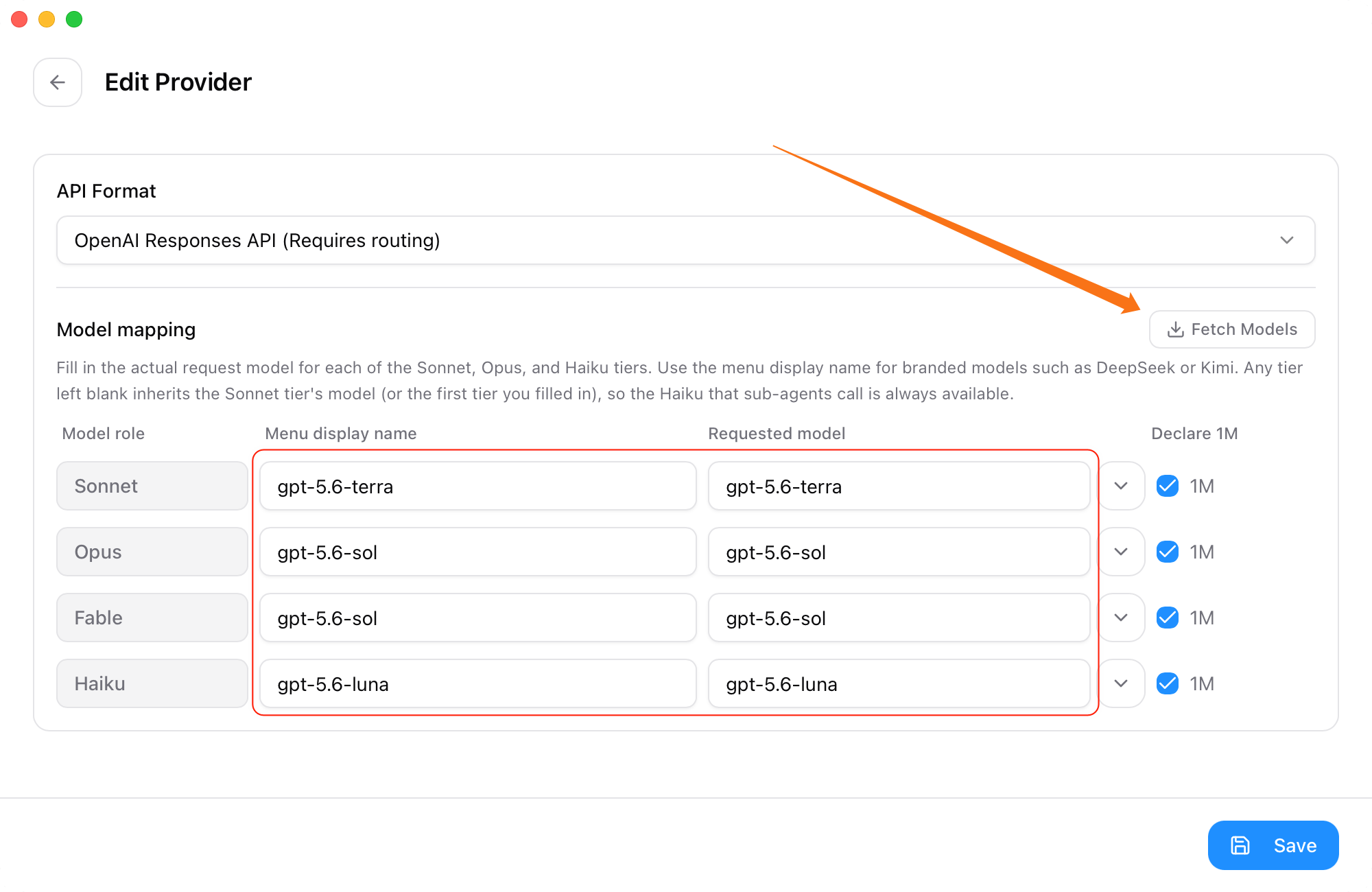
Handle model mapping based on your provider
- If you use the Claude provider, you usually do not need to change the advanced options or model mapping
- If you use the GPT provider, complete the extra setup below:
- Open Advanced Options
- Set API Format to OpenAI Responses API
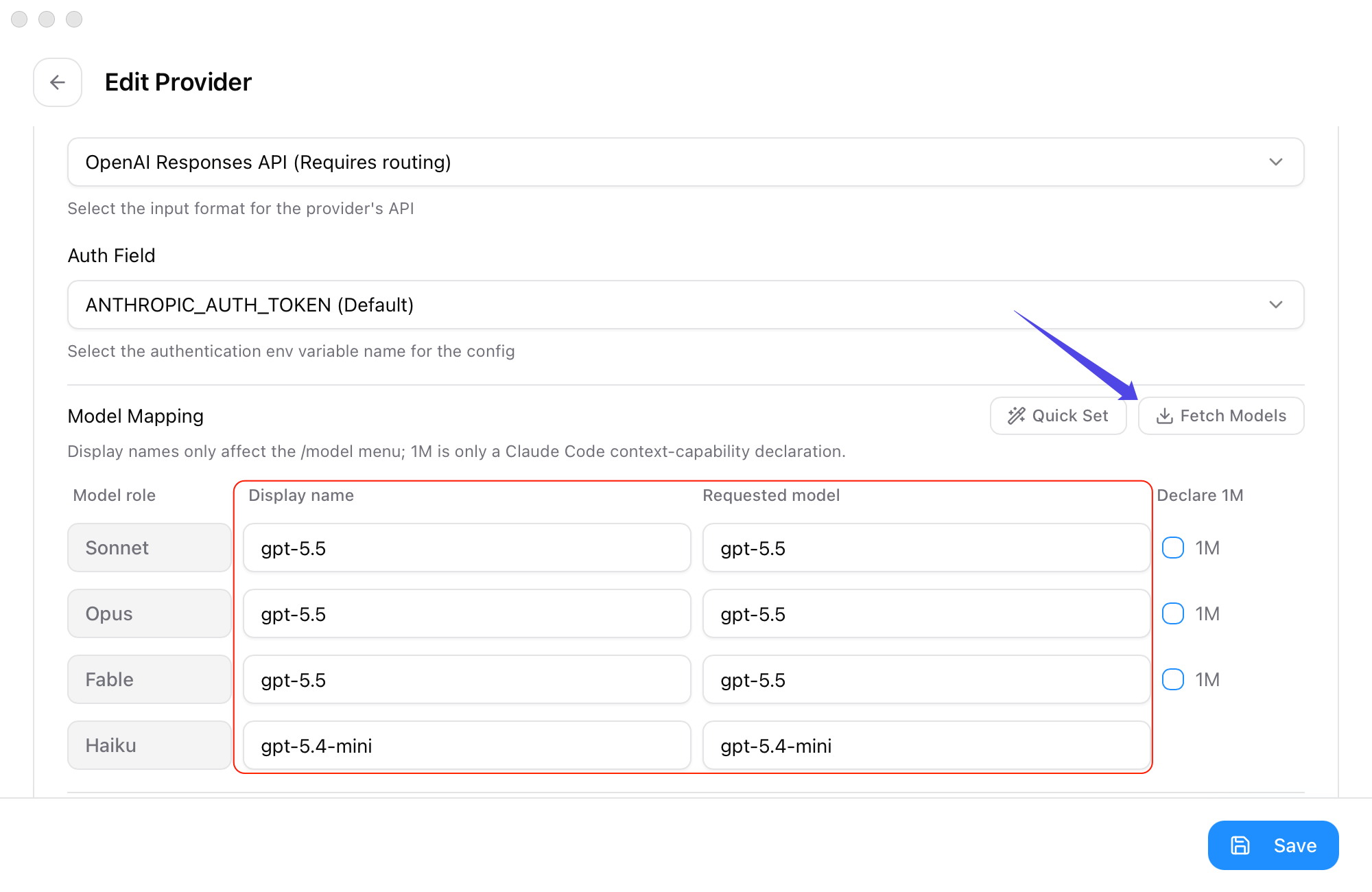
- In Model Mapping, click Fetch Model List
- Explicitly choose values from the dropdowns for Primary Model, Thinking Model, Haiku Default Model, Sonnet Default Model, and Opus Default Model
4
Save, switch, and decide whether to enable the proxy
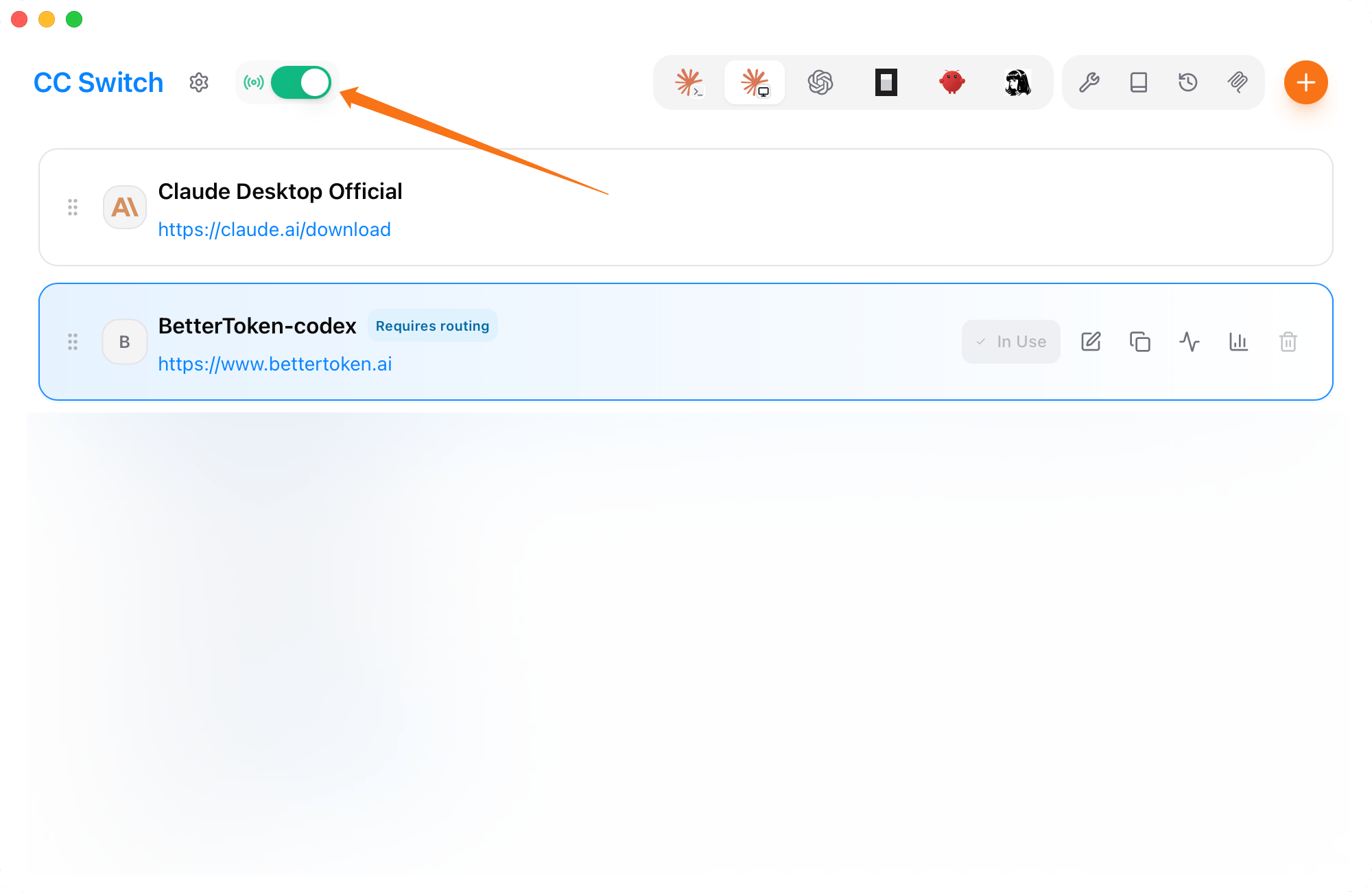
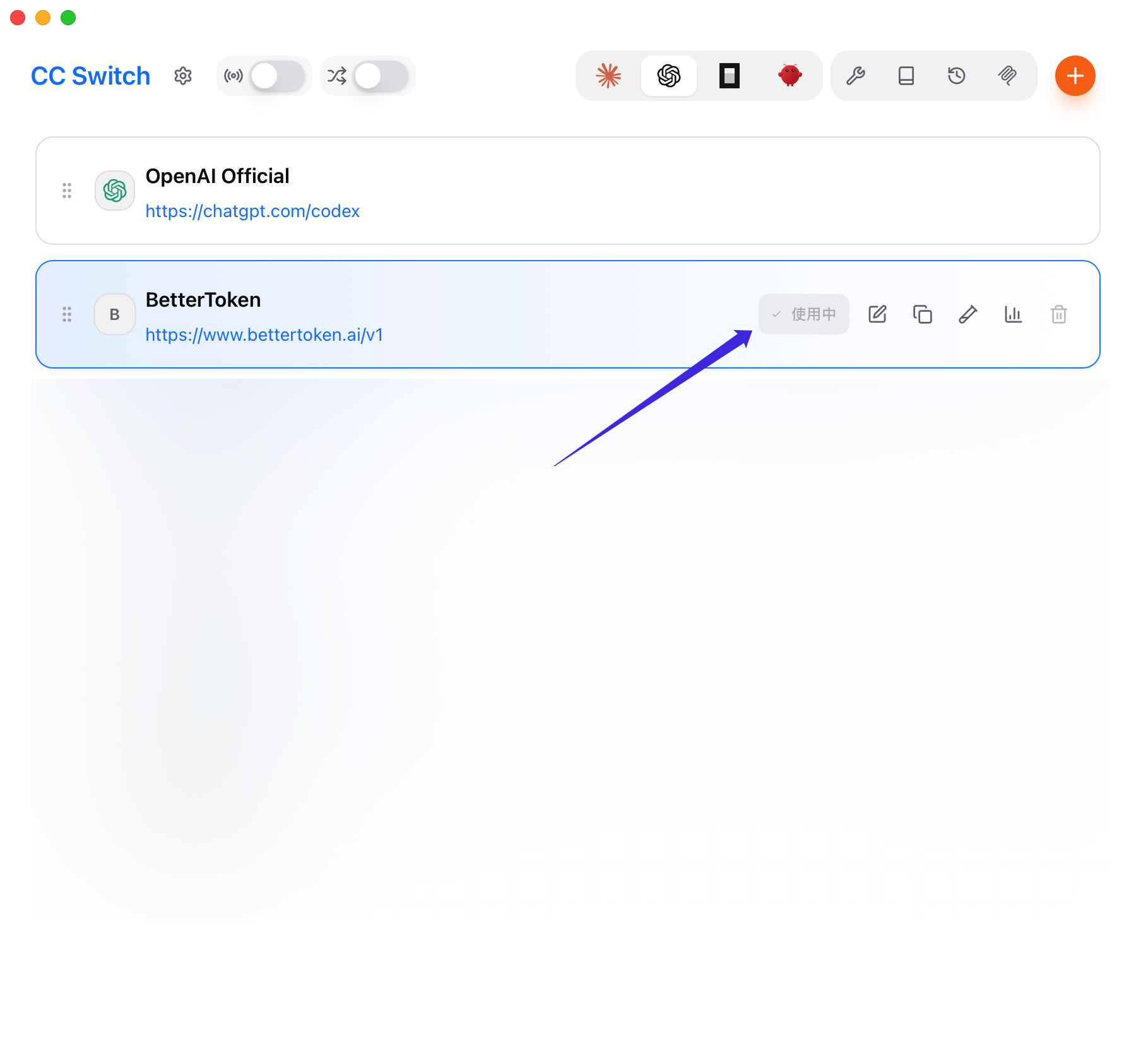
After saving, go back to the provider list: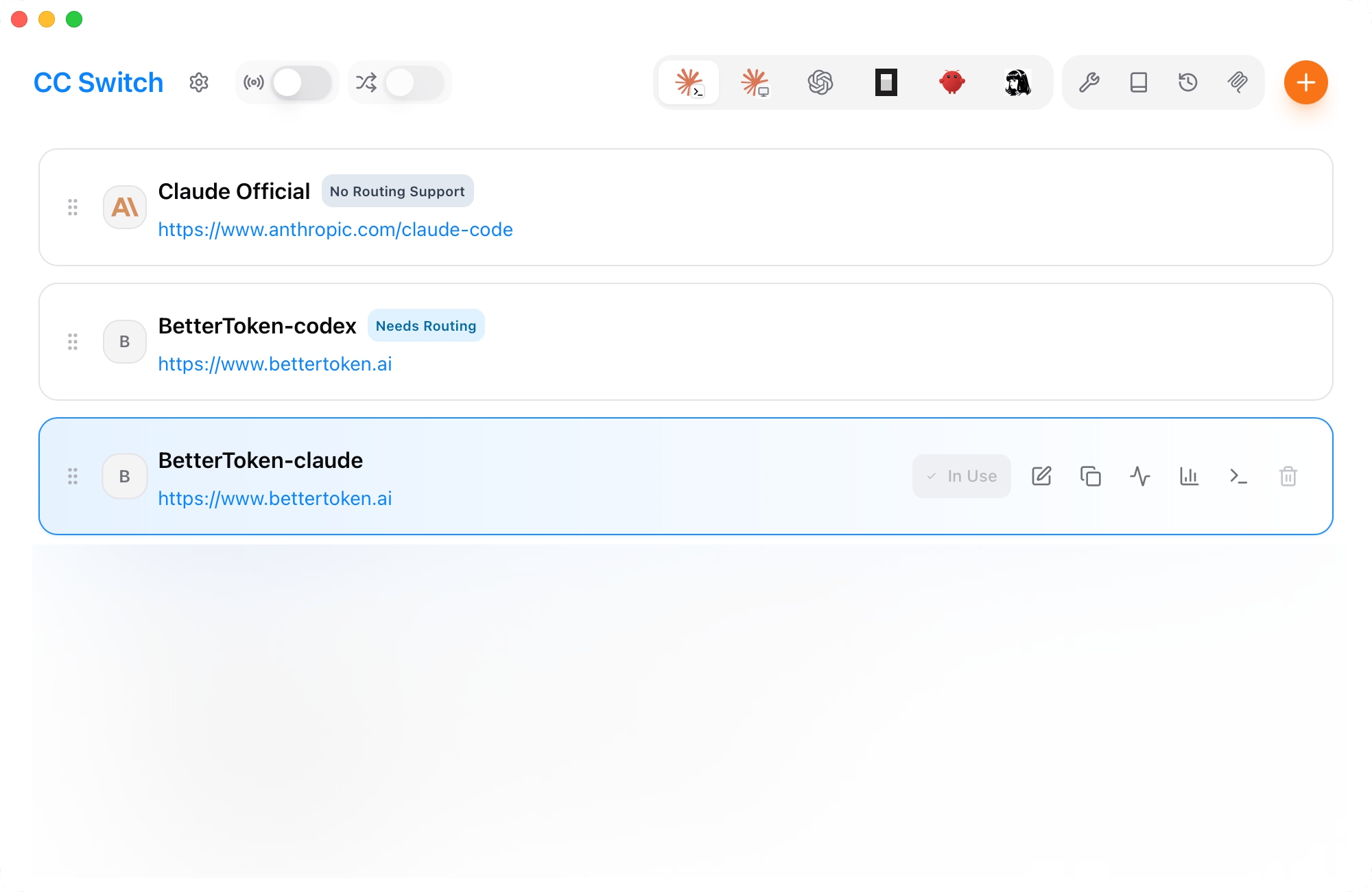
- Mark the BetterToken provider as the active one
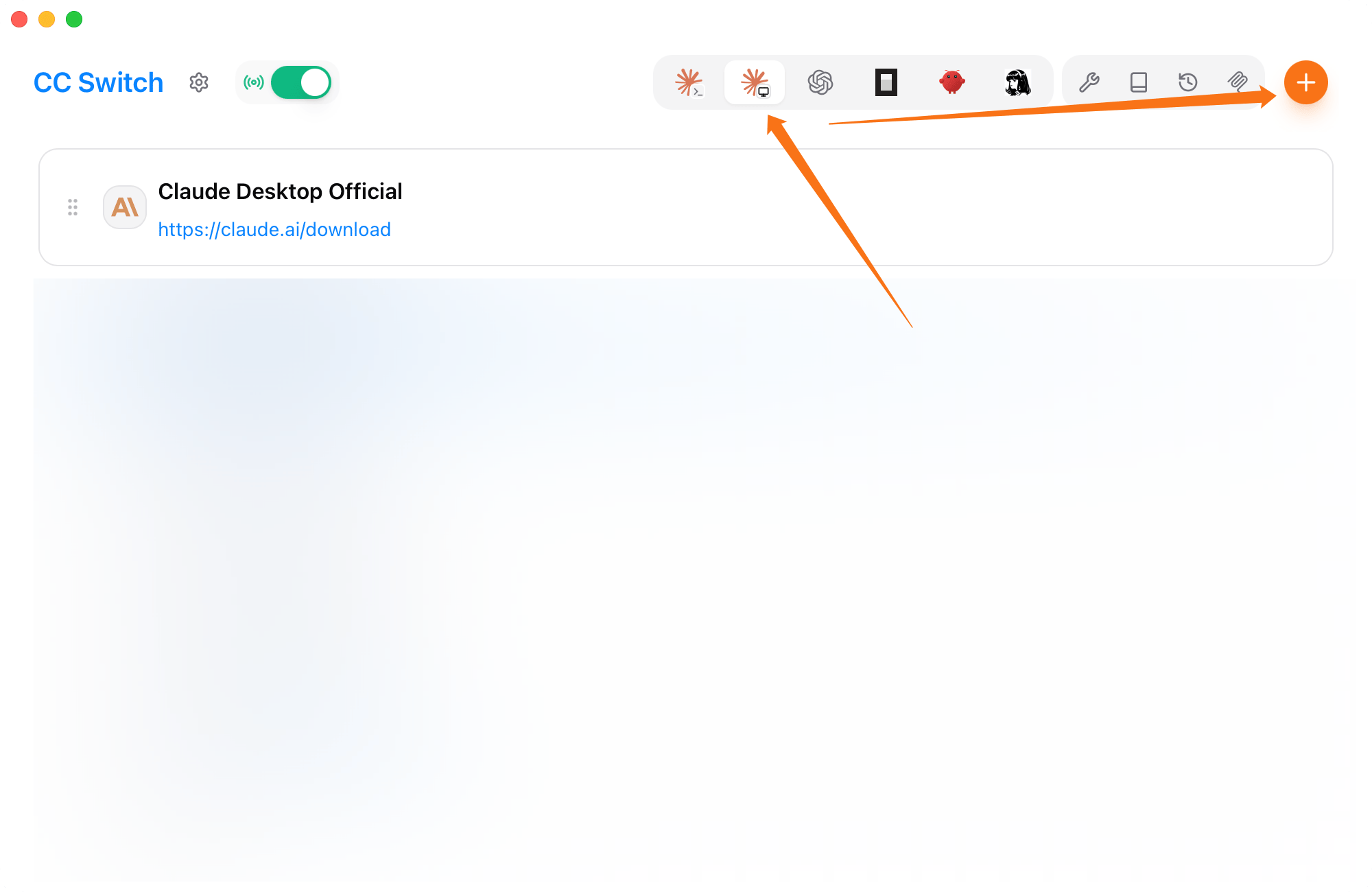
- If you use the Claude provider, you do not need to enable the CC Switch proxy from the top-left corner
- If you use the GPT provider, enable the CC Switch proxy
Make saved changes take effect
After saving and switching providers, restart the affected client or gateway before verifying the setup.- Claude Code: quit the current Claude Code session completely, then start it again.
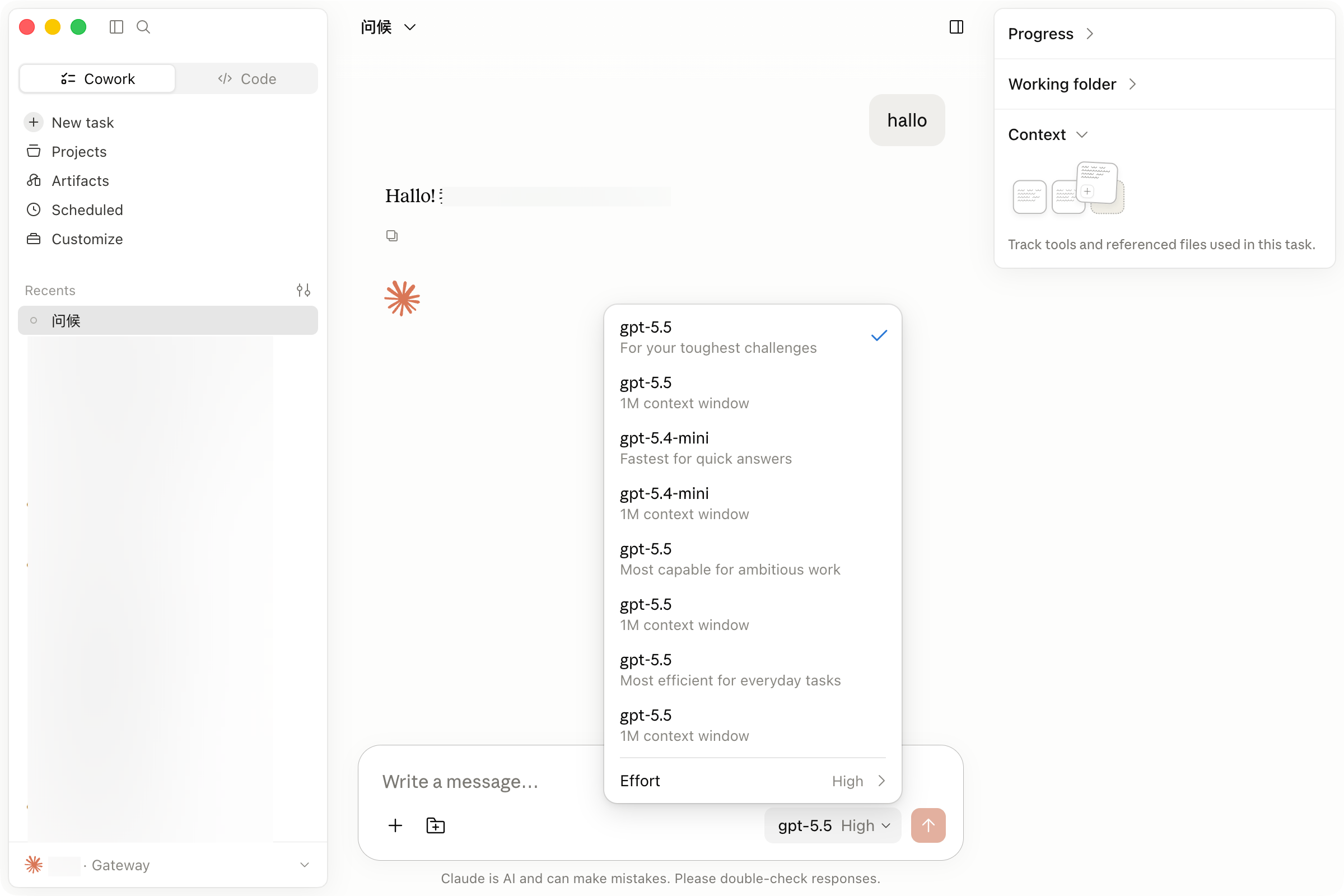
- Claude Desktop: quit the app completely, reopen it, and confirm that Gateway appears in the lower-left corner.
- Codex: restart the current Codex process or open a new terminal session.
- OpenCode: quit the current OpenCode session and start it again.
- OpenClaw: run
openclaw gateway restart, then use/new,/status, and/modelin Discord.
CC Switch-specific advanced features
CC Switch can preserve the official Codex login when you switch to a third-party provider and combine official and third-party sessions in one history. Restart Codex after enabling these options. See keep the official Codex login and unified session history.Common issues
- Do not add
/v1to the Claude CodeBase URL - When Claude Code uses the GPT provider, set API Format to OpenAI Responses API under Advanced Options
- When Claude Code uses the Claude provider, you do not need to enable the CC Switch proxy
- When Claude Desktop uses a non-Claude provider, enable the CC Switch proxy and restart the app completely
- Codex, OpenCode, and OpenClaw should use
https://bettertoken.ai/v1 - When Codex, OpenCode, or OpenClaw asks for a model, use a GPT provider model ID
- If Fetch Models fails, check the API key and
Base URL, then paste the model ID manually - If switching does not take effect, confirm that BetterToken is the active provider in CC Switch and restart the affected client or gateway as described above
Related pages
- Claude Code details: Claude Code
- Direct Claude provider setup for Claude Desktop: Claude Desktop
- Codex details: Codex
- OpenCode details: OpenCode
- OpenClaw details: OpenClaw