Key settings
Prerequisites
- The current version of the tool is installed
- A BetterToken API key: register and get one
- A Model ID from the model plaza
Additional requirements
Install
Install or open TRAE, then continue with the manual setup below.Manual setup
Setup
1
Open settings
In IDE mode, click the Settings icon in the upper-right corner to open the settings center.You can also open SOLO mode and click the Settings icon in the upper-right corner of the chat panel.
2
Open the model panel
In the left navigation, choose Model to open the Model panel.
3
Add a model
Click + Add model.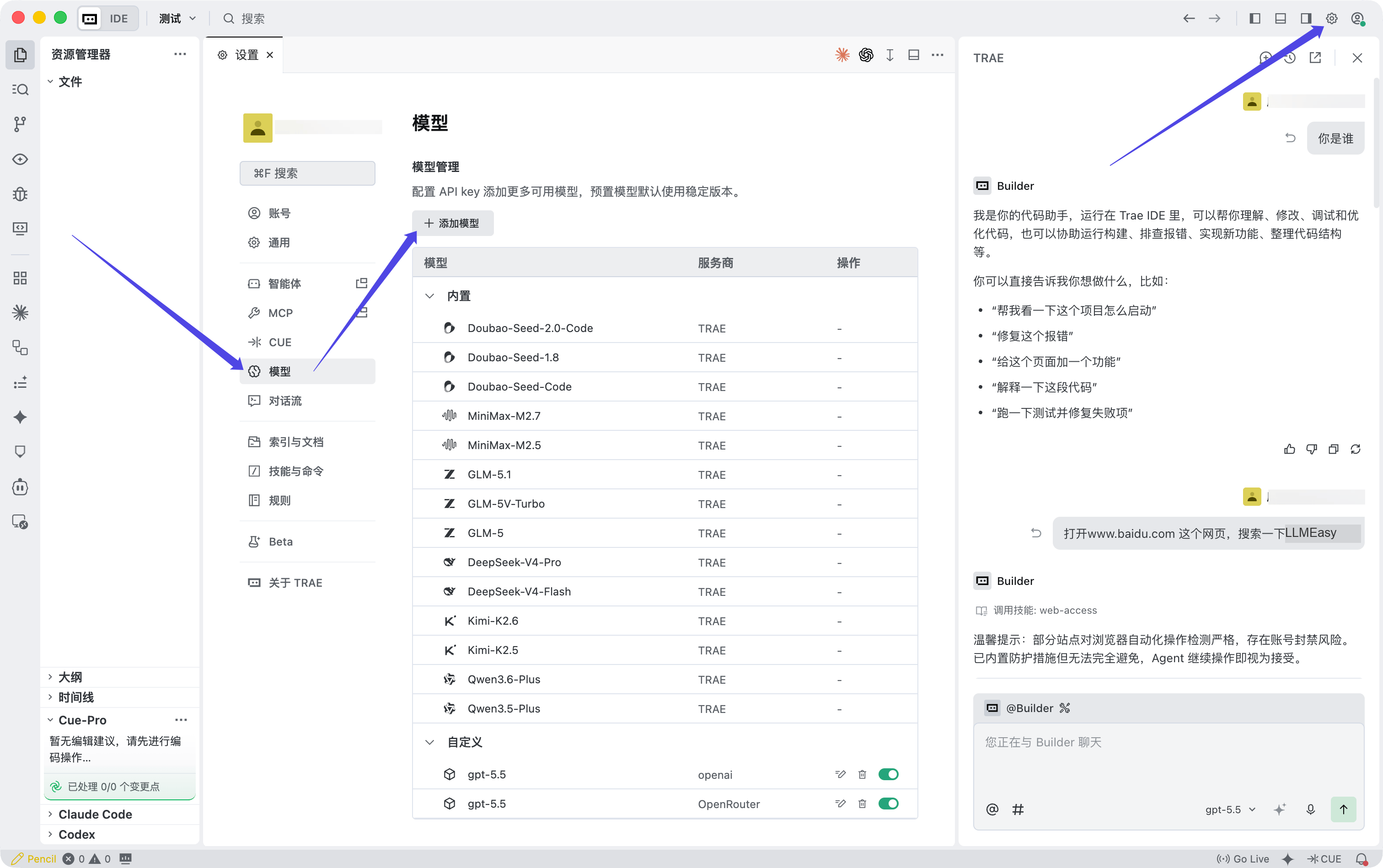
4
Fill in the model configuration
When the Add model window appears, fill in the fields as follows: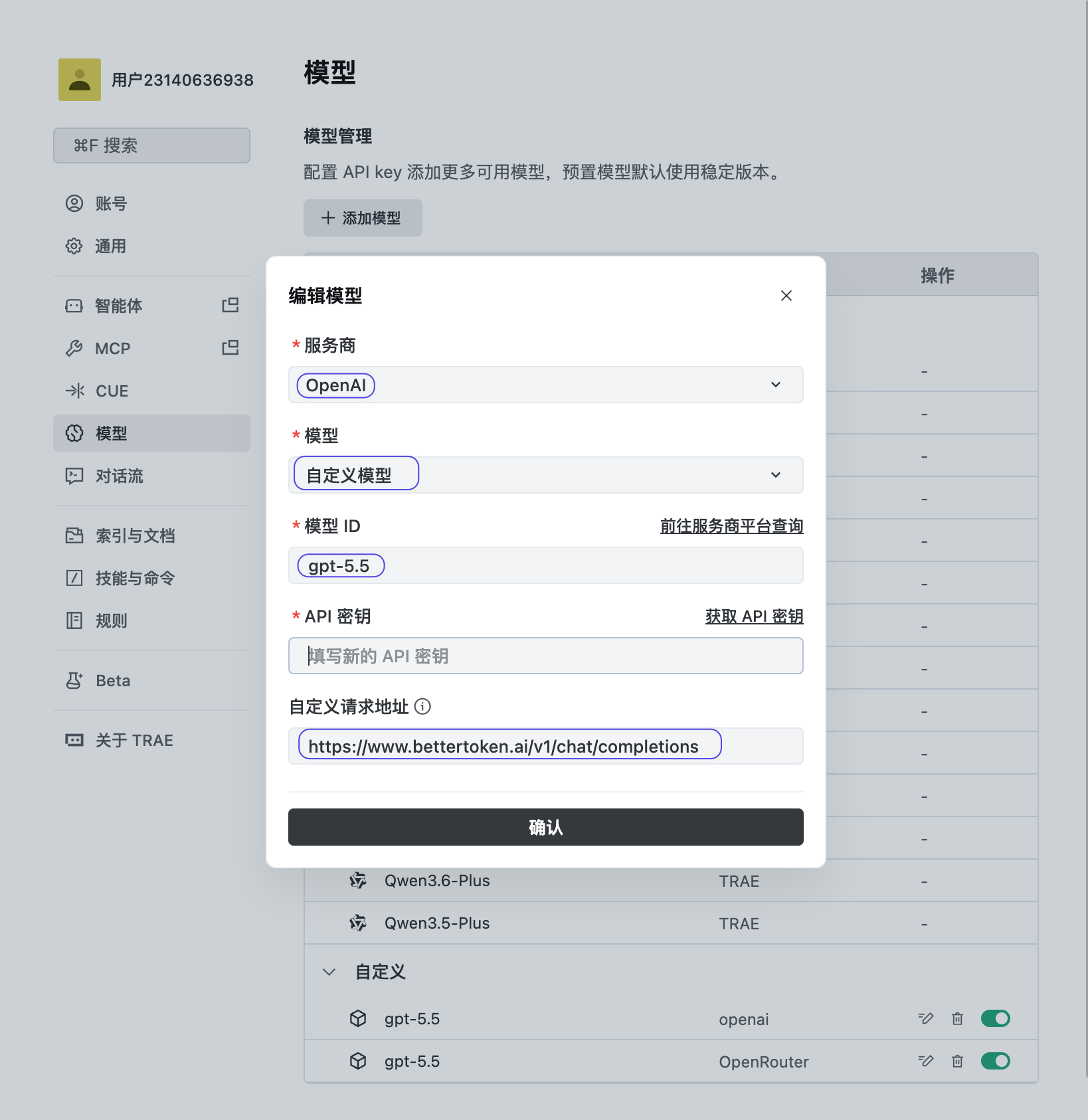
5
Save and start using it
Click Confirm to save the configuration, then choose the new model.
Verify the connection
Send a short test prompt. If the tool returns a response without an authentication or Model ID error, the connection works. Fully restart the tool after changing its configuration.Switch models
Open the model selector or change theModel field in the configuration. Use the exact Model ID from the model plaza, then restart the current session.
Common errors
- OpenAI-compatible API vs Anthropic-compatible API
- MCP vs API Key and Base URL
- What are model_provider, base_url, and wire_api?
- How to configure an OpenAI-compatible API in Cline
Technical details
Protocol, endpoint, and internal provider fields
Protocol, endpoint, and internal provider fields
TRAE requires the complete custom request URL
https://bettertoken.ai/v1/chat/completions, not only the Base URL.