

https://bettertoken.ai और x-api-key भरें, फिर Claude Desktop रीस्टार्ट करें। GPT, Codex या किसी अन्य non-Claude provider के लिए Claude Desktop custom API endpoint guide देखें।
मुख्य सेटिंग्स
आवश्यक शर्तें
- BetterToken API Key बनाएं और कॉपी करें
- पुष्टि करें कि API Key Claude provider मॉडल उपयोग कर सकती है
सदस्यता और API बिलिंग को अलग रखें
Gateway अनुरोध आपके BetterToken API Key और BetterToken बैलेंस का उपयोग करते हैं। वे Claude सदस्यता की सीमा को न तो खर्च करते हैं और न बढ़ाते हैं। सदस्यता और API को अलग एक्सेस और बिलिंग पथ मानें। वास्तविक काम में उपयोग करने से पहले:- Claude Desktop के लिए अलग BetterToken API Key बनाएँ।
- Gateway से एक छोटा, गैर-संवेदनशील परीक्षण संदेश भेजें।
- BetterToken Dashboard खोलें और मॉडल, स्थिति, input, output, cache Token और शुल्क की पुष्टि करें।
- यदि Key किसी स्क्रीनशॉट, रिपॉजिटरी या सार्वजनिक लॉग में दिखाई दे, तो उसे रद्द करके नया Key बनाएँ।
इंस्टॉल करें
Claude Desktop website से नवीनतम संस्करण इंस्टॉल या अपडेट करें, फिर Claude Desktop शुरू करें।मैन्युअल सेटअप
1
developer mode चालू करें
Claude Desktop में macOS menu bar से Help → Troubleshooting → Enable Developer Mode चुनें।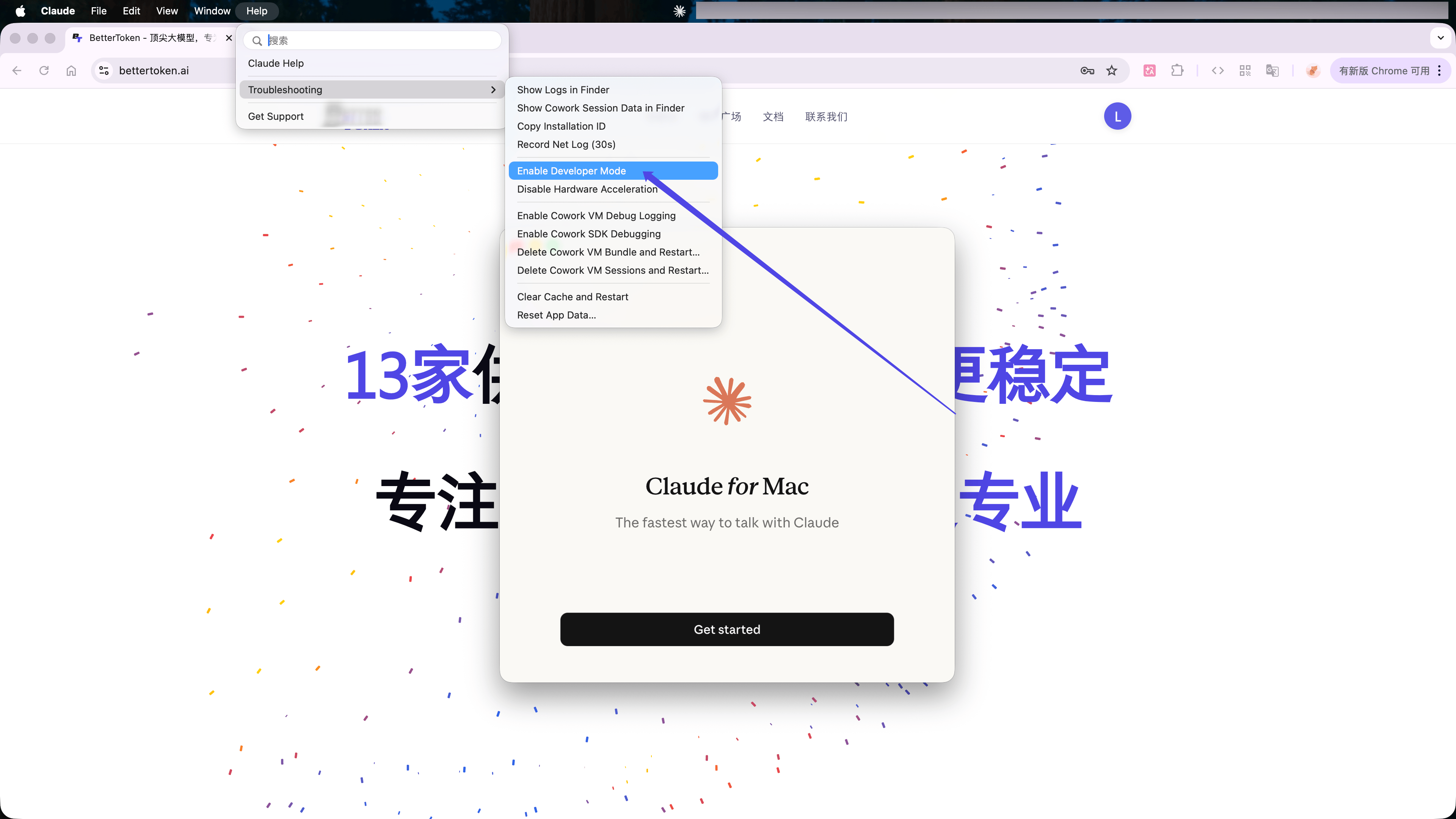
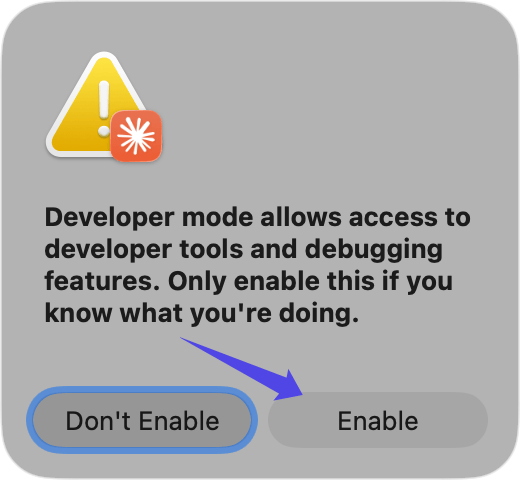
2
third-party inference settings खोलें
रीस्टार्ट के बाद macOS menu bar से Developer → Configure Third-Party Inference… चुनें।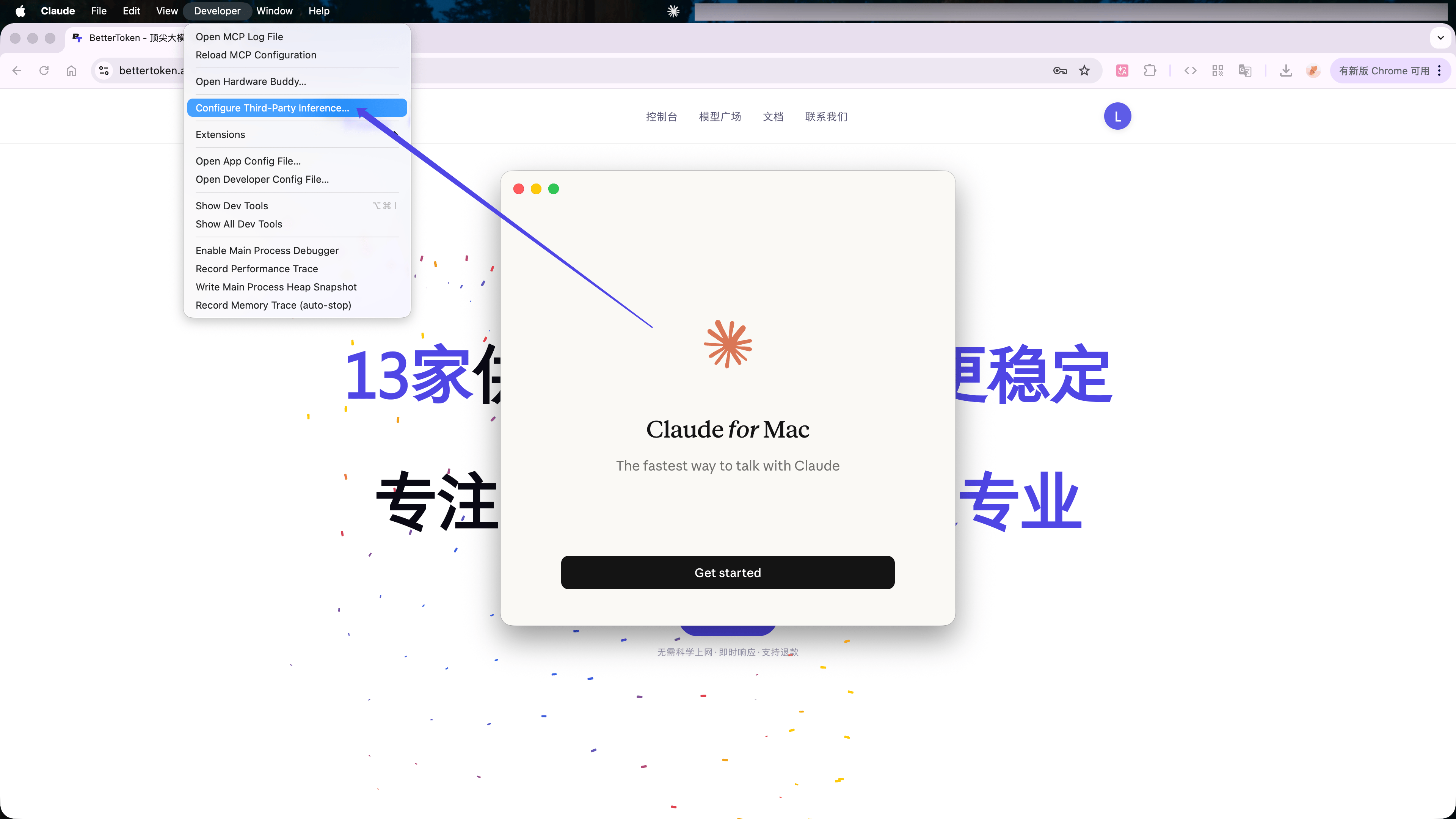
3
BetterToken API settings भरें
Gateway चुनें, फिर भरें: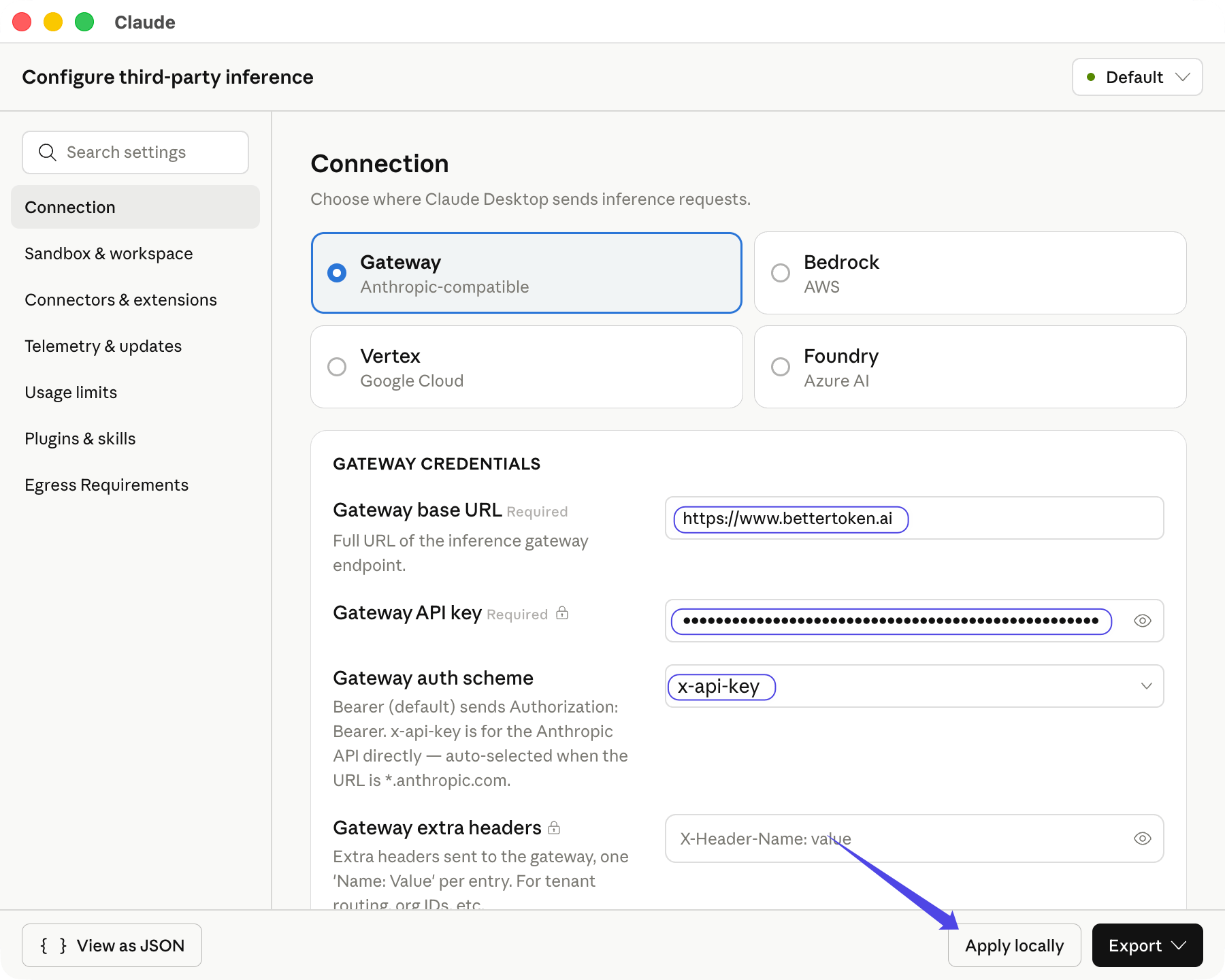
auth scheme चुनने के बाद Claude Desktop उपलब्ध Claude मॉडल लेता है। Apply locally क्लिक करें।
कनेक्शन सत्यापित करें
Save & Restart क्लिक करें। Continue with Gateway चुनें, फिर छोटा संदेश भेजें। नीचे-बाएं कोने में Gateway दिखे और संदेश सामान्य उत्तर दे तो setup सक्रिय है।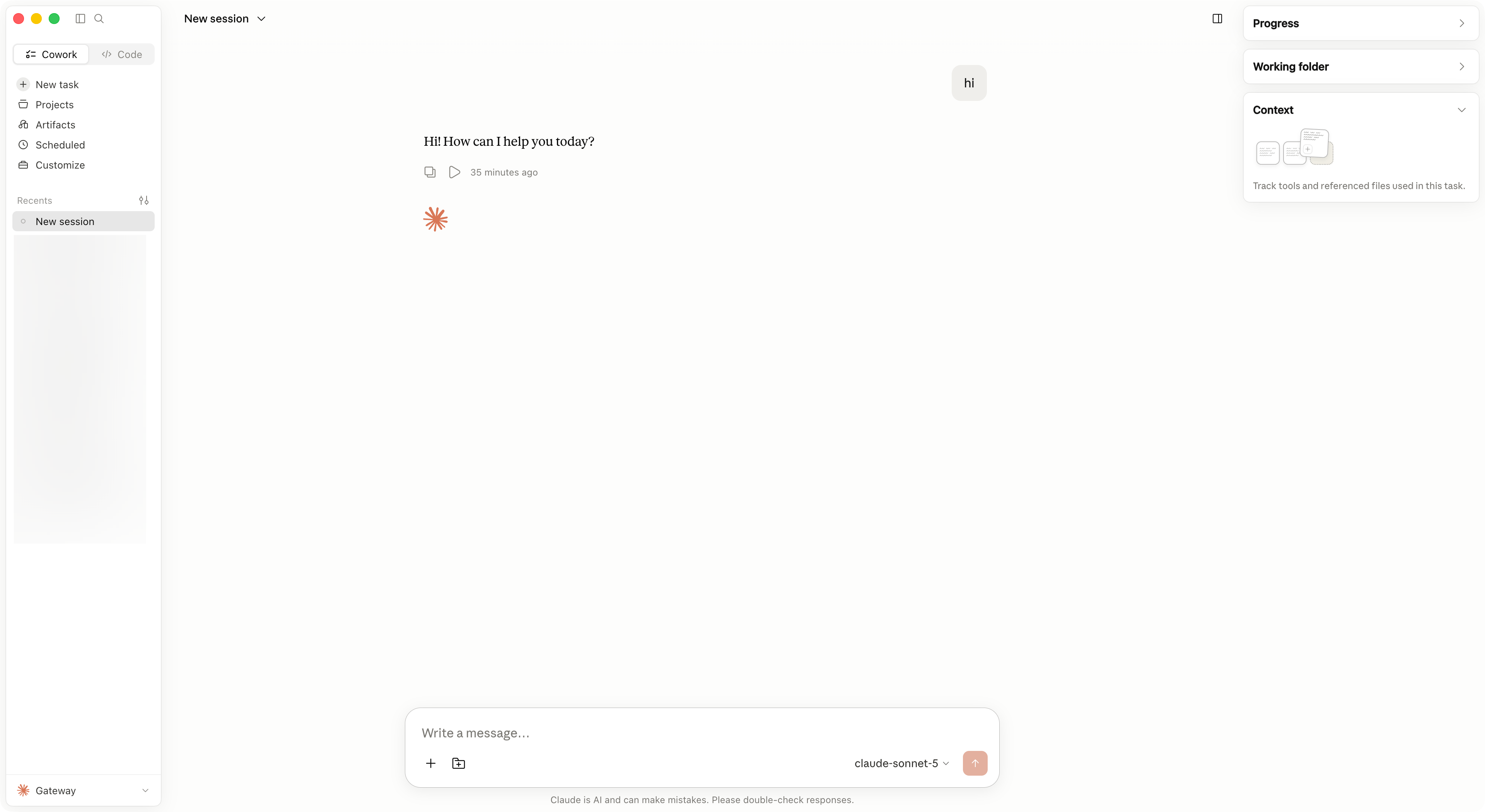
मॉडल बदलें
मॉडल selector खोलें और Gateway द्वारा लौटाया दूसरा Claude मॉडल चुनें। मॉडल न मिले तो Configure Third-Party Inference… फिर खोलें, Apply locally क्लिक करें और Claude Desktop रीस्टार्ट करें।सामान्य त्रुटियां
उन्नत सेटअप
Claude Desktop में GPT, Kimi, GLM या अन्य non-Claude provider उपयोग करने के लिए CC Switch का Claude Desktop टैब अपनाएं। CC Switch API Format, मॉडल mapping, proxy और restart flow संभालता है।समर्थित provider
ये स्थितियां केवल इस पेज पर बताए गए BetterToken सेटअप पर लागू होती हैं।
सेटअप के तरीकों का अर्थ
सेटअप के तरीकों का अर्थ
- उन्नत सेटअप: CC Switch इंस्टॉल करें और local proxy, protocol conversion या model mapping का उपयोग करें।
- मैन्युअल सेटअप: API Key, Base URL और Model दर्ज करें।
संबंधित गाइड
- Claude Desktop में third-party मॉडल उपयोग करें
- CC Switch में BetterToken कॉन्फ़िगर करें
- Codex CLI में कस्टम provider कॉन्फ़िगर करें
- नवीनतम CC Switch release डाउनलोड करें
तकनीकी विवरण
Gateway endpoint और प्रमाणीकरण
Gateway endpoint और प्रमाणीकरण
Anthropic-compatible
https://bettertoken.ai को /v1 के बिना Gateway base URL के रूप में उपयोग करें। authentication scheme में x-api-key चुनें।