

If you use an API key from the Claude Key group, you can enter
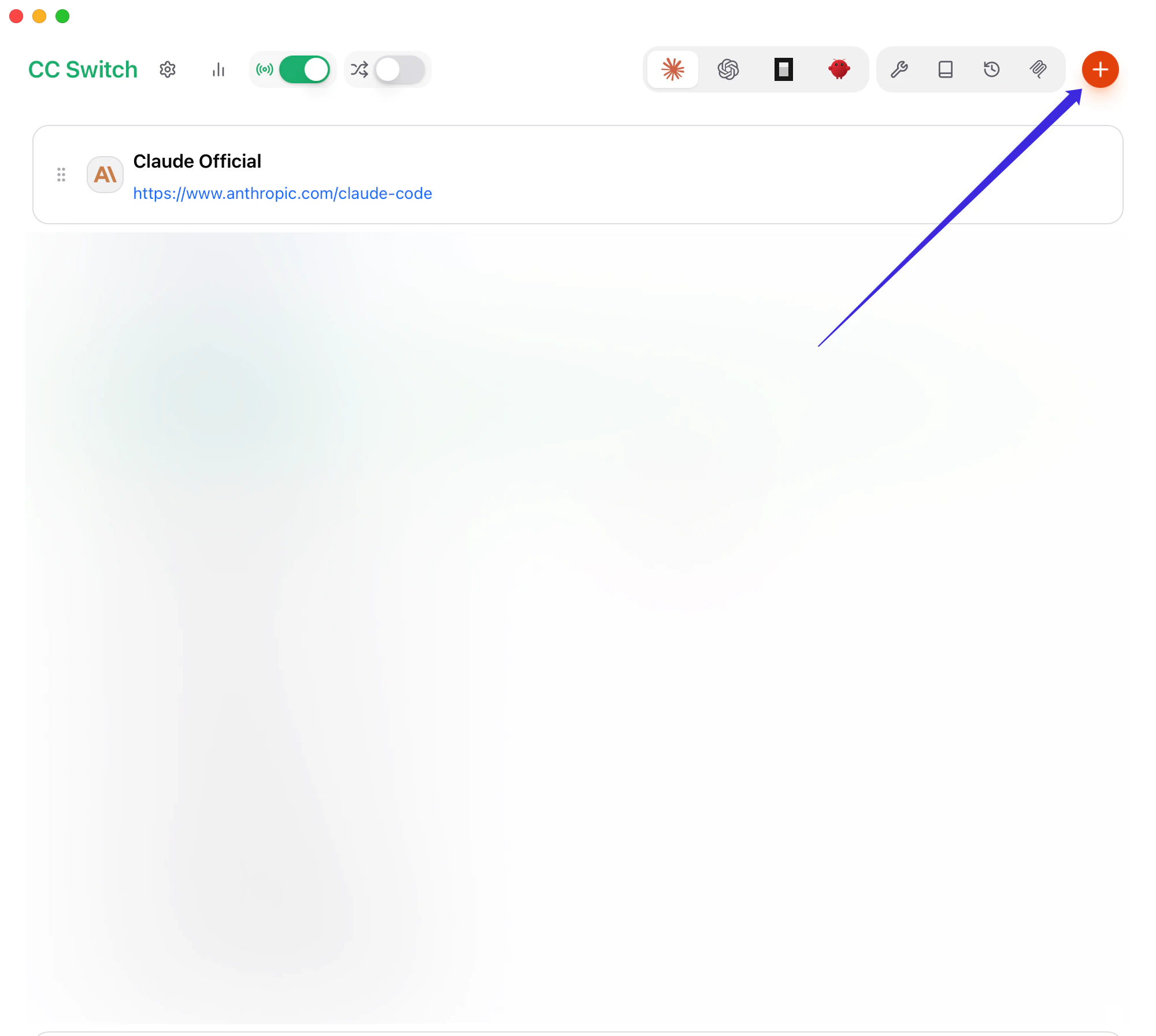
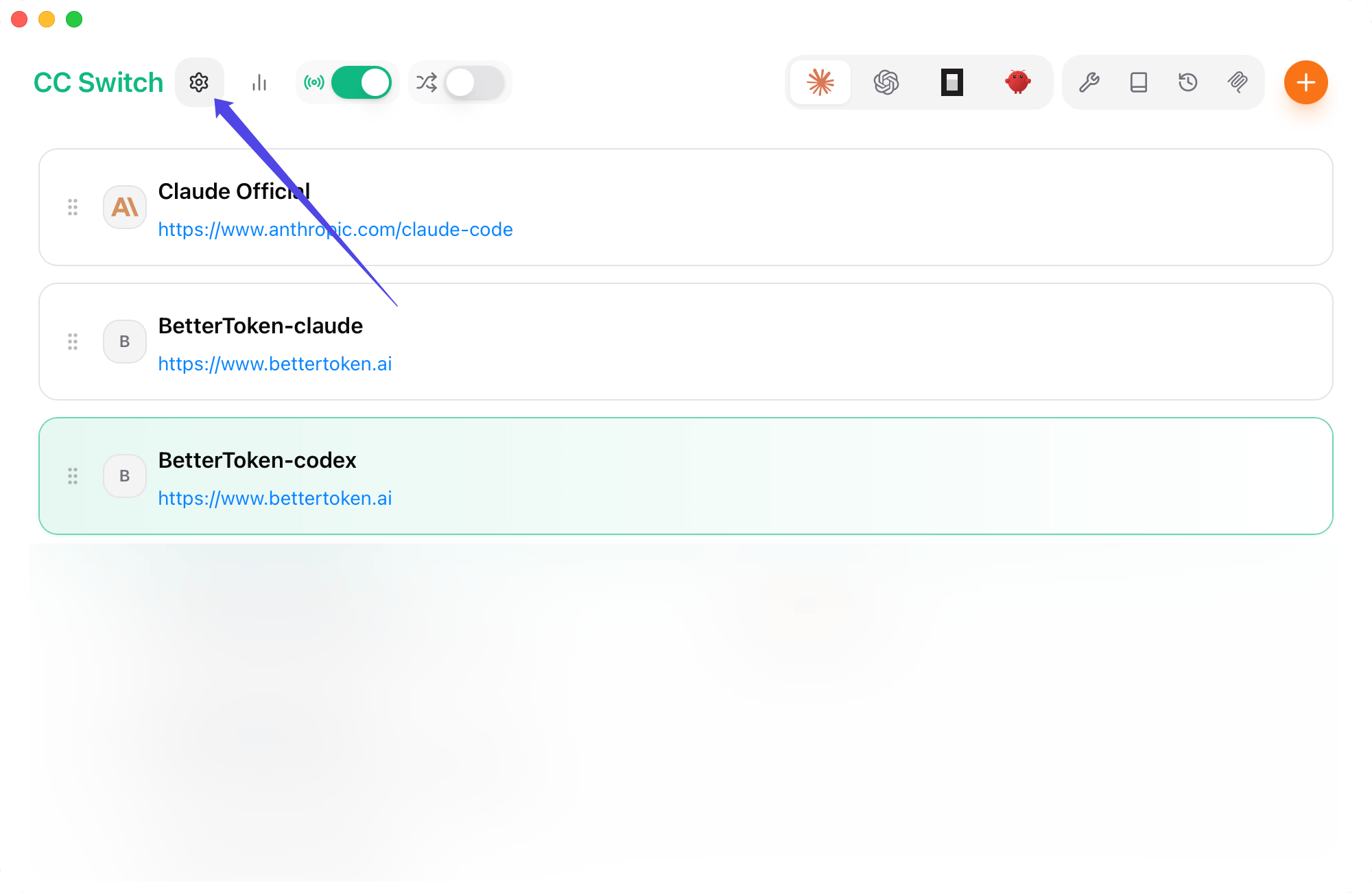
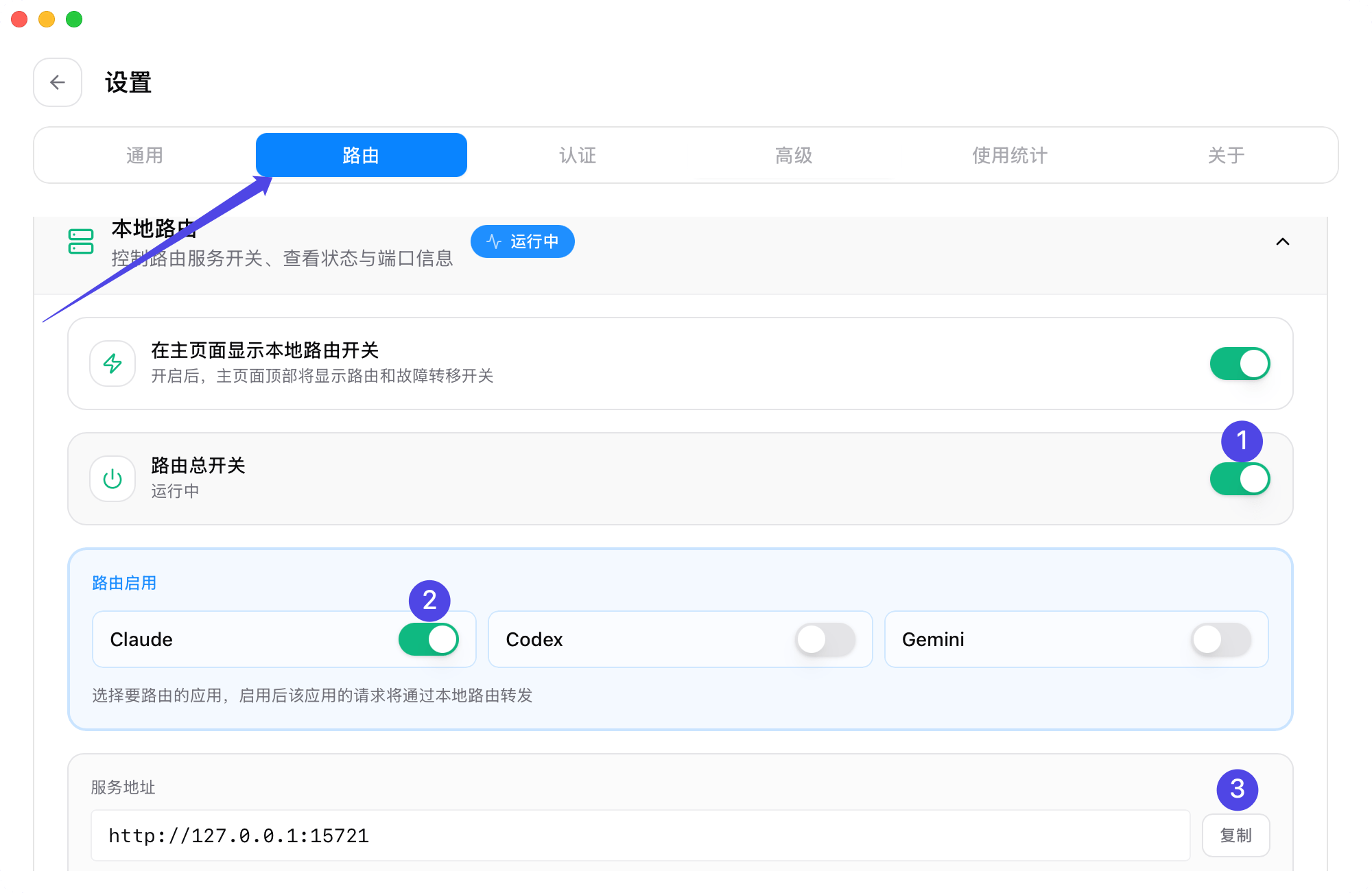
https://www.bettertoken.ai directly in Claude Desktop. If you use an API key from the GPT Key group, configure a local route through CC Switch first, then enter the local service address in Claude Desktop. Do not enter the Codex / OpenAI-compatible endpoint https://www.bettertoken.ai/v1 directly in Claude Desktop Gateway.Setup steps
1
Download Claude Desktop
Download the latest Claude Desktop app from the official link:Download Claude for MacAfter installation, do not sign in to a Claude account. Continue to the next step and enable developer mode.
2
Enable developer mode
Open Claude Desktop, then choose Help → Troubleshooting → Enable Developer Mode from the macOS menu bar.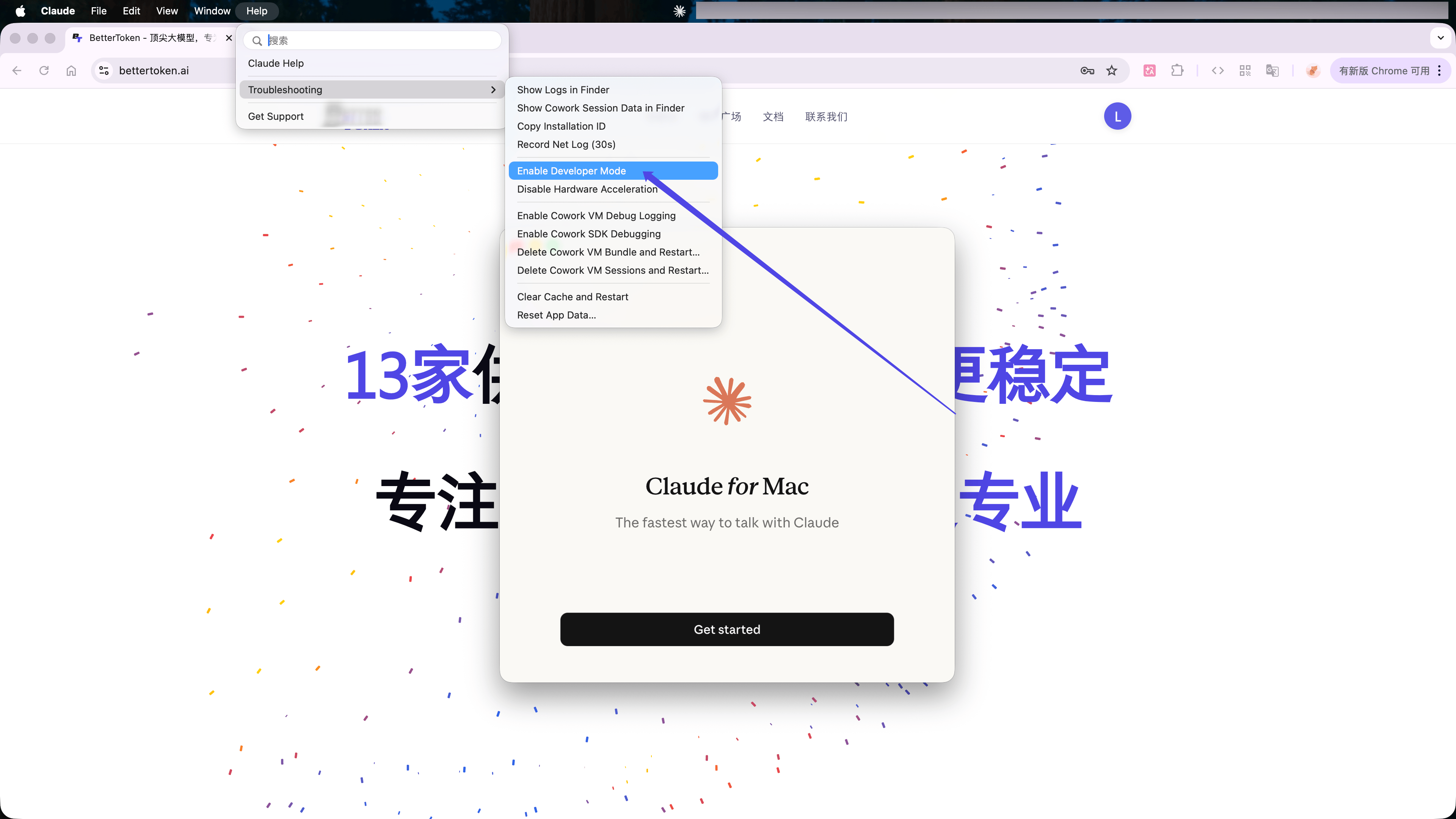
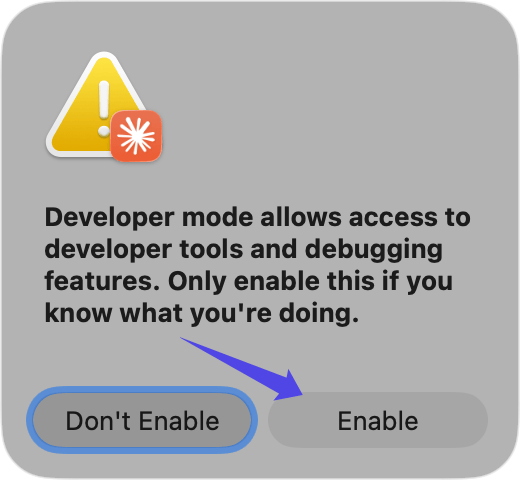
3
Open third-party inference settings
After restarting, the macOS menu bar shows a Developer menu.Choose Developer → Configure Third-Party Inference….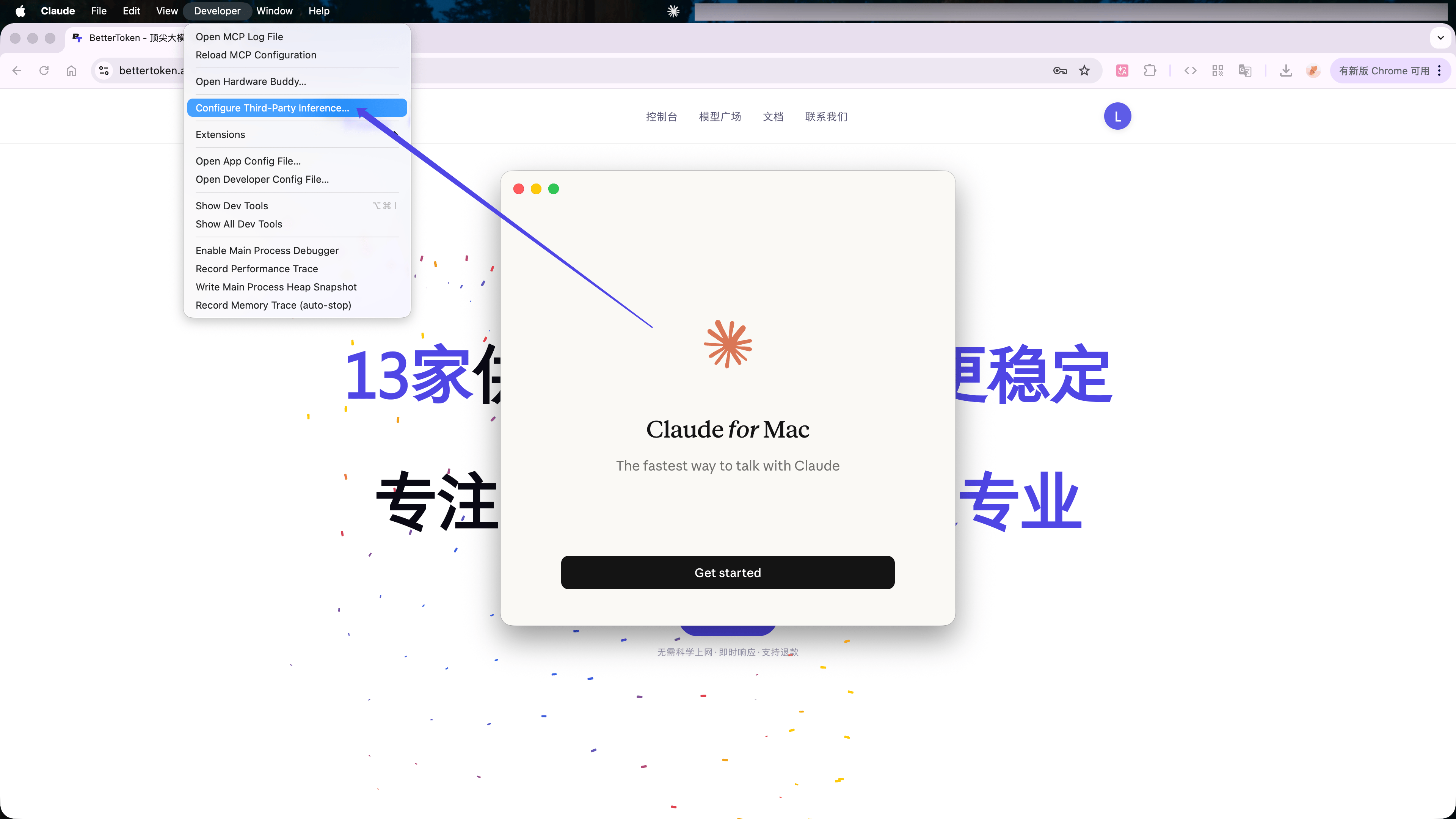
- Claude Key group
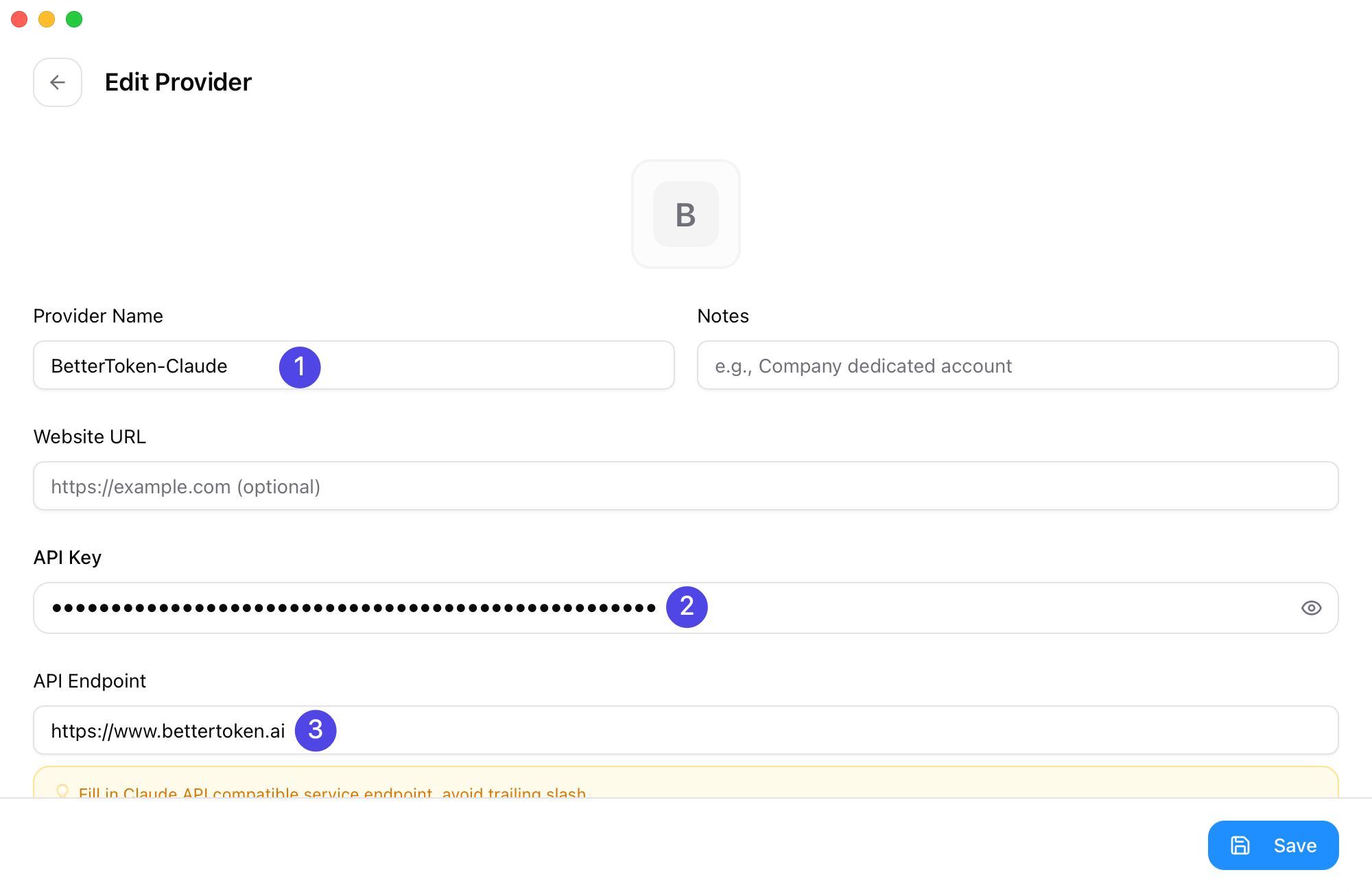
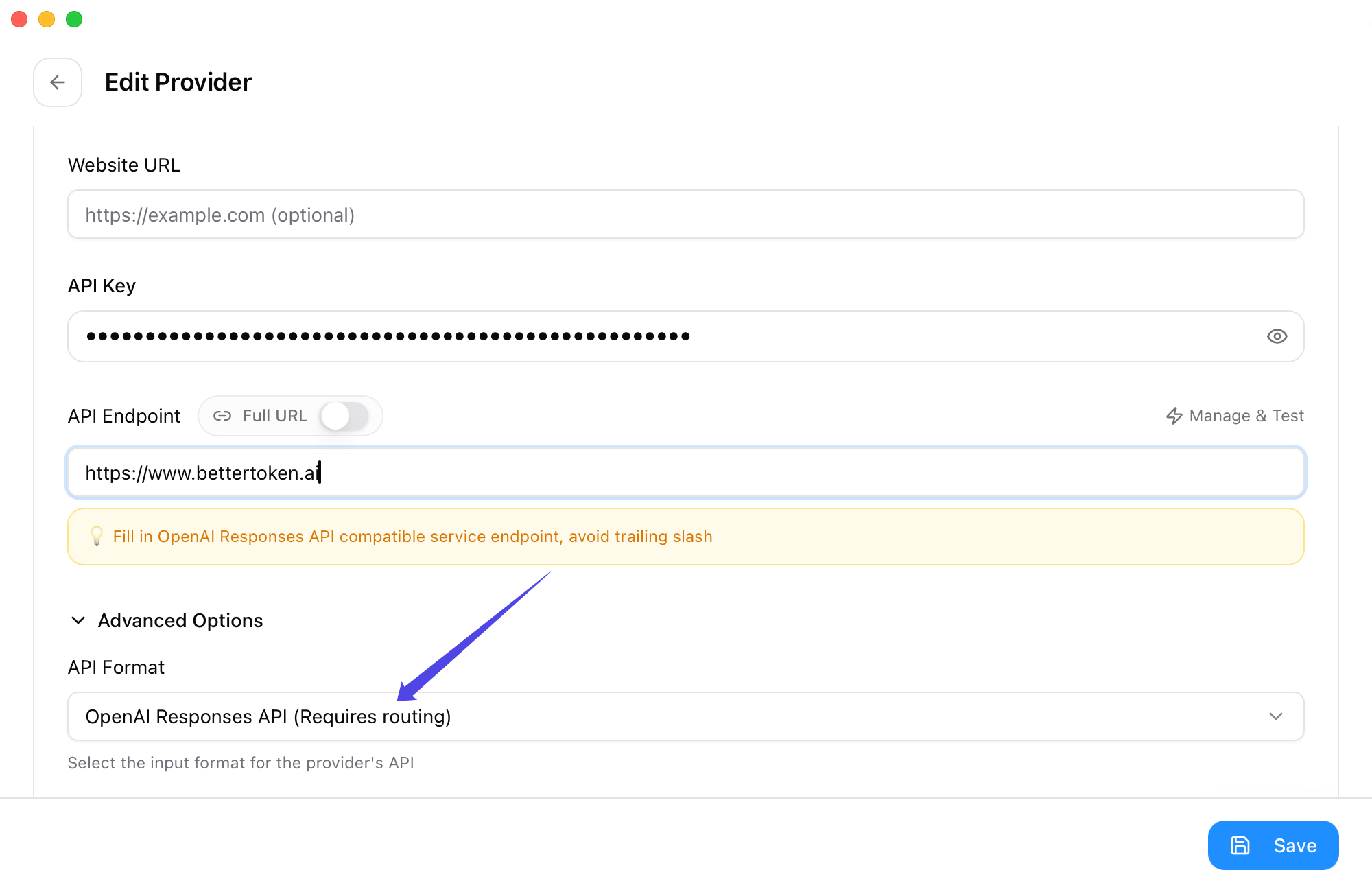
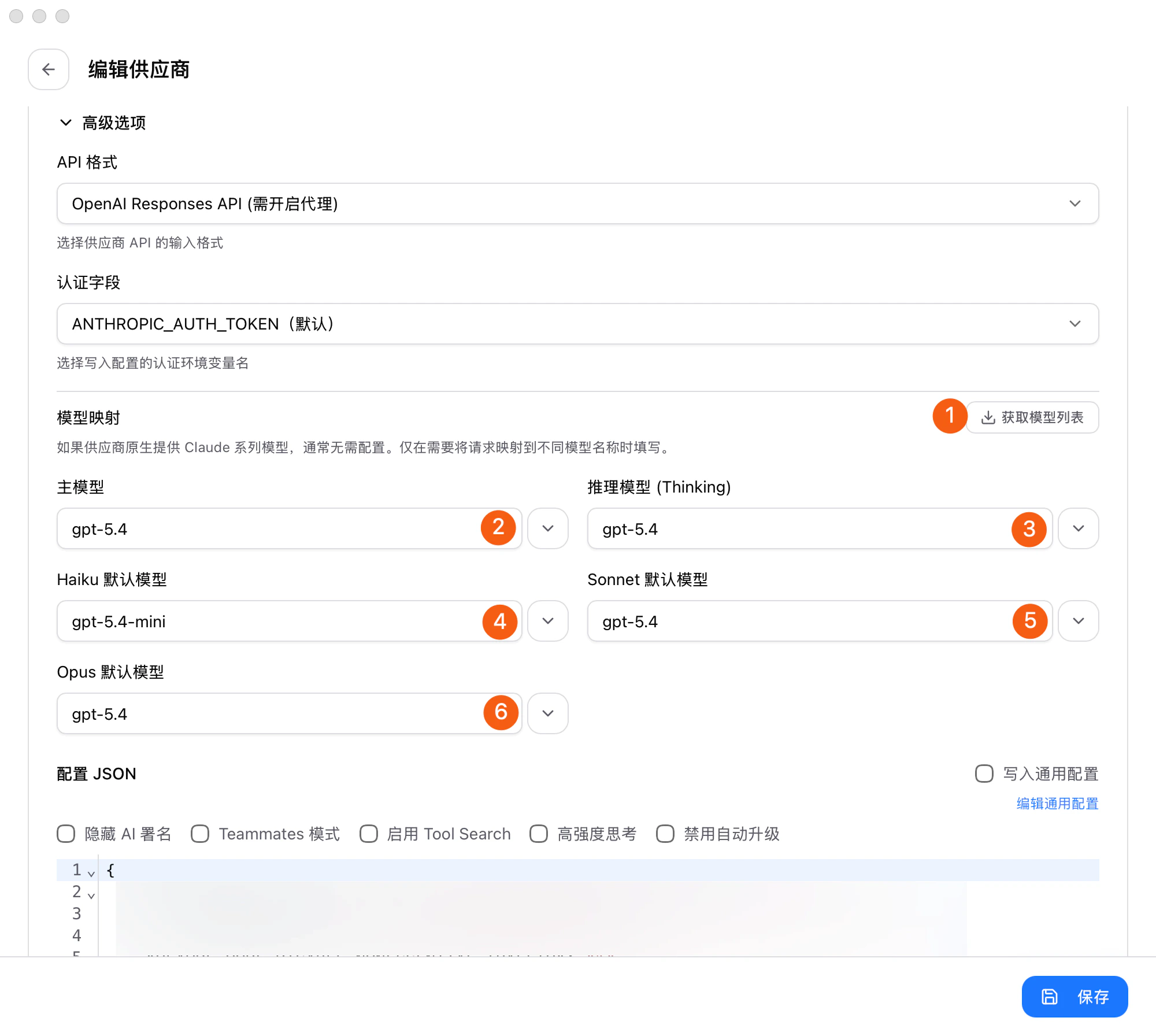
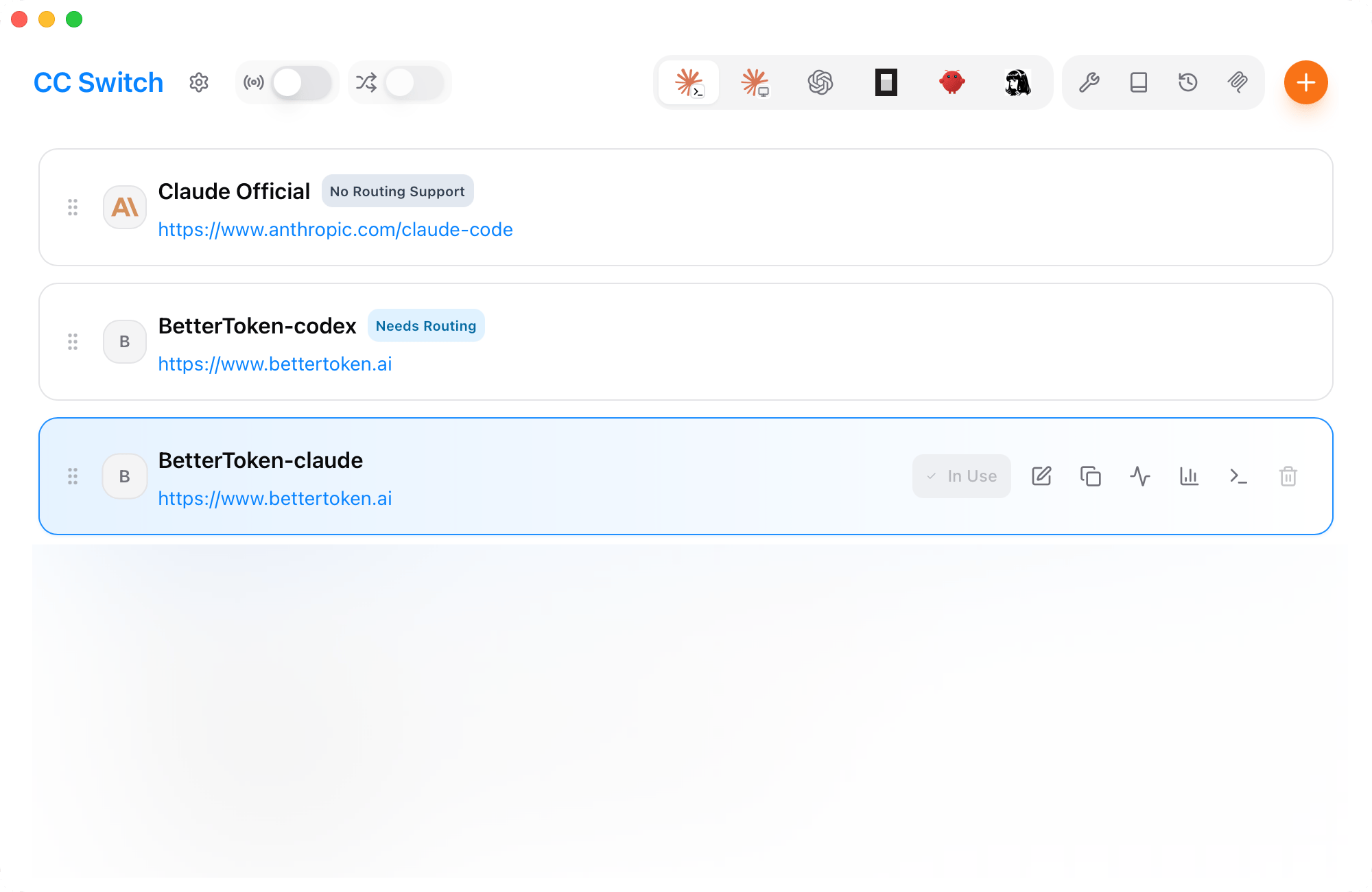
- GPT Key group
1
Enter BetterToken API settings
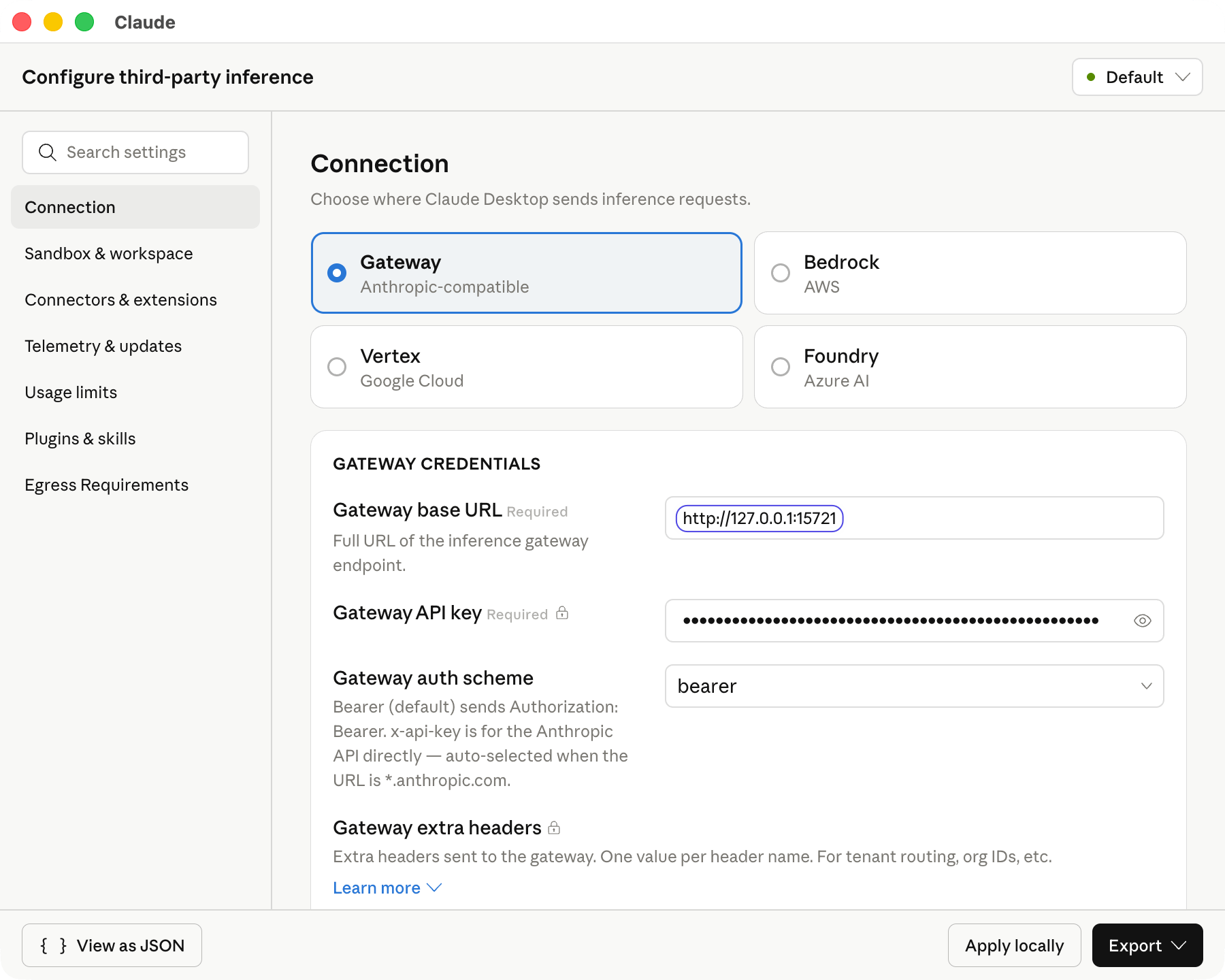
In the settings window, select Gateway, then enter: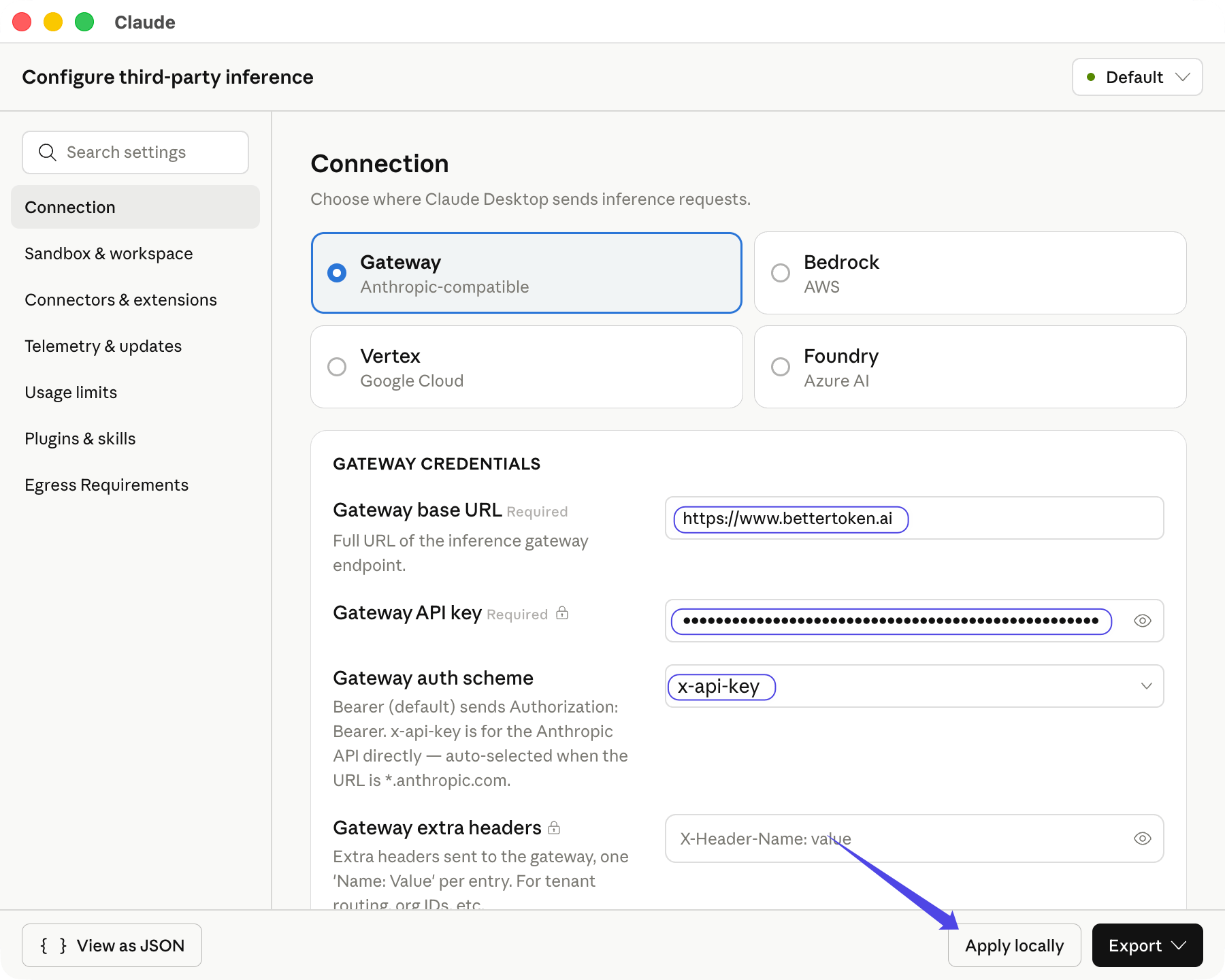
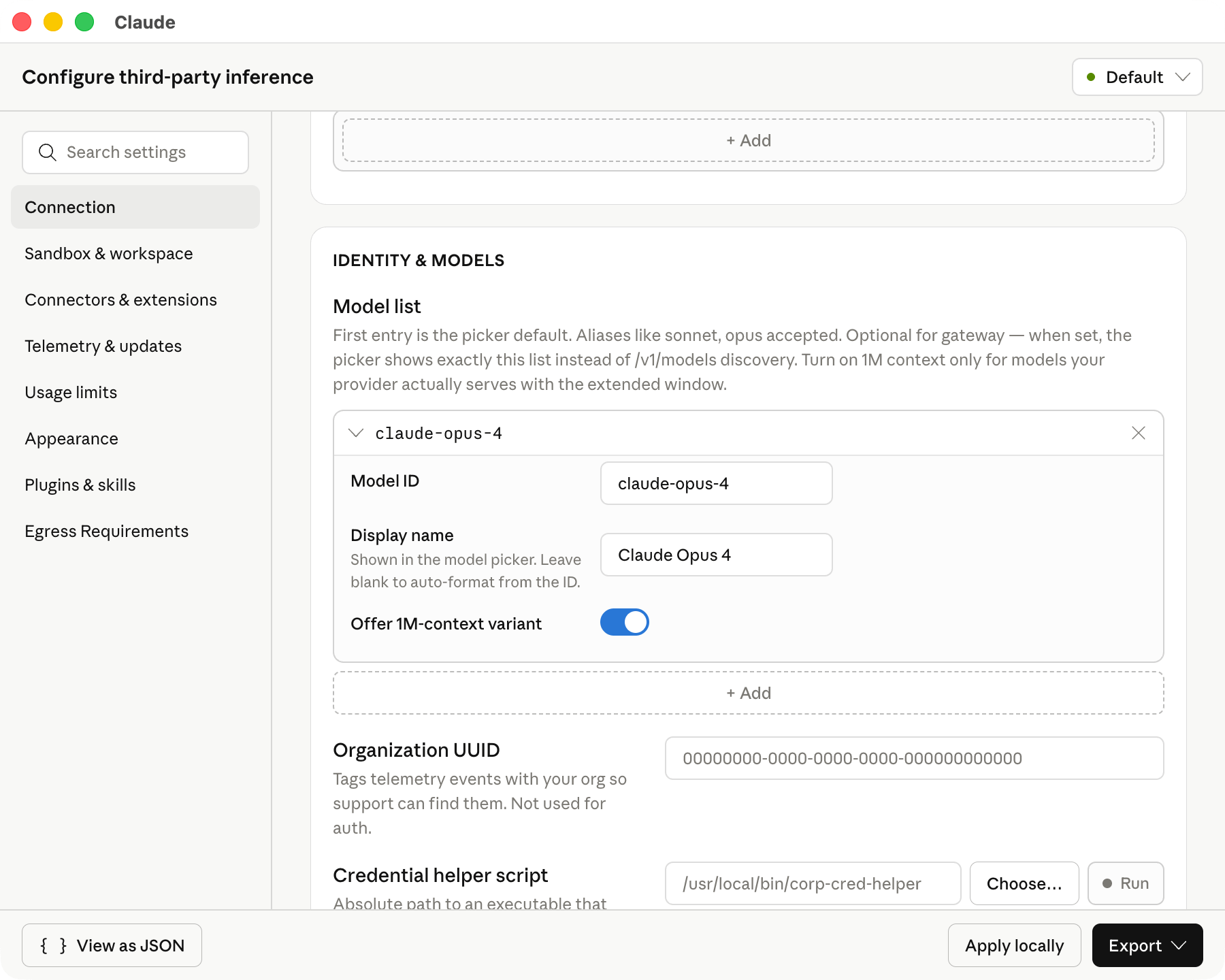
After you select Gateway auth scheme, Claude Desktop automatically fetches the available models for the Claude Key group. Click Apply locally after entering the settings.
2
Confirm the app relaunch
After Claude writes the local configuration, it asks you to save and restart. Click Save & Restart so the new gateway configuration takes effect.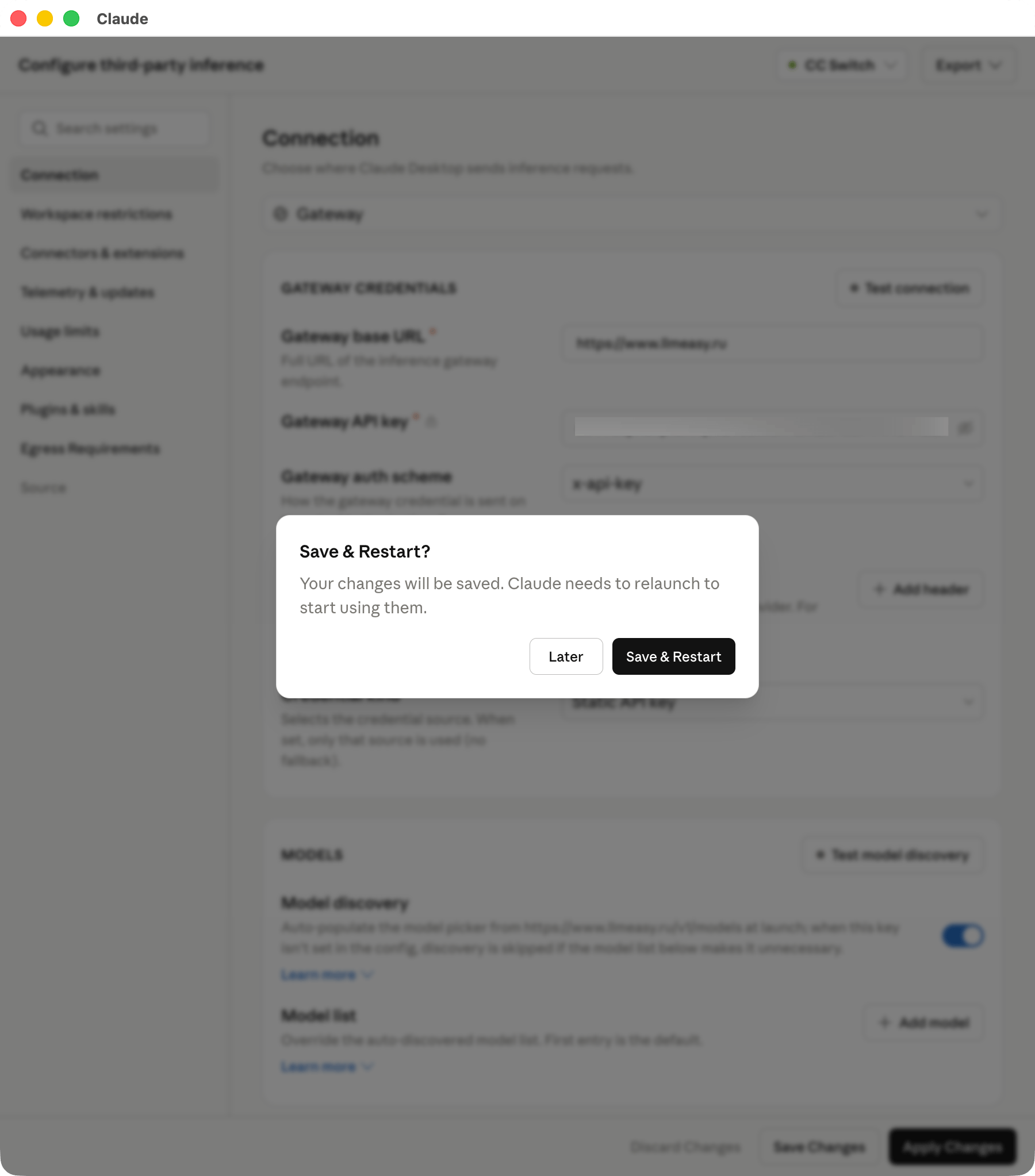
3
Sign in with Gateway
After restarting, wait about 3 seconds for the sign-in choice to appear.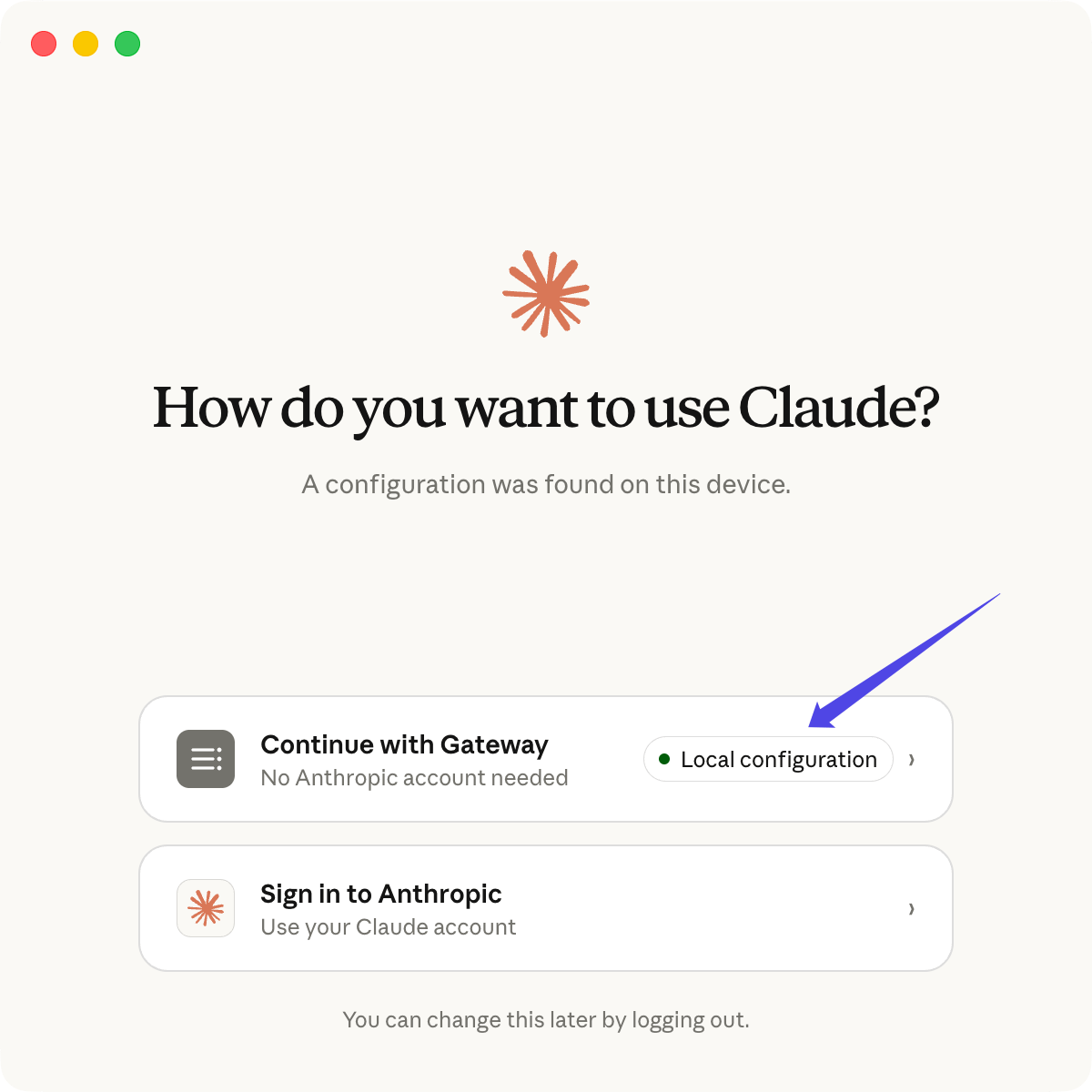
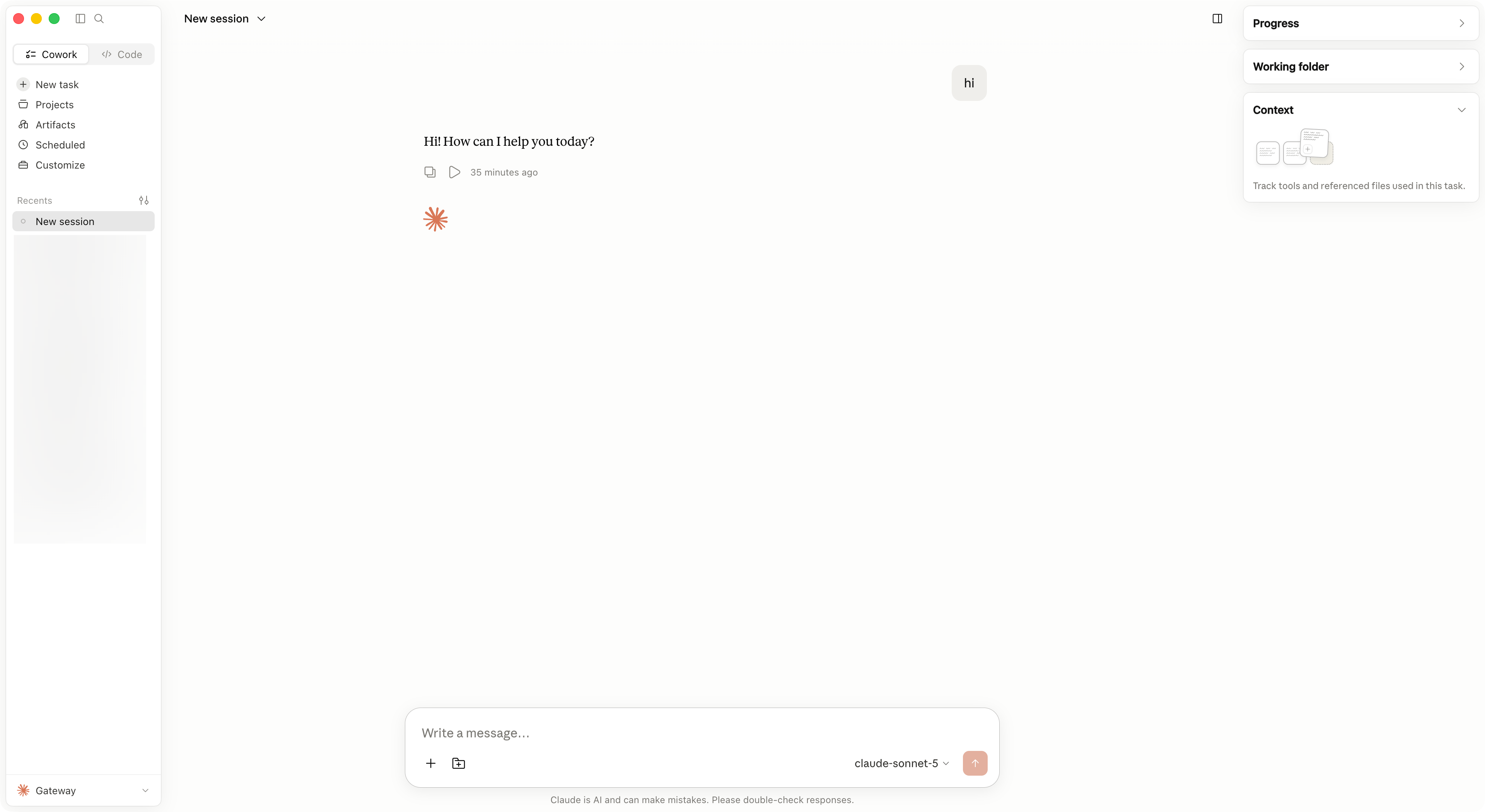
Troubleshooting
If the Developer menu does not appear in Claude Desktop, confirm that you clicked Enable and fully restarted the app. If requests fail, check these items first:- Gateway base URL matches the setup path: use
https://www.bettertoken.aifor a Claude Key group, or the local service address copied from CC Switch for a GPT Key group - Gateway API key comes from Token management in the BetterToken console
- Gateway auth scheme matches the Key group: use
x-api-keyfor a Claude Key group andbearerfor a GPT Key group - You clicked Apply locally
- If you use a GPT Key group, the main routing switch and the Claude route are enabled in CC Switch Routing settings
- You clicked Save & Restart and selected Continue with Gateway after restart