

How to Override the OpenAI Base URL in Cursor
Learn how to override the OpenAI Base URL in Cursor, add a custom API key and model ID, and fix 401, model-not-found, or private-network errors during setup.
In Cursor, open Settings → Models, enter your OpenAI-compatible API key, enable Override OpenAI Base URL, set the public endpoint to https://bettertoken.ai/v1, and add the exact model ID.
When this matters
- You want Cursor to use a third-party OpenAI-compatible provider
- You need to set Override OpenAI Base URL
- You are adding a custom model
- You see model not found or authentication failures
- You want Cursor, Codex, and other tools to share one model routing layer
Field meanings
| Field | Role |
|---|---|
| API Key | Authentication credential |
| Base URL | OpenAI-compatible endpoint, usually a /v1 URL |
| Model ID | Model identifier recognized by the provider |
| Custom model | Manually added or selected model inside Cursor |
Manual setup
Complete this setup in the Cursor settings UI. You do not need to edit a configuration file.
| Cursor field | Value |
|---|---|
| Override OpenAI Base URL | Turn on |
| Base URL | https://bettertoken.ai/v1 |
| OpenAI API Key | BetterToken API Key |
| Custom model | A complete model ID |
Open the model settings page
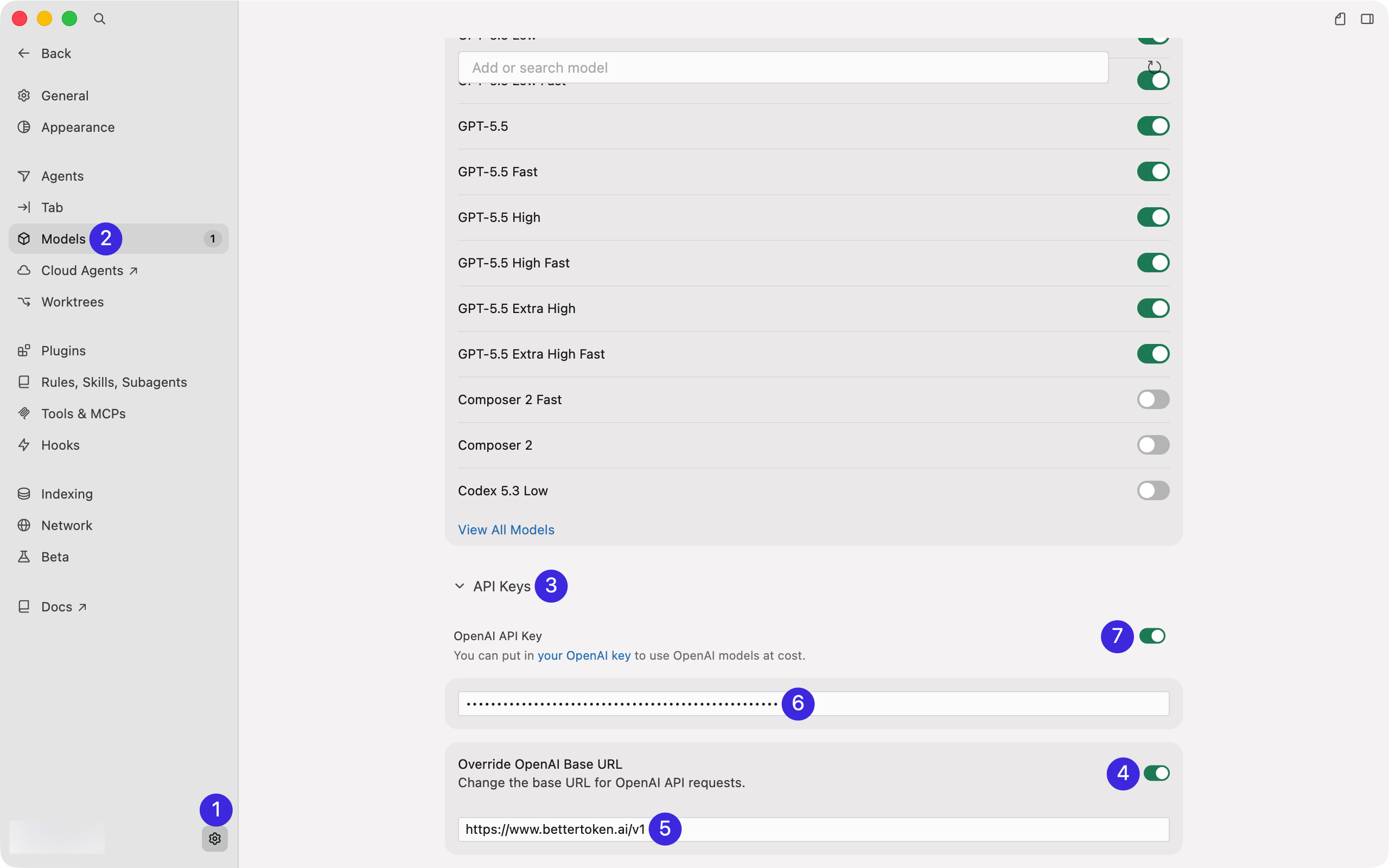
In Cursor, click Settings in the lower-left corner, then go to Models. Scroll down to API Keys.
Enter the Base URL and API Key
In API Keys, configure the fields in this order:
- Enable Override OpenAI Base URL
- Enter
https://bettertoken.ai/v1in the Base URL field - Paste your BetterToken API Key into OpenAI API Key
- After the URL and key are filled in, enable the OpenAI API Key toggle
Enter the key before turning on the toggle. This makes Cursor show the authentication confirmation dialog.
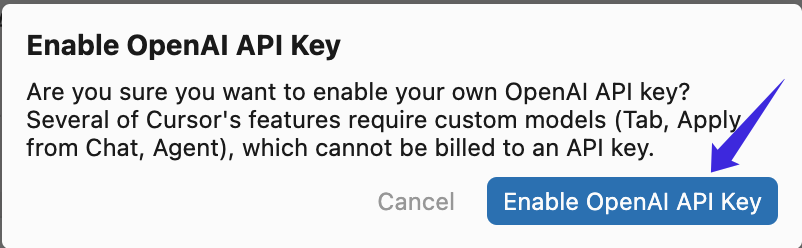
Enable the OpenAI API Key
In the confirmation dialog, click Enable OpenAI API Key.
Refresh the model list and enable models
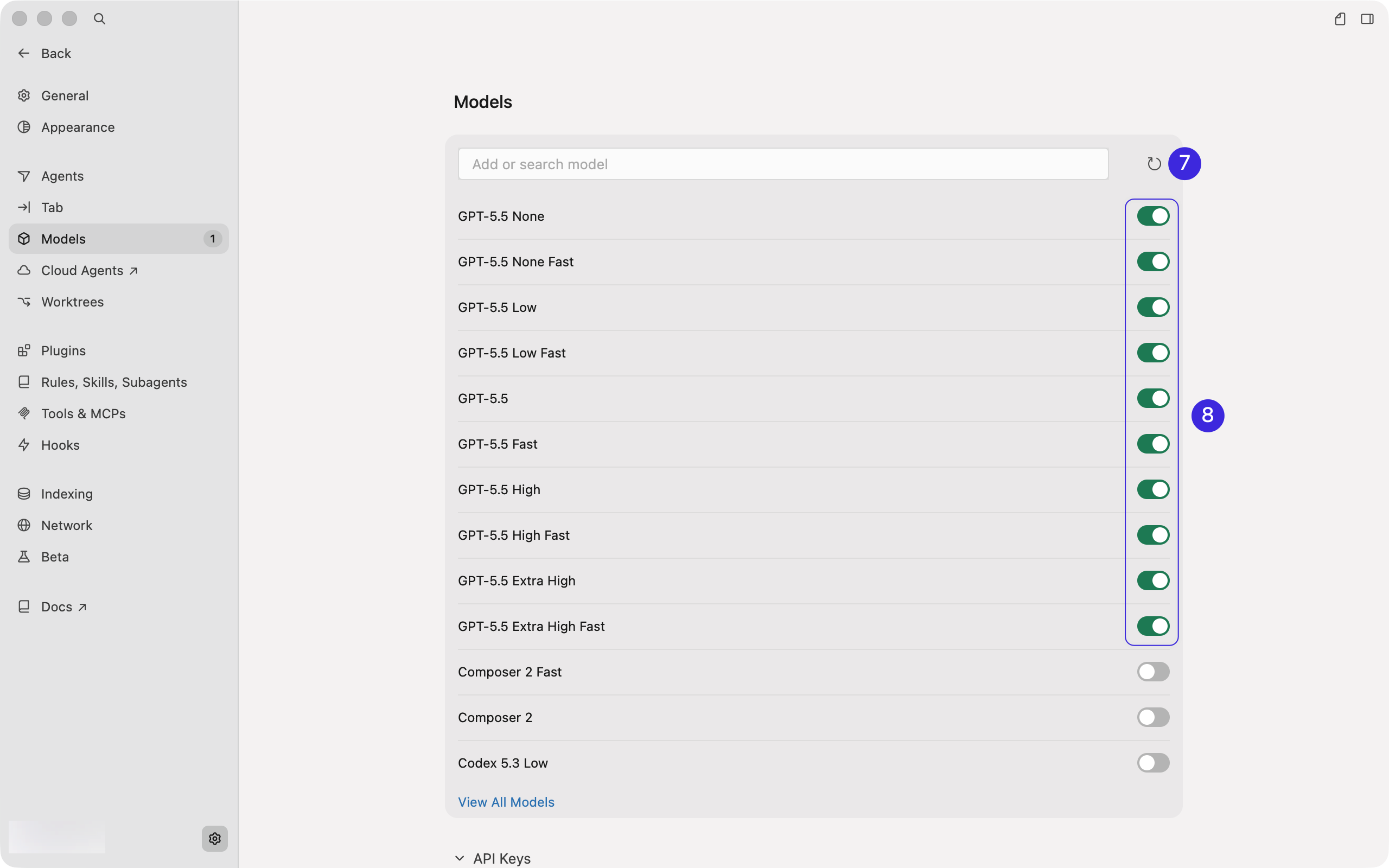
Back in Models, click the refresh button on the right before selecting a model. Wait until the model list finishes refreshing.
Copy the exact Model ID from the model plaza.
Return to chat and turn off Auto
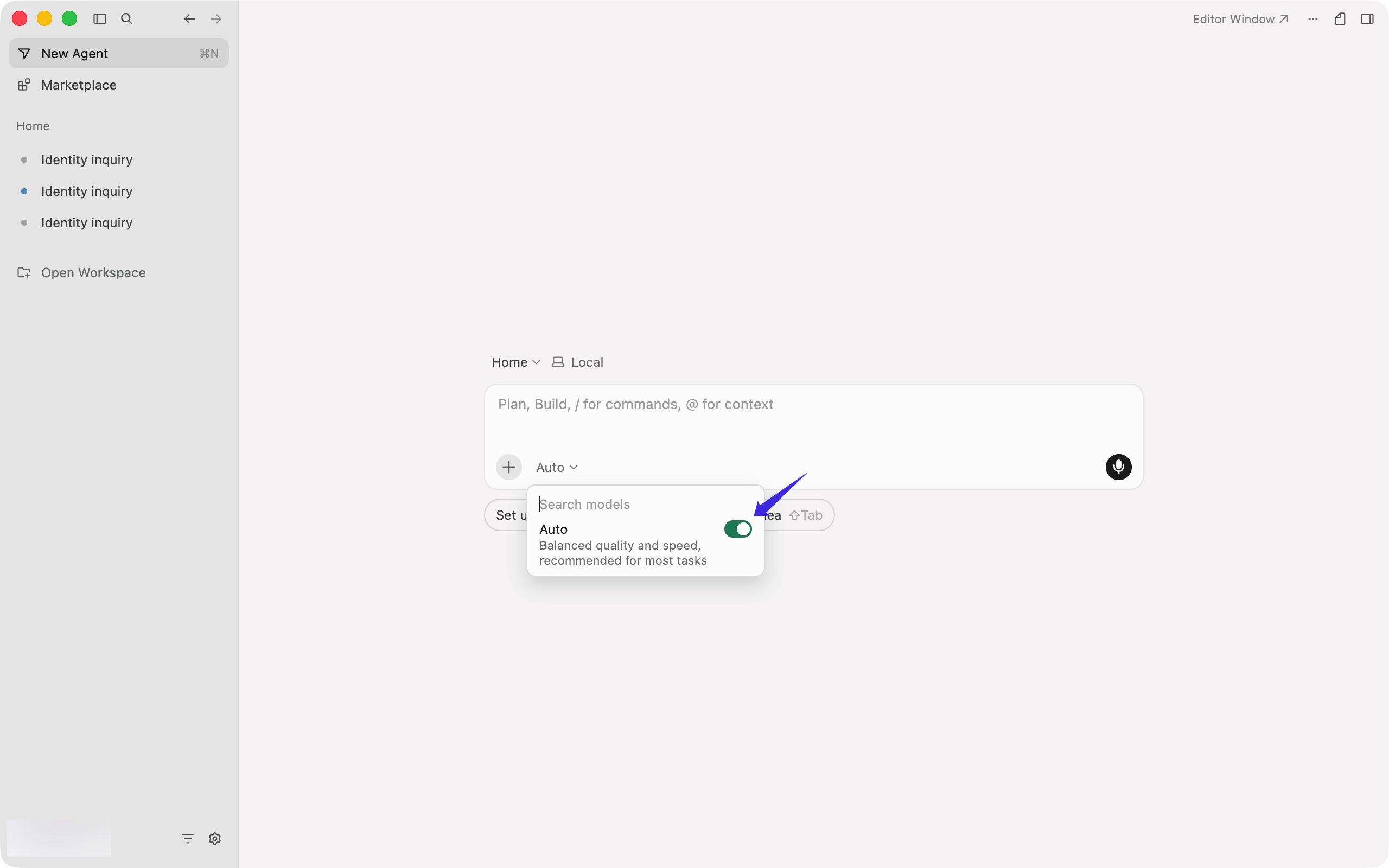
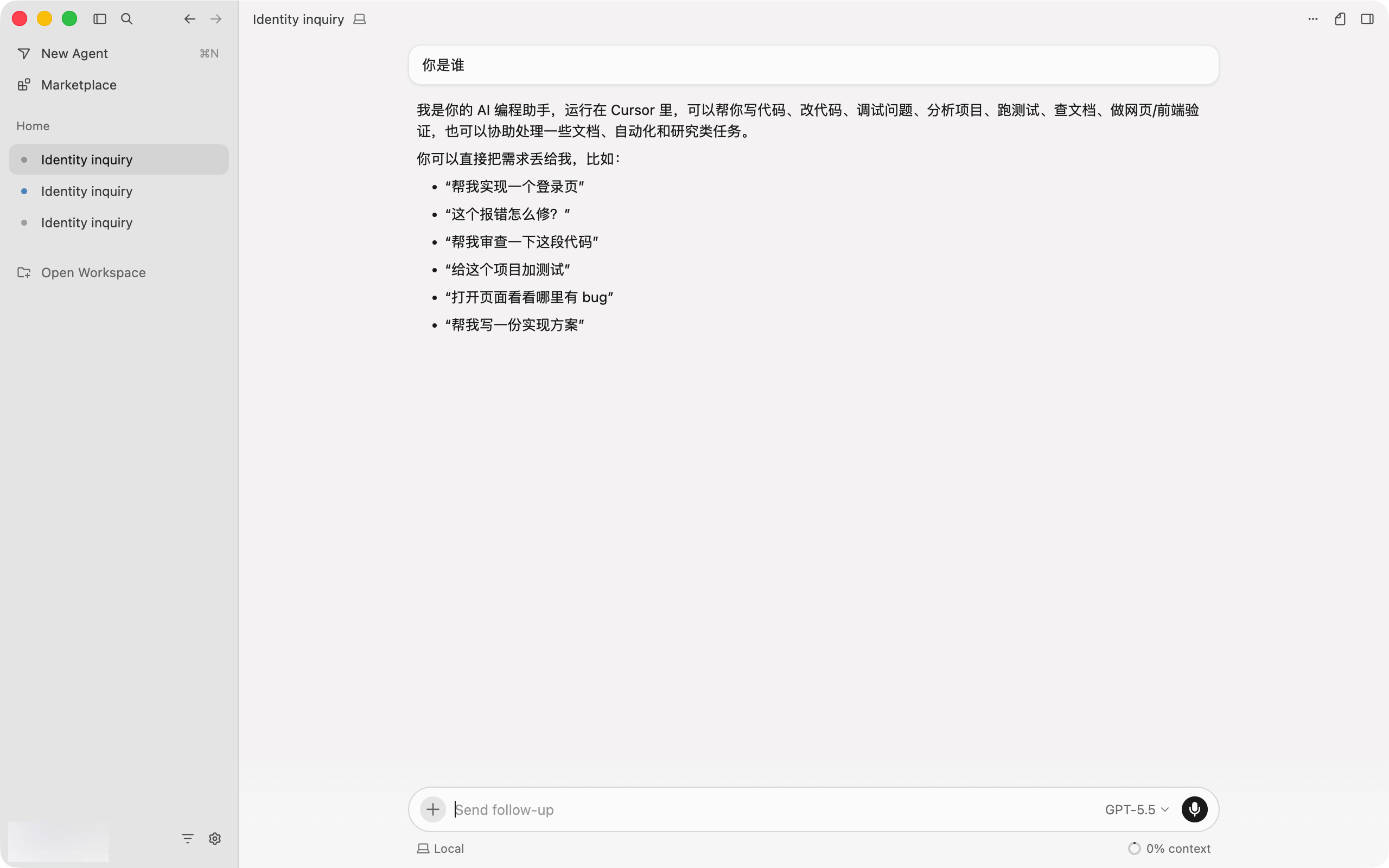
After setup, return to the Cursor chat screen and open the model picker below the input box. If Auto is enabled, turn Auto off first.
Select the model and start chatting
Choose the model you enabled, then start chatting.
Troubleshooting
401 Unauthorized
Confirm that the API key was copied from BetterToken without extra spaces and that Cursor is using https://bettertoken.ai/v1. Do not mix an API key from one provider with another provider’s Base URL. If the key was regenerated or revoked, replace it in Cursor and test again.
Model Not Found or 404
Use the exact API model ID shown in the BetterToken Model Plaza, not the display name shown in the interface. Confirm that the model is available through the OpenAI-compatible endpoint and that the Base URL ends with /v1.
Access to private networks is forbidden
Cursor may reject localhost, 127.0.0.1, private LAN addresses, or other non-public endpoints. When using BetterToken, keep the public HTTPS Base URL https://bettertoken.ai/v1. If you intentionally use a local proxy, configure it according to Cursor’s current local-network restrictions.
Common mistakes
-
401 Unauthorized: Check that Cursor is using your active BetterToken API Key and that no extra spaces were copied.
-
404 Not Found: Use https://bettertoken.ai/v1 as the Base URL, not a full request path such as
/v1/chat/completions. -
Model Not Found: Copy the exact Model ID from the model plaza instead of using a display name.
-
Using an API Key from one provider and Base URL from another.
-
Using a UI display name instead of an API model ID.
-
Thinking Cursor Rules affect API authentication.
-
Forgetting that a global override can affect other OpenAI models.
About BetterToken
Use https://bettertoken.ai for Claude Code and https://bettertoken.ai/v1 for Codex CLI and OpenAI-compatible tools. Choose the endpoint for the protocol your client uses. Copy the exact Model ID from the model plaza.
Do not put the Claude Code https://bettertoken.ai into Cursor OpenAI-compatible configuration.
Related docs
- Complete Cursor setup guide
- Cursor Rules, AGENTS.md, and .cursorignore
- How to configure MCP in Cursor
- OpenAI-compatible API vs Anthropic-compatible API
- What are model_provider, base_url, and wire_api?
This is an independent BetterToken setup guide, not Cursor’s official documentation.