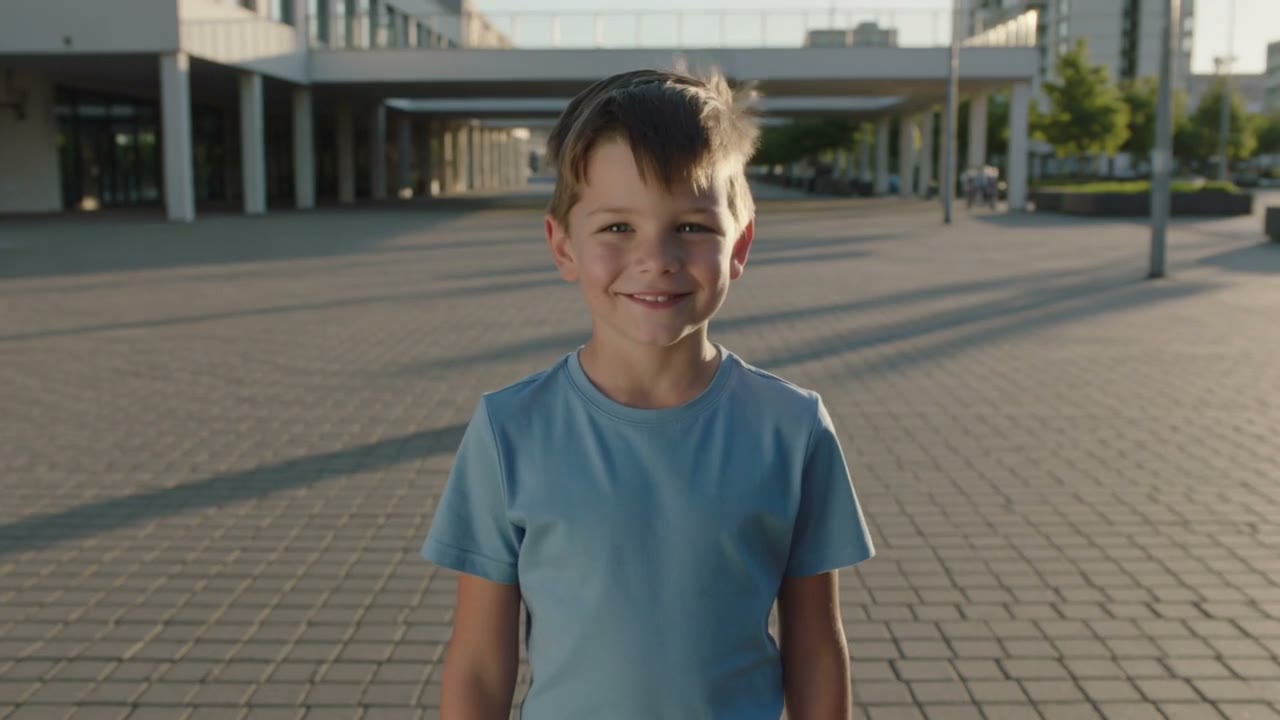

Kling 视频 API:文生、图生与动作控制
用 BetterToken API Key 接入 Kling,按 Model ID 和操作选择字段、素材与生成方式。
你可以用文字或图片生成视频,或用一张人物参考图配合动作视频控制动作。kling-v3 的输出档位使用 provider_options.kling.mode;Omni、Turbo 与 Motion Control 使用各自的分辨率字段。
先准备 BetterToken API Key。Base URL 为 https://bettertoken.ai/v1,认证使用 Authorization: Bearer YOUR_API_KEY。原样复制 Model ID,大小写必须一致。
下方每份 request.json 都使用同一流程:先报价,再确认创建、轮询与下载。报价不启动生成;创建会提交付费任务。当前费用见模型广场。
型号与操作
下表按操作列出可选值;字段默认值、素材数量和组合限制见对应小节。素材大小按 1 MB = 1048576 字节换算。
| Model ID | 操作 | 时长(秒) | 输出档位 | 比例 | 音频 | 素材角色 |
|---|---|---|---|---|---|---|
kling-3.0-turbo | text_to_video | 5–10,步长 5 | 720p、1080p | 16:9、9:16、1:1 | on | 无 |
kling-v3-motion-control | reference_to_video | 跟随 3–10 秒参考视频 | 720p、1080p | 不传 | off、on | reference_image、reference_video |
kling-v3-omni | text_to_video | 3–15,步长 1 | 720p、1080p、4k | 16:9、9:16、1:1 | off、on | 无 |
kling-v3 | image_to_video | 3–15,步长 1 | std、pro、4k | 不传 | off、on | first_frame、last_frame |
kling-v3 | text_to_video | 3–15,步长 1 | std、pro、4k | 16:9、9:16、1:1 | off、on | 无 |
kling-v3 不接受 output.resolution;图生还不接受 output.aspect_ratio。kling-v3-motion-control 不接受 provider_options。Turbo 只能生成 5 或 10 秒视频,音频固定为 on。
示例素材
图生与图片参考示例使用白色桌面上的蓝色陶瓷杯。你可以保留样图试用,也可以先替换为自己有权使用且符合本页限制的公网 HTTPS 素材。

动作控制示例改用男孩参考图与同一男孩的动作视频,提示词与这组人物素材对应。视频约 5.04 秒,1280 × 720,24 fps。
文生视频
kling-3.0-turbo
你只有文字描述时,使用本操作生成视频。
把 model 设为本小节的 Model ID,把 operation 设为 text_to_video。仅使用下表列出的生成字段;素材放在 media 数组中。
| 字段 | 类型 | 必填 | 可选值或范围 | 默认值 |
|---|---|---|---|---|
audio.mode | string | 否 | on | on |
duration.mode | string | 否 | fixed | fixed |
duration.seconds | integer | 否 | 5–10,步长 5 秒;仅固定时长使用 | 5 |
output.aspect_ratio | string | 否 | 16:9、9:16、1:1 | 16:9 |
output.format | string | 否 | mp4 | mp4 |
output.resolution | string | 否 | 720p、1080p | 720p |
prompt | string | 是 | 字符串 | 无 |
watermark | boolean | 否 | false | false |
素材要求
本操作不接收素材。
组合约束
- 使用
duration.mode="fixed"时必须有duration.seconds。显式填写fixed时请同时填写秒数。
请求示例
将下方 JSON 保存为 request.json,然后按通用流程先报价、确认后创建。
{ "model": "kling-3.0-turbo", "operation": "text_to_video", "prompt": "A blue ceramic mug on a white table. Slowly move the camera closer in soft daylight.", "duration": { "mode": "fixed", "seconds": 5 }, "output": { "resolution": "720p", "aspect_ratio": "16:9" }}常见 422 错误
| 422 错误码 | 处理方法 |
|---|---|
enum / range / step | 按本节字段表调整取值与步长。 |
unsupported_field | 删除本操作字段表中没有的字段。 |
requires | 按本节组合约束补齐秒数、比例、音频设置或素材。 |
kling-v3-omni
你只有文字描述时,使用本操作生成视频。
把 model 设为本小节的 Model ID,把 operation 设为 text_to_video。仅使用下表列出的生成字段;素材放在 media 数组中。
| 字段 | 类型 | 必填 | 可选值或范围 | 默认值 |
|---|---|---|---|---|
audio.mode | string | 否 | off、on | off |
duration.mode | string | 否 | fixed | fixed |
duration.seconds | integer | 否 | 3–15,步长 1 秒;仅固定时长使用 | 3 |
output.aspect_ratio | string | 否 | 16:9、9:16、1:1 | 16:9 |
output.format | string | 否 | mp4 | mp4 |
output.resolution | string | 否 | 720p、1080p、4k | 720p |
prompt | string | 是 | 字符串 | 无 |
watermark | boolean | 否 | false | false |
素材要求
本操作不接收素材。
组合约束
- 使用
duration.mode="fixed"时必须有duration.seconds。显式填写fixed时请同时填写秒数。 - 选择
output.resolution="4k"时,必须设置audio.mode="off"。
请求示例
将下方 JSON 保存为 request.json,然后按通用流程先报价、确认后创建。
{ "model": "kling-v3-omni", "operation": "text_to_video", "prompt": "A blue ceramic mug on a white table. Slowly move the camera closer in soft daylight.", "duration": { "mode": "fixed", "seconds": 5 }, "output": { "resolution": "720p", "aspect_ratio": "16:9" }}常见 422 错误
| 422 错误码 | 处理方法 |
|---|---|
enum / range / step | 按本节字段表调整取值与步长。 |
unsupported_field | 删除本操作字段表中没有的字段。 |
requires | 按本节组合约束补齐秒数、比例、音频设置或素材。 |
kling-v3
你只有文字描述时,使用本操作生成视频。
把 model 设为本小节的 Model ID,把 operation 设为 text_to_video。仅使用下表列出的生成字段;素材放在 media 数组中。
| 字段 | 类型 | 必填 | 可选值或范围 | 默认值 |
|---|---|---|---|---|
audio.mode | string | 否 | off、on | off |
duration.mode | string | 否 | fixed | fixed |
duration.seconds | integer | 否 | 3–15,步长 1 秒;仅固定时长使用 | 5 |
output.aspect_ratio | string | 否 | 16:9、9:16、1:1 | 16:9 |
output.format | string | 否 | mp4 | mp4 |
prompt | string | 否 | 字符串 | 无 |
provider_options.kling.camera_axis | string | 否 | horizontal、vertical、pan、tilt、roll、zoom | 无 |
provider_options.kling.camera_type | string | 否 | simple、down_back、forward_up、right_turn_forward、left_turn_forward | 无 |
provider_options.kling.camera_value | integer | 否 | -10–10,步长 1,不可为 0 | 无 |
provider_options.kling.mode | string | 否 | std、pro、4k | std |
provider_options.kling.negative_prompt | string | 否 | 字符串 | 无 |
watermark | boolean | 否 | false、true | false |
素材要求
本操作不接收素材。
组合约束
- 使用
duration.mode="fixed"时必须有duration.seconds。显式填写fixed时请同时填写秒数。
请求示例
将下方 JSON 保存为 request.json,然后按通用流程先报价、确认后创建。
{ "model": "kling-v3", "operation": "text_to_video", "prompt": "A blue ceramic mug on a white table. Slowly move the camera closer in soft daylight.", "duration": { "mode": "fixed", "seconds": 5 }, "output": { "aspect_ratio": "16:9" }, "provider_options": { "kling": { "mode": "std" } }}常见 422 错误
| 422 错误码 | 处理方法 |
|---|---|
enum / range / step | 按本节字段表调整取值与步长。 |
unsupported_field | 删除本操作字段表中没有的字段。 |
requires | 按本节组合约束补齐秒数、比例、音频设置或素材。 |
图生视频
kling-v3
你希望以图片确定起始画面或首尾画面时,使用本操作。
把 model 设为本小节的 Model ID,把 operation 设为 image_to_video。仅使用下表列出的生成字段;素材放在 media 数组中。
| 字段 | 类型 | 必填 | 可选值或范围 | 默认值 |
|---|---|---|---|---|
audio.mode | string | 否 | off、on | off |
duration.mode | string | 否 | fixed | fixed |
duration.seconds | integer | 否 | 3–15,步长 1 秒;仅固定时长使用 | 5 |
output.format | string | 否 | mp4 | mp4 |
prompt | string | 否 | 字符串 | 无 |
provider_options.kling.camera_axis | string | 否 | horizontal、vertical、pan、tilt、roll、zoom | 无 |
provider_options.kling.camera_type | string | 否 | simple、down_back、forward_up、right_turn_forward、left_turn_forward | 无 |
provider_options.kling.camera_value | integer | 否 | -10–10,步长 1,不可为 0 | 无 |
provider_options.kling.mode | string | 否 | std、pro、4k | std |
provider_options.kling.negative_prompt | string | 否 | 字符串 | 无 |
watermark | boolean | 否 | false、true | false |
素材要求
| 素材角色 | 类型与数量 | 格式 | 单文件限制 |
|---|---|---|---|
first_frame | image,可选,最多 1 个 | jpg、jpeg、png | 大小不超过 10 MB;宽 300–100000 px;高 300–100000 px |
last_frame | image,可选,最多 1 个 | jpg、jpeg、png | 大小不超过 10 MB;宽 300–100000 px;高 300–100000 px |
素材是否必需还需满足下方组合约束。
组合约束
- 使用
duration.mode="fixed"时必须有duration.seconds。显式填写fixed时请同时填写秒数。 - 至少提供以下角色之一:
first_frame、last_frame。 - 传入尾帧
last_frame时,不要设置provider_options.kling.camera_type。
请求示例
将下方 JSON 保存为 request.json,然后按通用流程先报价、确认后创建。
{ "model": "kling-v3", "operation": "image_to_video", "prompt": "Slowly move the camera closer to the blue ceramic mug. Preserve its shape and the white table.", "duration": { "mode": "fixed", "seconds": 5 }, "provider_options": { "kling": { "mode": "std" } }, "media": [ { "id": "first", "type": "image", "role": "first_frame", "source": "https://docs.bettertoken.ai/images/nano-banana-guide/sample-07.png" } ]}常见 422 错误
| 422 错误码 | 处理方法 |
|---|---|
enum / range / step | 按本节字段表调整取值与步长。 |
unsupported_field | 删除本操作字段表中没有的字段。 |
requires | 按本节组合约束补齐秒数、比例、音频设置或素材。 |
excludes | 删除与自动时长或尾帧冲突的字段。 |
count / media_role | 按本节素材表调整角色与数量。 |
video_input_unsupported | 检查公网 HTTPS 地址、Content-Type 与文件格式,再重新报价。 |
参考生成
kling-v3-motion-control
你希望用参考素材保持主体或动作特征时,使用本操作。
把 model 设为本小节的 Model ID,把 operation 设为 reference_to_video。仅使用下表列出的生成字段;素材放在 media 数组中。
| 字段 | 类型 | 必填 | 可选值或范围 | 默认值 |
|---|---|---|---|---|
audio.mode | string | 否 | off、on | off |
duration.mode | string | 否 | auto | auto |
duration.seconds | integer | 否 | 不传;时长跟随 3–10 秒参考视频 | 无 |
output.format | string | 否 | mp4 | mp4 |
output.resolution | string | 否 | 720p、1080p | 720p |
prompt | string | 是 | 字符串 | 无 |
watermark | boolean | 否 | false | false |
素材要求
| 素材角色 | 类型与数量 | 格式 | 单文件限制 |
|---|---|---|---|
reference_image | image,1 个(必填) | jpg、jpeg、png | 大小不超过 10 MB;宽 300–16384 px;高 300–16384 px |
reference_video | video,1 个(必填) | mp4、mov | 大小不超过 100 MB;时长 3–10 秒;本角色合计不超过 10 秒 |
素材是否必需还需满足下方组合约束。
组合约束
- 使用自动时长,输出时长跟随参考视频。不要填写
duration.seconds。
你必须提供且只提供 1 张 reference_image 与 1 段 reference_video。不要设置比例或额外的 provider_options。
请求示例
将下方 JSON 保存为 request.json,然后按通用流程先报价、确认后创建。
{ "model": "kling-v3-motion-control", "operation": "reference_to_video", "prompt": "Animate the boy in the reference image following the motion in the reference video. Preserve his appearance.", "duration": { "mode": "auto" }, "output": { "resolution": "720p" }, "media": [ { "id": "person", "type": "image", "role": "reference_image", "source": "https://bettertoken.ai/video-api/shared/kling-hero-3.0-poster.jpg" }, { "id": "motion", "type": "video", "role": "reference_video", "source": "https://bettertoken.ai/video-api/shared/kling-hero-3.0.mp4" } ]}常见 422 错误
| 422 错误码 | 处理方法 |
|---|---|
enum / range / step | 按本节字段表调整取值与步长。 |
unsupported_field | 删除本操作字段表中没有的字段。 |
excludes | 删除与自动时长或尾帧冲突的字段。 |
count / media_role | 按本节素材表调整角色与数量。 |
video_input_unsupported | 检查公网 HTTPS 地址、Content-Type 与文件格式,再重新报价。 |
官方资料
调用 BetterToken 时,使用本页字段与实时模型目录中的对应操作。