
Seedance 동영상 API: 모델, 필드 및 미디어 요구 사항
BetterToken API Key로 Seedance에 연결하고 Model ID와 작업 유형에 맞는 필드, 미디어, 생성 방식을 선택하세요.
텍스트, 첫 프레임 또는 참조 미디어로 동영상을 생성할 수 있습니다. 중국 리전 4종은 세 가지 생성 작업을, SR 2종은 텍스트 기반 동영상 생성과 첫 프레임 한 장을 사용하는 이미지 기반 동영상 생성을 지원합니다. 필요한 작업 유형, 길이, 출력 설정에 따라 Model ID를 선택하세요.
먼저 BetterToken API Key를 준비하세요. Base URL은 https://bettertoken.ai/v1이며 인증에는 Authorization: Bearer YOUR_API_KEY를 사용합니다. Model ID는 대소문자까지 정확히 복사하세요.
아래의 모든 request.json은 같은 흐름을 사용합니다. 먼저 견적을 확인한 뒤 생성, 폴링 및 다운로드를 진행하세요. 견적은 생성을 시작하지 않으며 작업 생성 시 유료 작업이 제출됩니다. 현재 요금은 모델 광장에서 확인하세요.
모델 및 작업 유형
다음 표는 작업 유형별 허용 값을 보여 줍니다. 필드 기본값, 미디어 개수, 조합 제한은 해당 절을 확인하세요. 미디어 크기는 1 MB = 1048576바이트로 환산합니다.
| Model ID | 작업 | 길이(초) | 출력 설정 | 화면 비율 | 오디오 | 미디어 역할 |
|---|---|---|---|---|---|---|
ByteDance-Seedance-2.0-SR | image_to_video | 5–10, 간격 5 | 720p, 1080p, 4k | 16:9, 4:3, 1:1, 3:4, 9:16, 21:9, adaptive | on, off | first_frame |
ByteDance-Seedance-2.0-SR | text_to_video | 5–10, 간격 5 | 720p, 1080p, 4k | 16:9, 4:3, 1:1, 3:4, 9:16, 21:9, adaptive | on, off | 없음 |
ByteDance-Seedance-2.5-SR | image_to_video | 5–10, 간격 5 | 720p, 1080p | 16:9, 4:3, 1:1, 3:4, 9:16, 21:9, adaptive | on, off | first_frame |
ByteDance-Seedance-2.5-SR | text_to_video | 5–10, 간격 5 | 720p, 1080p | 16:9, 4:3, 1:1, 3:4, 9:16, 21:9, adaptive | on, off | 없음 |
doubao-seedance-2-0-260128 | image_to_video | 4–15, 간격 1; auto 사용 가능 | 480p, 720p, 1080p, 4k | 16:9, 4:3, 1:1, 3:4, 9:16, 21:9, adaptive | on, off | first_frame, last_frame |
doubao-seedance-2-0-260128 | reference_to_video | 4–15, 간격 1; auto 사용 가능 | 480p, 720p, 1080p, 4k | 16:9, 4:3, 1:1, 3:4, 9:16, 21:9, adaptive | on, off | reference_image, reference_video, reference_audio |
doubao-seedance-2-0-260128 | text_to_video | 4–15, 간격 1; auto 사용 가능 | 480p, 720p, 1080p, 4k | 16:9, 4:3, 1:1, 3:4, 9:16, 21:9, adaptive | on, off | 없음 |
doubao-seedance-2-0-fast-260128 | image_to_video | 4–15, 간격 1; auto 사용 가능 | 480p, 720p | 16:9, 4:3, 1:1, 3:4, 9:16, 21:9, adaptive | on, off | first_frame, last_frame |
doubao-seedance-2-0-fast-260128 | reference_to_video | 4–15, 간격 1; auto 사용 가능 | 480p, 720p | 16:9, 4:3, 1:1, 3:4, 9:16, 21:9, adaptive | on, off | reference_image, reference_video, reference_audio |
doubao-seedance-2-0-fast-260128 | text_to_video | 4–15, 간격 1; auto 사용 가능 | 480p, 720p | 16:9, 4:3, 1:1, 3:4, 9:16, 21:9, adaptive | on, off | 없음 |
doubao-seedance-2-0-mini-260615 | image_to_video | 4–15, 간격 1; auto 사용 가능 | 480p, 720p | 16:9, 4:3, 1:1, 3:4, 9:16, 21:9, adaptive | on, off | first_frame, last_frame |
doubao-seedance-2-0-mini-260615 | reference_to_video | 4–15, 간격 1; auto 사용 가능 | 480p, 720p | 16:9, 4:3, 1:1, 3:4, 9:16, 21:9, adaptive | on, off | reference_image, reference_video, reference_audio |
doubao-seedance-2-0-mini-260615 | text_to_video | 4–15, 간격 1; auto 사용 가능 | 480p, 720p | 16:9, 4:3, 1:1, 3:4, 9:16, 21:9, adaptive | on, off | 없음 |
doubao-seedance-2-5-260628 | image_to_video | 4–30, 간격 1; auto 사용 가능 | 480p, 720p, 1080p | adaptive | on, off | first_frame, last_frame |
doubao-seedance-2-5-260628 | reference_to_video | 4–30, 간격 1; auto 사용 가능 | 480p, 720p, 1080p | 16:9, 4:3, 1:1, 3:4, 9:16, 21:9, adaptive | on, off | reference_image, reference_video, reference_audio |
doubao-seedance-2-5-260628 | text_to_video | 4–30, 간격 1; auto 사용 가능 | 480p, 720p, 1080p | 16:9, 4:3, 1:1, 3:4, 9:16, 21:9, adaptive | on, off | 없음 |
SR 2종의 고정 길이는 5초 또는 10초만 선택할 수 있습니다. 중국 리전 모델과 SR 모델은 서로 다른 Model ID입니다. 다른 모델의 필드와 미디어 제한을 그대로 적용하지 마세요.
예제 미디어
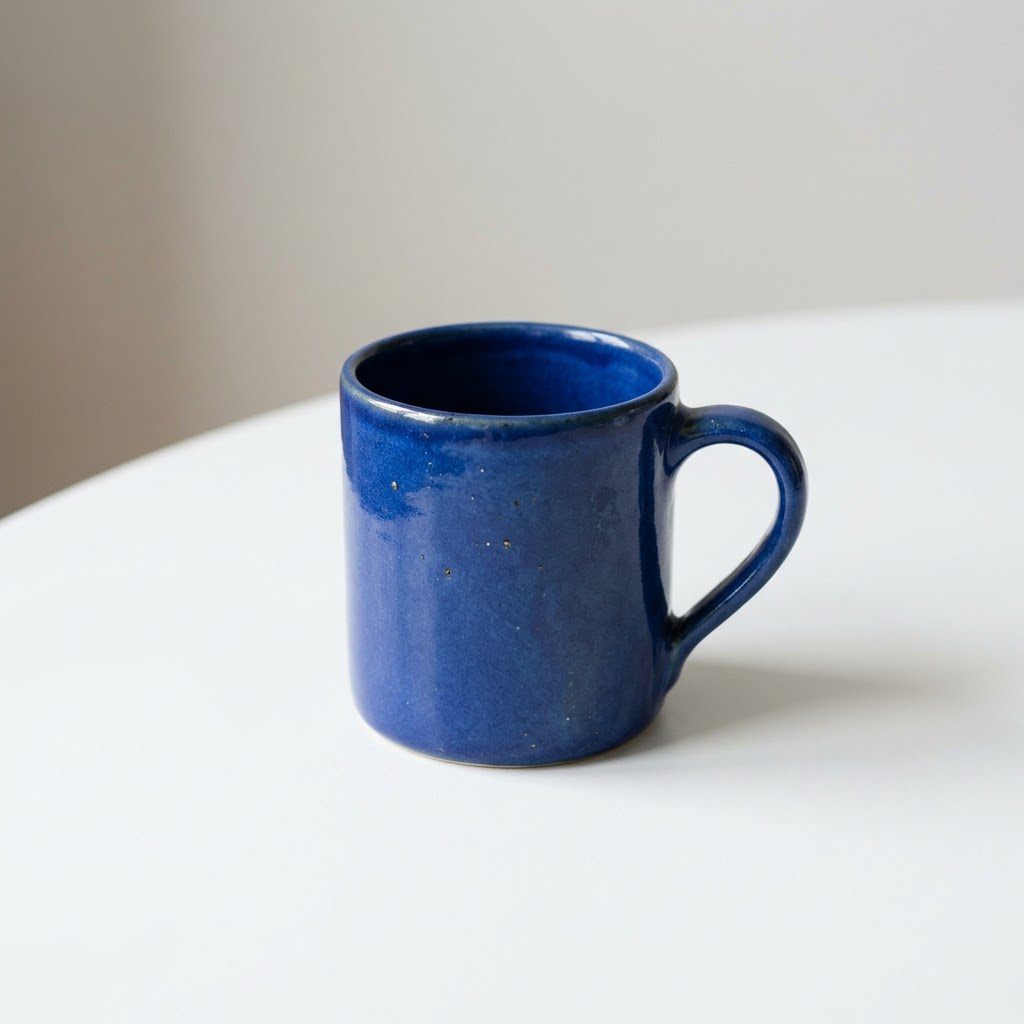
이미지 기반 동영상 생성 및 이미지 참조 예제는 흰 테이블 위의 파란 도자기 머그잔을 사용합니다. 예제 이미지를 그대로 사용하거나, 사용 권한이 있고 이 페이지의 제한을 충족하는 공개 HTTPS 미디어로 먼저 바꿔도 됩니다.
텍스트로 동영상 생성
ByteDance-Seedance-2.0-SR
텍스트 설명만으로 동영상을 생성하려면 이 작업 유형을 사용하세요.
model을 이 절의 Model ID로, operation을 text_to_video로 설정하세요. 아래 표에 있는 생성 필드만 사용하고 미디어는 media 배열에 넣으세요.
| 필드 | 유형 | 필수 | 허용 값 또는 범위 | 기본값 |
|---|---|---|---|---|
audio.mode | string | 아니요 | on, off | on |
duration.mode | string | 아니요 | fixed | fixed |
duration.seconds | integer | 아니요 | 5–10, 간격 5초; 고정 길이에만 사용 | 5 |
output.aspect_ratio | string | 아니요 | 16:9, 4:3, 1:1, 3:4, 9:16, 21:9, adaptive | 16:9 |
output.format | string | 아니요 | mp4 | mp4 |
output.resolution | string | 아니요 | 720p, 1080p, 4k | 720p |
prompt | string | 예 | 문자열 | 없음 |
watermark | boolean | 아니요 | false | false |
미디어 요구 사항
이 작업 유형은 미디어를 받지 않습니다.
조합 제한
duration.mode="fixed"이면duration.seconds가 필요합니다.fixed를 명시할 때는 초 단위 길이도 함께 입력하세요.
요청 예제
아래 JSON을 request.json으로 저장하고 공통 흐름에 따라 견적을 먼저 확인한 뒤 작업을 생성하세요.
{ "model": "ByteDance-Seedance-2.0-SR", "operation": "text_to_video", "prompt": "A blue ceramic mug on a white table. Slowly move the camera closer in soft daylight.", "duration": { "mode": "fixed", "seconds": 5 }, "output": { "resolution": "720p", "aspect_ratio": "16:9" }}자주 발생하는 422 오류
| 422 오류 코드 | 해결 방법 |
|---|---|
enum / range / step | 이 절의 필드 표에 따라 값과 간격을 조정하세요. |
unsupported_field | 이 작업 유형의 필드 표에 없는 필드를 삭제하세요. |
requires | 이 절의 조합 제한에 따라 초 단위 길이, 화면 비율, 오디오 설정 또는 미디어를 추가하세요. |
ByteDance-Seedance-2.5-SR
텍스트 설명만으로 동영상을 생성하려면 이 작업 유형을 사용하세요.
model을 이 절의 Model ID로, operation을 text_to_video로 설정하세요. 아래 표에 있는 생성 필드만 사용하고 미디어는 media 배열에 넣으세요.
| 필드 | 유형 | 필수 | 허용 값 또는 범위 | 기본값 |
|---|---|---|---|---|
audio.mode | string | 아니요 | on, off | on |
duration.mode | string | 아니요 | fixed | fixed |
duration.seconds | integer | 아니요 | 5–10, 간격 5초; 고정 길이에만 사용 | 5 |
output.aspect_ratio | string | 아니요 | 16:9, 4:3, 1:1, 3:4, 9:16, 21:9, adaptive | 16:9 |
output.format | string | 아니요 | mp4 | mp4 |
output.resolution | string | 아니요 | 720p, 1080p | 720p |
prompt | string | 예 | 문자열 | 없음 |
watermark | boolean | 아니요 | false | false |
미디어 요구 사항
이 작업 유형은 미디어를 받지 않습니다.
조합 제한
duration.mode="fixed"이면duration.seconds가 필요합니다.fixed를 명시할 때는 초 단위 길이도 함께 입력하세요.
요청 예제
아래 JSON을 request.json으로 저장하고 공통 흐름에 따라 견적을 먼저 확인한 뒤 작업을 생성하세요.
{ "model": "ByteDance-Seedance-2.5-SR", "operation": "text_to_video", "prompt": "A blue ceramic mug on a white table. Slowly move the camera closer in soft daylight.", "duration": { "mode": "fixed", "seconds": 5 }, "output": { "resolution": "720p", "aspect_ratio": "16:9" }}자주 발생하는 422 오류
| 422 오류 코드 | 해결 방법 |
|---|---|
enum / range / step | 이 절의 필드 표에 따라 값과 간격을 조정하세요. |
unsupported_field | 이 작업 유형의 필드 표에 없는 필드를 삭제하세요. |
requires | 이 절의 조합 제한에 따라 초 단위 길이, 화면 비율, 오디오 설정 또는 미디어를 추가하세요. |
doubao-seedance-2-0-260128
텍스트 설명만으로 동영상을 생성하려면 이 작업 유형을 사용하세요.
model을 이 절의 Model ID로, operation을 text_to_video로 설정하세요. 아래 표에 있는 생성 필드만 사용하고 미디어는 media 배열에 넣으세요.
| 필드 | 유형 | 필수 | 허용 값 또는 범위 | 기본값 |
|---|---|---|---|---|
audio.mode | string | 아니요 | on, off | on |
duration.mode | string | 아니요 | fixed, auto | fixed |
duration.seconds | integer | 아니요 | 4–15, 간격 1초; 고정 길이에만 사용 | 없음 |
output.aspect_ratio | string | 아니요 | 16:9, 4:3, 1:1, 3:4, 9:16, 21:9, adaptive | adaptive |
output.format | string | 아니요 | mp4 | mp4 |
output.resolution | string | 아니요 | 480p, 720p, 1080p, 4k | 720p |
prompt | string | 예 | 문자열 | 없음 |
watermark | boolean | 아니요 | false, true | false |
미디어 요구 사항
이 작업 유형은 미디어를 받지 않습니다.
조합 제한
duration.mode="fixed"이면duration.seconds가 필요합니다.fixed를 명시할 때는 초 단위 길이도 함께 입력하세요.duration.mode="auto"를 사용하면duration.seconds를 전달하지 마세요.
요청 예제
아래 JSON을 request.json으로 저장하고 공통 흐름에 따라 견적을 먼저 확인한 뒤 작업을 생성하세요.
{ "model": "doubao-seedance-2-0-260128", "operation": "text_to_video", "prompt": "A blue ceramic mug on a white table. Slowly move the camera closer in soft daylight.", "duration": { "mode": "fixed", "seconds": 5 }, "output": { "resolution": "720p", "aspect_ratio": "16:9" }}자주 발생하는 422 오류
| 422 오류 코드 | 해결 방법 |
|---|---|
enum / range / step | 이 절의 필드 표에 따라 값과 간격을 조정하세요. |
unsupported_field | 이 작업 유형의 필드 표에 없는 필드를 삭제하세요. |
requires | 이 절의 조합 제한에 따라 초 단위 길이, 화면 비율, 오디오 설정 또는 미디어를 추가하세요. |
excludes | 자동 길이 또는 마지막 프레임과 충돌하는 필드를 삭제하세요. |
doubao-seedance-2-0-fast-260128
텍스트 설명만으로 동영상을 생성하려면 이 작업 유형을 사용하세요.
model을 이 절의 Model ID로, operation을 text_to_video로 설정하세요. 아래 표에 있는 생성 필드만 사용하고 미디어는 media 배열에 넣으세요.
| 필드 | 유형 | 필수 | 허용 값 또는 범위 | 기본값 |
|---|---|---|---|---|
audio.mode | string | 아니요 | on, off | on |
duration.mode | string | 아니요 | fixed, auto | fixed |
duration.seconds | integer | 아니요 | 4–15, 간격 1초; 고정 길이에만 사용 | 없음 |
output.aspect_ratio | string | 아니요 | 16:9, 4:3, 1:1, 3:4, 9:16, 21:9, adaptive | adaptive |
output.format | string | 아니요 | mp4 | mp4 |
output.resolution | string | 아니요 | 480p, 720p | 720p |
prompt | string | 예 | 문자열 | 없음 |
watermark | boolean | 아니요 | false, true | false |
미디어 요구 사항
이 작업 유형은 미디어를 받지 않습니다.
조합 제한
duration.mode="fixed"이면duration.seconds가 필요합니다.fixed를 명시할 때는 초 단위 길이도 함께 입력하세요.duration.mode="auto"를 사용하면duration.seconds를 전달하지 마세요.
요청 예제
아래 JSON을 request.json으로 저장하고 공통 흐름에 따라 견적을 먼저 확인한 뒤 작업을 생성하세요.
{ "model": "doubao-seedance-2-0-fast-260128", "operation": "text_to_video", "prompt": "A blue ceramic mug on a white table. Slowly move the camera closer in soft daylight.", "duration": { "mode": "fixed", "seconds": 5 }, "output": { "resolution": "720p", "aspect_ratio": "16:9" }}자주 발생하는 422 오류
| 422 오류 코드 | 해결 방법 |
|---|---|
enum / range / step | 이 절의 필드 표에 따라 값과 간격을 조정하세요. |
unsupported_field | 이 작업 유형의 필드 표에 없는 필드를 삭제하세요. |
requires | 이 절의 조합 제한에 따라 초 단위 길이, 화면 비율, 오디오 설정 또는 미디어를 추가하세요. |
excludes | 자동 길이 또는 마지막 프레임과 충돌하는 필드를 삭제하세요. |
doubao-seedance-2-0-mini-260615
텍스트 설명만으로 동영상을 생성하려면 이 작업 유형을 사용하세요.
model을 이 절의 Model ID로, operation을 text_to_video로 설정하세요. 아래 표에 있는 생성 필드만 사용하고 미디어는 media 배열에 넣으세요.
| 필드 | 유형 | 필수 | 허용 값 또는 범위 | 기본값 |
|---|---|---|---|---|
audio.mode | string | 아니요 | on, off | on |
duration.mode | string | 아니요 | fixed, auto | fixed |
duration.seconds | integer | 아니요 | 4–15, 간격 1초; 고정 길이에만 사용 | 없음 |
output.aspect_ratio | string | 아니요 | 16:9, 4:3, 1:1, 3:4, 9:16, 21:9, adaptive | adaptive |
output.format | string | 아니요 | mp4 | mp4 |
output.resolution | string | 아니요 | 480p, 720p | 720p |
prompt | string | 예 | 문자열 | 없음 |
watermark | boolean | 아니요 | false, true | false |
미디어 요구 사항
이 작업 유형은 미디어를 받지 않습니다.
조합 제한
duration.mode="fixed"이면duration.seconds가 필요합니다.fixed를 명시할 때는 초 단위 길이도 함께 입력하세요.duration.mode="auto"를 사용하면duration.seconds를 전달하지 마세요.
요청 예제
아래 JSON을 request.json으로 저장하고 공통 흐름에 따라 견적을 먼저 확인한 뒤 작업을 생성하세요.
{ "model": "doubao-seedance-2-0-mini-260615", "operation": "text_to_video", "prompt": "A blue ceramic mug on a white table. Slowly move the camera closer in soft daylight.", "duration": { "mode": "fixed", "seconds": 5 }, "output": { "resolution": "720p", "aspect_ratio": "16:9" }}자주 발생하는 422 오류
| 422 오류 코드 | 해결 방법 |
|---|---|
enum / range / step | 이 절의 필드 표에 따라 값과 간격을 조정하세요. |
unsupported_field | 이 작업 유형의 필드 표에 없는 필드를 삭제하세요. |
requires | 이 절의 조합 제한에 따라 초 단위 길이, 화면 비율, 오디오 설정 또는 미디어를 추가하세요. |
excludes | 자동 길이 또는 마지막 프레임과 충돌하는 필드를 삭제하세요. |
doubao-seedance-2-5-260628
텍스트 설명만으로 동영상을 생성하려면 이 작업 유형을 사용하세요.
model을 이 절의 Model ID로, operation을 text_to_video로 설정하세요. 아래 표에 있는 생성 필드만 사용하고 미디어는 media 배열에 넣으세요.
| 필드 | 유형 | 필수 | 허용 값 또는 범위 | 기본값 |
|---|---|---|---|---|
audio.mode | string | 아니요 | on, off | on |
duration.mode | string | 아니요 | fixed, auto | auto |
duration.seconds | integer | 아니요 | 4–30, 간격 1초; 고정 길이에만 사용 | 없음 |
output.aspect_ratio | string | 아니요 | 16:9, 4:3, 1:1, 3:4, 9:16, 21:9, adaptive | adaptive |
output.format | string | 아니요 | mp4 | mp4 |
output.resolution | string | 아니요 | 480p, 720p, 1080p | 720p |
prompt | string | 예 | 문자열 | 없음 |
watermark | boolean | 아니요 | false, true | false |
미디어 요구 사항
이 작업 유형은 미디어를 받지 않습니다.
조합 제한
duration.mode="fixed"이면duration.seconds가 필요합니다.fixed를 명시할 때는 초 단위 길이도 함께 입력하세요.duration.mode="auto"를 사용하면duration.seconds를 전달하지 마세요.
요청 예제
아래 JSON을 request.json으로 저장하고 공통 흐름에 따라 견적을 먼저 확인한 뒤 작업을 생성하세요.
{ "model": "doubao-seedance-2-5-260628", "operation": "text_to_video", "prompt": "A blue ceramic mug on a white table. Slowly move the camera closer in soft daylight.", "duration": { "mode": "fixed", "seconds": 5 }, "output": { "resolution": "720p", "aspect_ratio": "16:9" }}자주 발생하는 422 오류
| 422 오류 코드 | 해결 방법 |
|---|---|
enum / range / step | 이 절의 필드 표에 따라 값과 간격을 조정하세요. |
unsupported_field | 이 작업 유형의 필드 표에 없는 필드를 삭제하세요. |
requires | 이 절의 조합 제한에 따라 초 단위 길이, 화면 비율, 오디오 설정 또는 미디어를 추가하세요. |
excludes | 자동 길이 또는 마지막 프레임과 충돌하는 필드를 삭제하세요. |
이미지로 동영상 생성
ByteDance-Seedance-2.0-SR
이미지로 시작 장면 또는 시작·끝 장면을 지정하려면 이 작업 유형을 사용하세요.
model을 이 절의 Model ID로, operation을 image_to_video로 설정하세요. 아래 표에 있는 생성 필드만 사용하고 미디어는 media 배열에 넣으세요.
| 필드 | 유형 | 필수 | 허용 값 또는 범위 | 기본값 |
|---|---|---|---|---|
audio.mode | string | 아니요 | on, off | on |
duration.mode | string | 아니요 | fixed | fixed |
duration.seconds | integer | 아니요 | 5–10, 간격 5초; 고정 길이에만 사용 | 5 |
output.aspect_ratio | string | 아니요 | 16:9, 4:3, 1:1, 3:4, 9:16, 21:9, adaptive | 16:9 |
output.format | string | 아니요 | mp4 | mp4 |
output.resolution | string | 아니요 | 720p, 1080p, 4k | 720p |
prompt | string | 예 | 문자열 | 없음 |
watermark | boolean | 아니요 | false | false |
미디어 요구 사항
| 미디어 역할 | 유형 및 개수 | 형식 | 파일별 제한 |
|---|---|---|---|
first_frame | image, 1개(필수) | jpeg, png, webp | 최대 크기 10 MB; 너비 128–4096 px; 높이 128–4096 px |
미디어의 필수 여부는 아래 조합 제한도 충족해야 합니다.
조합 제한
duration.mode="fixed"이면duration.seconds가 필요합니다.fixed를 명시할 때는 초 단위 길이도 함께 입력하세요.first_frame을 반드시 제공하세요.
요청 예제
아래 JSON을 request.json으로 저장하고 공통 흐름에 따라 견적을 먼저 확인한 뒤 작업을 생성하세요.
{ "model": "ByteDance-Seedance-2.0-SR", "operation": "image_to_video", "prompt": "Slowly move the camera closer to the blue ceramic mug. Preserve its shape and the white table.", "duration": { "mode": "fixed", "seconds": 5 }, "output": { "resolution": "720p", "aspect_ratio": "adaptive" }, "media": [ { "id": "first", "type": "image", "role": "first_frame", "source": "https://docs.bettertoken.ai/images/nano-banana-guide/sample-07.png" } ]}자주 발생하는 422 오류
| 422 오류 코드 | 해결 방법 |
|---|---|
enum / range / step | 이 절의 필드 표에 따라 값과 간격을 조정하세요. |
unsupported_field | 이 작업 유형의 필드 표에 없는 필드를 삭제하세요. |
requires | 이 절의 조합 제한에 따라 초 단위 길이, 화면 비율, 오디오 설정 또는 미디어를 추가하세요. |
count / media_role | 이 절의 미디어 표에 따라 역할과 개수를 조정하세요. |
video_input_unsupported | 공개 HTTPS URL, Content-Type, 파일 형식을 확인한 뒤 견적을 다시 요청하세요. |
ByteDance-Seedance-2.5-SR
이미지로 시작 장면 또는 시작·끝 장면을 지정하려면 이 작업 유형을 사용하세요.
model을 이 절의 Model ID로, operation을 image_to_video로 설정하세요. 아래 표에 있는 생성 필드만 사용하고 미디어는 media 배열에 넣으세요.
| 필드 | 유형 | 필수 | 허용 값 또는 범위 | 기본값 |
|---|---|---|---|---|
audio.mode | string | 아니요 | on, off | on |
duration.mode | string | 아니요 | fixed | fixed |
duration.seconds | integer | 아니요 | 5–10, 간격 5초; 고정 길이에만 사용 | 5 |
output.aspect_ratio | string | 아니요 | 16:9, 4:3, 1:1, 3:4, 9:16, 21:9, adaptive | 16:9 |
output.format | string | 아니요 | mp4 | mp4 |
output.resolution | string | 아니요 | 720p, 1080p | 720p |
prompt | string | 예 | 문자열 | 없음 |
watermark | boolean | 아니요 | false | false |
미디어 요구 사항
| 미디어 역할 | 유형 및 개수 | 형식 | 파일별 제한 |
|---|---|---|---|
first_frame | image, 1개(필수) | jpeg, png, webp | 최대 크기 10 MB; 너비 128–4096 px; 높이 128–4096 px |
미디어의 필수 여부는 아래 조합 제한도 충족해야 합니다.
조합 제한
duration.mode="fixed"이면duration.seconds가 필요합니다.fixed를 명시할 때는 초 단위 길이도 함께 입력하세요.first_frame을 반드시 제공하세요.
요청 예제
아래 JSON을 request.json으로 저장하고 공통 흐름에 따라 견적을 먼저 확인한 뒤 작업을 생성하세요.
{ "model": "ByteDance-Seedance-2.5-SR", "operation": "image_to_video", "prompt": "Slowly move the camera closer to the blue ceramic mug. Preserve its shape and the white table.", "duration": { "mode": "fixed", "seconds": 5 }, "output": { "resolution": "720p", "aspect_ratio": "adaptive" }, "media": [ { "id": "first", "type": "image", "role": "first_frame", "source": "https://docs.bettertoken.ai/images/nano-banana-guide/sample-07.png" } ]}자주 발생하는 422 오류
| 422 오류 코드 | 해결 방법 |
|---|---|
enum / range / step | 이 절의 필드 표에 따라 값과 간격을 조정하세요. |
unsupported_field | 이 작업 유형의 필드 표에 없는 필드를 삭제하세요. |
requires | 이 절의 조합 제한에 따라 초 단위 길이, 화면 비율, 오디오 설정 또는 미디어를 추가하세요. |
count / media_role | 이 절의 미디어 표에 따라 역할과 개수를 조정하세요. |
video_input_unsupported | 공개 HTTPS URL, Content-Type, 파일 형식을 확인한 뒤 견적을 다시 요청하세요. |
doubao-seedance-2-0-260128
이미지로 시작 장면 또는 시작·끝 장면을 지정하려면 이 작업 유형을 사용하세요.
model을 이 절의 Model ID로, operation을 image_to_video로 설정하세요. 아래 표에 있는 생성 필드만 사용하고 미디어는 media 배열에 넣으세요.
| 필드 | 유형 | 필수 | 허용 값 또는 범위 | 기본값 |
|---|---|---|---|---|
audio.mode | string | 아니요 | on, off | on |
duration.mode | string | 아니요 | fixed, auto | fixed |
duration.seconds | integer | 아니요 | 4–15, 간격 1초; 고정 길이에만 사용 | 없음 |
output.aspect_ratio | string | 아니요 | 16:9, 4:3, 1:1, 3:4, 9:16, 21:9, adaptive | adaptive |
output.format | string | 아니요 | mp4 | mp4 |
output.resolution | string | 아니요 | 480p, 720p, 1080p, 4k | 720p |
prompt | string | 예 | 문자열 | 없음 |
watermark | boolean | 아니요 | false, true | false |
미디어 요구 사항
| 미디어 역할 | 유형 및 개수 | 형식 | 파일별 제한 |
|---|---|---|---|
first_frame | image, 1개(필수) | jpeg, png, webp, bmp, tiff, gif, heic, heif | 크기 1–31457279바이트; 너비 300–6000 px; 높이 300–6000 px |
last_frame | image, 선택, 최대 1개 | jpeg, png, webp, bmp, tiff, gif, heic, heif | 크기 1–31457279바이트; 너비 300–6000 px; 높이 300–6000 px |
미디어의 필수 여부는 아래 조합 제한도 충족해야 합니다.
조합 제한
duration.mode="fixed"이면duration.seconds가 필요합니다.fixed를 명시할 때는 초 단위 길이도 함께 입력하세요.duration.mode="auto"를 사용하면duration.seconds를 전달하지 마세요.first_frame을 반드시 제공하세요.
요청 예제
아래 JSON을 request.json으로 저장하고 공통 흐름에 따라 견적을 먼저 확인한 뒤 작업을 생성하세요.
{ "model": "doubao-seedance-2-0-260128", "operation": "image_to_video", "prompt": "Slowly move the camera closer to the blue ceramic mug. Preserve its shape and the white table.", "duration": { "mode": "fixed", "seconds": 5 }, "output": { "resolution": "720p", "aspect_ratio": "adaptive" }, "media": [ { "id": "first", "type": "image", "role": "first_frame", "source": "https://docs.bettertoken.ai/images/nano-banana-guide/sample-07.png" } ]}자주 발생하는 422 오류
| 422 오류 코드 | 해결 방법 |
|---|---|
enum / range / step | 이 절의 필드 표에 따라 값과 간격을 조정하세요. |
unsupported_field | 이 작업 유형의 필드 표에 없는 필드를 삭제하세요. |
requires | 이 절의 조합 제한에 따라 초 단위 길이, 화면 비율, 오디오 설정 또는 미디어를 추가하세요. |
excludes | 자동 길이 또는 마지막 프레임과 충돌하는 필드를 삭제하세요. |
count / media_role | 이 절의 미디어 표에 따라 역할과 개수를 조정하세요. |
video_input_unsupported | 공개 HTTPS URL, Content-Type, 파일 형식을 확인한 뒤 견적을 다시 요청하세요. |
doubao-seedance-2-0-fast-260128
이미지로 시작 장면 또는 시작·끝 장면을 지정하려면 이 작업 유형을 사용하세요.
model을 이 절의 Model ID로, operation을 image_to_video로 설정하세요. 아래 표에 있는 생성 필드만 사용하고 미디어는 media 배열에 넣으세요.
| 필드 | 유형 | 필수 | 허용 값 또는 범위 | 기본값 |
|---|---|---|---|---|
audio.mode | string | 아니요 | on, off | on |
duration.mode | string | 아니요 | fixed, auto | fixed |
duration.seconds | integer | 아니요 | 4–15, 간격 1초; 고정 길이에만 사용 | 없음 |
output.aspect_ratio | string | 아니요 | 16:9, 4:3, 1:1, 3:4, 9:16, 21:9, adaptive | adaptive |
output.format | string | 아니요 | mp4 | mp4 |
output.resolution | string | 아니요 | 480p, 720p | 720p |
prompt | string | 예 | 문자열 | 없음 |
watermark | boolean | 아니요 | false, true | false |
미디어 요구 사항
| 미디어 역할 | 유형 및 개수 | 형식 | 파일별 제한 |
|---|---|---|---|
first_frame | image, 1개(필수) | jpeg, png, webp, bmp, tiff, gif, heic, heif | 크기 1–31457279바이트; 너비 300–6000 px; 높이 300–6000 px |
last_frame | image, 선택, 최대 1개 | jpeg, png, webp, bmp, tiff, gif, heic, heif | 크기 1–31457279바이트; 너비 300–6000 px; 높이 300–6000 px |
미디어의 필수 여부는 아래 조합 제한도 충족해야 합니다.
조합 제한
duration.mode="fixed"이면duration.seconds가 필요합니다.fixed를 명시할 때는 초 단위 길이도 함께 입력하세요.duration.mode="auto"를 사용하면duration.seconds를 전달하지 마세요.first_frame을 반드시 제공하세요.
요청 예제
아래 JSON을 request.json으로 저장하고 공통 흐름에 따라 견적을 먼저 확인한 뒤 작업을 생성하세요.
{ "model": "doubao-seedance-2-0-fast-260128", "operation": "image_to_video", "prompt": "Slowly move the camera closer to the blue ceramic mug. Preserve its shape and the white table.", "duration": { "mode": "fixed", "seconds": 5 }, "output": { "resolution": "720p", "aspect_ratio": "adaptive" }, "media": [ { "id": "first", "type": "image", "role": "first_frame", "source": "https://docs.bettertoken.ai/images/nano-banana-guide/sample-07.png" } ]}자주 발생하는 422 오류
| 422 오류 코드 | 해결 방법 |
|---|---|
enum / range / step | 이 절의 필드 표에 따라 값과 간격을 조정하세요. |
unsupported_field | 이 작업 유형의 필드 표에 없는 필드를 삭제하세요. |
requires | 이 절의 조합 제한에 따라 초 단위 길이, 화면 비율, 오디오 설정 또는 미디어를 추가하세요. |
excludes | 자동 길이 또는 마지막 프레임과 충돌하는 필드를 삭제하세요. |
count / media_role | 이 절의 미디어 표에 따라 역할과 개수를 조정하세요. |
video_input_unsupported | 공개 HTTPS URL, Content-Type, 파일 형식을 확인한 뒤 견적을 다시 요청하세요. |
doubao-seedance-2-0-mini-260615
이미지로 시작 장면 또는 시작·끝 장면을 지정하려면 이 작업 유형을 사용하세요.
model을 이 절의 Model ID로, operation을 image_to_video로 설정하세요. 아래 표에 있는 생성 필드만 사용하고 미디어는 media 배열에 넣으세요.
| 필드 | 유형 | 필수 | 허용 값 또는 범위 | 기본값 |
|---|---|---|---|---|
audio.mode | string | 아니요 | on, off | on |
duration.mode | string | 아니요 | fixed, auto | fixed |
duration.seconds | integer | 아니요 | 4–15, 간격 1초; 고정 길이에만 사용 | 없음 |
output.aspect_ratio | string | 아니요 | 16:9, 4:3, 1:1, 3:4, 9:16, 21:9, adaptive | adaptive |
output.format | string | 아니요 | mp4 | mp4 |
output.resolution | string | 아니요 | 480p, 720p | 720p |
prompt | string | 예 | 문자열 | 없음 |
watermark | boolean | 아니요 | false, true | false |
미디어 요구 사항
| 미디어 역할 | 유형 및 개수 | 형식 | 파일별 제한 |
|---|---|---|---|
first_frame | image, 1개(필수) | jpeg, png, webp, bmp, tiff, gif, heic, heif | 크기 1–31457279바이트; 너비 300–6000 px; 높이 300–6000 px |
last_frame | image, 선택, 최대 1개 | jpeg, png, webp, bmp, tiff, gif, heic, heif | 크기 1–31457279바이트; 너비 300–6000 px; 높이 300–6000 px |
미디어의 필수 여부는 아래 조합 제한도 충족해야 합니다.
조합 제한
duration.mode="fixed"이면duration.seconds가 필요합니다.fixed를 명시할 때는 초 단위 길이도 함께 입력하세요.duration.mode="auto"를 사용하면duration.seconds를 전달하지 마세요.first_frame을 반드시 제공하세요.
요청 예제
아래 JSON을 request.json으로 저장하고 공통 흐름에 따라 견적을 먼저 확인한 뒤 작업을 생성하세요.
{ "model": "doubao-seedance-2-0-mini-260615", "operation": "image_to_video", "prompt": "Slowly move the camera closer to the blue ceramic mug. Preserve its shape and the white table.", "duration": { "mode": "fixed", "seconds": 5 }, "output": { "resolution": "720p", "aspect_ratio": "adaptive" }, "media": [ { "id": "first", "type": "image", "role": "first_frame", "source": "https://docs.bettertoken.ai/images/nano-banana-guide/sample-07.png" } ]}자주 발생하는 422 오류
| 422 오류 코드 | 해결 방법 |
|---|---|
enum / range / step | 이 절의 필드 표에 따라 값과 간격을 조정하세요. |
unsupported_field | 이 작업 유형의 필드 표에 없는 필드를 삭제하세요. |
requires | 이 절의 조합 제한에 따라 초 단위 길이, 화면 비율, 오디오 설정 또는 미디어를 추가하세요. |
excludes | 자동 길이 또는 마지막 프레임과 충돌하는 필드를 삭제하세요. |
count / media_role | 이 절의 미디어 표에 따라 역할과 개수를 조정하세요. |
video_input_unsupported | 공개 HTTPS URL, Content-Type, 파일 형식을 확인한 뒤 견적을 다시 요청하세요. |
doubao-seedance-2-5-260628
이미지로 시작 장면 또는 시작·끝 장면을 지정하려면 이 작업 유형을 사용하세요.
model을 이 절의 Model ID로, operation을 image_to_video로 설정하세요. 아래 표에 있는 생성 필드만 사용하고 미디어는 media 배열에 넣으세요.
| 필드 | 유형 | 필수 | 허용 값 또는 범위 | 기본값 |
|---|---|---|---|---|
audio.mode | string | 아니요 | on, off | on |
duration.mode | string | 아니요 | fixed, auto | auto |
duration.seconds | integer | 아니요 | 4–30, 간격 1초; 고정 길이에만 사용 | 없음 |
output.aspect_ratio | string | 아니요 | adaptive | adaptive |
output.format | string | 아니요 | mp4 | mp4 |
output.resolution | string | 아니요 | 480p, 720p, 1080p | 720p |
prompt | string | 예 | 문자열 | 없음 |
watermark | boolean | 아니요 | false, true | false |
미디어 요구 사항
| 미디어 역할 | 유형 및 개수 | 형식 | 파일별 제한 |
|---|---|---|---|
first_frame | image, 1개(필수) | jpeg, png, webp, bmp, tiff, gif, heic, heif | 크기 1–31457279바이트; 너비 300–6000 px; 높이 300–6000 px |
last_frame | image, 선택, 최대 1개 | jpeg, png, webp, bmp, tiff, gif, heic, heif | 크기 1–31457279바이트; 너비 300–6000 px; 높이 300–6000 px |
미디어의 필수 여부는 아래 조합 제한도 충족해야 합니다.
조합 제한
duration.mode="fixed"이면duration.seconds가 필요합니다.fixed를 명시할 때는 초 단위 길이도 함께 입력하세요.duration.mode="auto"를 사용하면duration.seconds를 전달하지 마세요.first_frame을 반드시 제공하세요.- 이 작업 유형은 첫 프레임만 전달하거나 첫·마지막 프레임을 함께 전달할 때 모두
output.aspect_ratio="adaptive"가 필수입니다.
요청 예제
아래 JSON을 request.json으로 저장하고 공통 흐름에 따라 견적을 먼저 확인한 뒤 작업을 생성하세요.
{ "model": "doubao-seedance-2-5-260628", "operation": "image_to_video", "prompt": "Slowly move the camera closer to the blue ceramic mug. Preserve its shape and the white table.", "duration": { "mode": "fixed", "seconds": 5 }, "output": { "resolution": "720p", "aspect_ratio": "adaptive" }, "media": [ { "id": "first", "type": "image", "role": "first_frame", "source": "https://docs.bettertoken.ai/images/nano-banana-guide/sample-07.png" } ]}자주 발생하는 422 오류
| 422 오류 코드 | 해결 방법 |
|---|---|
enum / range / step | 이 절의 필드 표에 따라 값과 간격을 조정하세요. |
unsupported_field | 이 작업 유형의 필드 표에 없는 필드를 삭제하세요. |
requires | 이 절의 조합 제한에 따라 초 단위 길이, 화면 비율, 오디오 설정 또는 미디어를 추가하세요. |
excludes | 자동 길이 또는 마지막 프레임과 충돌하는 필드를 삭제하세요. |
count / media_role | 이 절의 미디어 표에 따라 역할과 개수를 조정하세요. |
video_input_unsupported | 공개 HTTPS URL, Content-Type, 파일 형식을 확인한 뒤 견적을 다시 요청하세요. |
참조 미디어로 생성
doubao-seedance-2-0-260128
참조 미디어로 피사체나 동작의 특징을 유지하려면 이 작업 유형을 사용하세요.
model을 이 절의 Model ID로, operation을 reference_to_video로 설정하세요. 아래 표에 있는 생성 필드만 사용하고 미디어는 media 배열에 넣으세요.
| 필드 | 유형 | 필수 | 허용 값 또는 범위 | 기본값 |
|---|---|---|---|---|
audio.mode | string | 아니요 | on, off | on |
duration.mode | string | 아니요 | fixed, auto | fixed |
duration.seconds | integer | 아니요 | 4–15, 간격 1초; 고정 길이에만 사용 | 없음 |
output.aspect_ratio | string | 아니요 | 16:9, 4:3, 1:1, 3:4, 9:16, 21:9, adaptive | adaptive |
output.format | string | 아니요 | mp4 | mp4 |
output.resolution | string | 아니요 | 480p, 720p, 1080p, 4k | 720p |
prompt | string | 예 | 문자열 | 없음 |
watermark | boolean | 아니요 | false, true | false |
미디어 요구 사항
| 미디어 역할 | 유형 및 개수 | 형식 | 파일별 제한 |
|---|---|---|---|
reference_image | image, 선택, 최대 9개 | jpeg, png, webp, bmp, tiff, gif, heic, heif | 크기 1–31457279바이트; 너비 300–6000 px; 높이 300–6000 px |
reference_video | video, 선택, 최대 3개 | mp4, mov | 최대 크기 200 MB; 너비 300–6000 px; 높이 300–6000 px; 길이 2–15초; 최소 프레임 속도 24 fps, 최대 60 fps; 이 역할의 최대 총길이 15초 |
reference_audio | audio, 선택, 최대 3개 | wav, mp3 | 최대 크기 15 MB; 길이 2–15초; 이 역할의 최대 총길이 15초 |
미디어의 필수 여부는 아래 조합 제한도 충족해야 합니다.
조합 제한
duration.mode="fixed"이면duration.seconds가 필요합니다.fixed를 명시할 때는 초 단위 길이도 함께 입력하세요.duration.mode="auto"를 사용하면duration.seconds를 전달하지 마세요.reference_image,reference_video,reference_audio중 하나 이상을 제공하세요.- 참조 오디오는 단독으로 사용할 수 없습니다. 참조 이미지 또는 참조 동영상을 함께 제공하세요.
요청 예제
아래 JSON을 request.json으로 저장하고 공통 흐름에 따라 견적을 먼저 확인한 뒤 작업을 생성하세요.
{ "model": "doubao-seedance-2-0-260128", "operation": "reference_to_video", "prompt": "Create a product video of the blue ceramic mug in the reference image. Keep its shape and color.", "duration": { "mode": "fixed", "seconds": 5 }, "output": { "resolution": "720p", "aspect_ratio": "adaptive" }, "media": [ { "id": "reference", "type": "image", "role": "reference_image", "source": "https://docs.bettertoken.ai/images/nano-banana-guide/sample-07.png" } ]}자주 발생하는 422 오류
| 422 오류 코드 | 해결 방법 |
|---|---|
enum / range / step | 이 절의 필드 표에 따라 값과 간격을 조정하세요. |
unsupported_field | 이 작업 유형의 필드 표에 없는 필드를 삭제하세요. |
requires | 이 절의 조합 제한에 따라 초 단위 길이, 화면 비율, 오디오 설정 또는 미디어를 추가하세요. |
excludes | 자동 길이 또는 마지막 프레임과 충돌하는 필드를 삭제하세요. |
count / media_role | 이 절의 미디어 표에 따라 역할과 개수를 조정하세요. |
video_input_unsupported | 공개 HTTPS URL, Content-Type, 파일 형식을 확인한 뒤 견적을 다시 요청하세요. |
doubao-seedance-2-0-fast-260128
참조 미디어로 피사체나 동작의 특징을 유지하려면 이 작업 유형을 사용하세요.
model을 이 절의 Model ID로, operation을 reference_to_video로 설정하세요. 아래 표에 있는 생성 필드만 사용하고 미디어는 media 배열에 넣으세요.
| 필드 | 유형 | 필수 | 허용 값 또는 범위 | 기본값 |
|---|---|---|---|---|
audio.mode | string | 아니요 | on, off | on |
duration.mode | string | 아니요 | fixed, auto | fixed |
duration.seconds | integer | 아니요 | 4–15, 간격 1초; 고정 길이에만 사용 | 없음 |
output.aspect_ratio | string | 아니요 | 16:9, 4:3, 1:1, 3:4, 9:16, 21:9, adaptive | adaptive |
output.format | string | 아니요 | mp4 | mp4 |
output.resolution | string | 아니요 | 480p, 720p | 720p |
prompt | string | 예 | 문자열 | 없음 |
watermark | boolean | 아니요 | false, true | false |
미디어 요구 사항
| 미디어 역할 | 유형 및 개수 | 형식 | 파일별 제한 |
|---|---|---|---|
reference_image | image, 선택, 최대 9개 | jpeg, png, webp, bmp, tiff, gif, heic, heif | 크기 1–31457279바이트; 너비 300–6000 px; 높이 300–6000 px |
reference_video | video, 선택, 최대 3개 | mp4, mov | 최대 크기 200 MB; 너비 300–6000 px; 높이 300–6000 px; 길이 2–15초; 최소 프레임 속도 24 fps, 최대 60 fps; 이 역할의 최대 총길이 15초 |
reference_audio | audio, 선택, 최대 3개 | wav, mp3 | 최대 크기 15 MB; 길이 2–15초; 이 역할의 최대 총길이 15초 |
미디어의 필수 여부는 아래 조합 제한도 충족해야 합니다.
조합 제한
duration.mode="fixed"이면duration.seconds가 필요합니다.fixed를 명시할 때는 초 단위 길이도 함께 입력하세요.duration.mode="auto"를 사용하면duration.seconds를 전달하지 마세요.reference_image,reference_video,reference_audio중 하나 이상을 제공하세요.- 참조 오디오는 단독으로 사용할 수 없습니다. 참조 이미지 또는 참조 동영상을 함께 제공하세요.
요청 예제
아래 JSON을 request.json으로 저장하고 공통 흐름에 따라 견적을 먼저 확인한 뒤 작업을 생성하세요.
{ "model": "doubao-seedance-2-0-fast-260128", "operation": "reference_to_video", "prompt": "Create a product video of the blue ceramic mug in the reference image. Keep its shape and color.", "duration": { "mode": "fixed", "seconds": 5 }, "output": { "resolution": "720p", "aspect_ratio": "adaptive" }, "media": [ { "id": "reference", "type": "image", "role": "reference_image", "source": "https://docs.bettertoken.ai/images/nano-banana-guide/sample-07.png" } ]}자주 발생하는 422 오류
| 422 오류 코드 | 해결 방법 |
|---|---|
enum / range / step | 이 절의 필드 표에 따라 값과 간격을 조정하세요. |
unsupported_field | 이 작업 유형의 필드 표에 없는 필드를 삭제하세요. |
requires | 이 절의 조합 제한에 따라 초 단위 길이, 화면 비율, 오디오 설정 또는 미디어를 추가하세요. |
excludes | 자동 길이 또는 마지막 프레임과 충돌하는 필드를 삭제하세요. |
count / media_role | 이 절의 미디어 표에 따라 역할과 개수를 조정하세요. |
video_input_unsupported | 공개 HTTPS URL, Content-Type, 파일 형식을 확인한 뒤 견적을 다시 요청하세요. |
doubao-seedance-2-0-mini-260615
참조 미디어로 피사체나 동작의 특징을 유지하려면 이 작업 유형을 사용하세요.
model을 이 절의 Model ID로, operation을 reference_to_video로 설정하세요. 아래 표에 있는 생성 필드만 사용하고 미디어는 media 배열에 넣으세요.
| 필드 | 유형 | 필수 | 허용 값 또는 범위 | 기본값 |
|---|---|---|---|---|
audio.mode | string | 아니요 | on, off | on |
duration.mode | string | 아니요 | fixed, auto | fixed |
duration.seconds | integer | 아니요 | 4–15, 간격 1초; 고정 길이에만 사용 | 없음 |
output.aspect_ratio | string | 아니요 | 16:9, 4:3, 1:1, 3:4, 9:16, 21:9, adaptive | adaptive |
output.format | string | 아니요 | mp4 | mp4 |
output.resolution | string | 아니요 | 480p, 720p | 720p |
prompt | string | 예 | 문자열 | 없음 |
watermark | boolean | 아니요 | false, true | false |
미디어 요구 사항
| 미디어 역할 | 유형 및 개수 | 형식 | 파일별 제한 |
|---|---|---|---|
reference_image | image, 선택, 최대 9개 | jpeg, png, webp, bmp, tiff, gif, heic, heif | 크기 1–31457279바이트; 너비 300–6000 px; 높이 300–6000 px |
reference_video | video, 선택, 최대 3개 | mp4, mov | 최대 크기 200 MB; 너비 300–6000 px; 높이 300–6000 px; 길이 2–15초; 최소 프레임 속도 24 fps, 최대 60 fps; 이 역할의 최대 총길이 15초 |
reference_audio | audio, 선택, 최대 3개 | wav, mp3 | 최대 크기 15 MB; 길이 2–15초; 이 역할의 최대 총길이 15초 |
미디어의 필수 여부는 아래 조합 제한도 충족해야 합니다.
조합 제한
duration.mode="fixed"이면duration.seconds가 필요합니다.fixed를 명시할 때는 초 단위 길이도 함께 입력하세요.duration.mode="auto"를 사용하면duration.seconds를 전달하지 마세요.reference_image,reference_video,reference_audio중 하나 이상을 제공하세요.- 참조 오디오는 단독으로 사용할 수 없습니다. 참조 이미지 또는 참조 동영상을 함께 제공하세요.
요청 예제
아래 JSON을 request.json으로 저장하고 공통 흐름에 따라 견적을 먼저 확인한 뒤 작업을 생성하세요.
{ "model": "doubao-seedance-2-0-mini-260615", "operation": "reference_to_video", "prompt": "Create a product video of the blue ceramic mug in the reference image. Keep its shape and color.", "duration": { "mode": "fixed", "seconds": 5 }, "output": { "resolution": "720p", "aspect_ratio": "adaptive" }, "media": [ { "id": "reference", "type": "image", "role": "reference_image", "source": "https://docs.bettertoken.ai/images/nano-banana-guide/sample-07.png" } ]}자주 발생하는 422 오류
| 422 오류 코드 | 해결 방법 |
|---|---|
enum / range / step | 이 절의 필드 표에 따라 값과 간격을 조정하세요. |
unsupported_field | 이 작업 유형의 필드 표에 없는 필드를 삭제하세요. |
requires | 이 절의 조합 제한에 따라 초 단위 길이, 화면 비율, 오디오 설정 또는 미디어를 추가하세요. |
excludes | 자동 길이 또는 마지막 프레임과 충돌하는 필드를 삭제하세요. |
count / media_role | 이 절의 미디어 표에 따라 역할과 개수를 조정하세요. |
video_input_unsupported | 공개 HTTPS URL, Content-Type, 파일 형식을 확인한 뒤 견적을 다시 요청하세요. |
doubao-seedance-2-5-260628
참조 미디어로 피사체나 동작의 특징을 유지하려면 이 작업 유형을 사용하세요.
model을 이 절의 Model ID로, operation을 reference_to_video로 설정하세요. 아래 표에 있는 생성 필드만 사용하고 미디어는 media 배열에 넣으세요.
| 필드 | 유형 | 필수 | 허용 값 또는 범위 | 기본값 |
|---|---|---|---|---|
audio.mode | string | 아니요 | on, off | on |
duration.mode | string | 아니요 | fixed, auto | auto |
duration.seconds | integer | 아니요 | 4–30, 간격 1초; 고정 길이에만 사용 | 없음 |
output.aspect_ratio | string | 아니요 | 16:9, 4:3, 1:1, 3:4, 9:16, 21:9, adaptive | adaptive |
output.format | string | 아니요 | mp4 | mp4 |
output.resolution | string | 아니요 | 480p, 720p, 1080p | 720p |
prompt | string | 예 | 문자열 | 없음 |
watermark | boolean | 아니요 | false, true | false |
미디어 요구 사항
| 미디어 역할 | 유형 및 개수 | 형식 | 파일별 제한 |
|---|---|---|---|
reference_image | image, 선택, 최대 30개 | jpeg, png, webp, bmp, tiff, gif, heic, heif | 크기 1–31457279바이트; 너비 300–6000 px; 높이 300–6000 px |
reference_video | video, 선택, 최대 10개 | mp4, mov | 최대 크기 200 MB; 너비 300–6000 px; 높이 300–6000 px; 길이 2–30초; 최소 프레임 속도 24 fps, 최대 60 fps; 이 역할의 최대 총길이 30초 |
reference_audio | audio, 선택, 최대 10개 | wav, mp3 | 최대 크기 15 MB; 길이 2–30초; 이 역할의 최대 총길이 30초 |
미디어의 필수 여부는 아래 조합 제한도 충족해야 합니다.
조합 제한
duration.mode="fixed"이면duration.seconds가 필요합니다.fixed를 명시할 때는 초 단위 길이도 함께 입력하세요.duration.mode="auto"를 사용하면duration.seconds를 전달하지 마세요.reference_image,reference_video,reference_audio중 하나 이상을 제공하세요.
요청 예제
아래 JSON을 request.json으로 저장하고 공통 흐름에 따라 견적을 먼저 확인한 뒤 작업을 생성하세요.
{ "model": "doubao-seedance-2-5-260628", "operation": "reference_to_video", "prompt": "Create a product video of the blue ceramic mug in the reference image. Keep its shape and color.", "duration": { "mode": "fixed", "seconds": 5 }, "output": { "resolution": "720p", "aspect_ratio": "adaptive" }, "media": [ { "id": "reference", "type": "image", "role": "reference_image", "source": "https://docs.bettertoken.ai/images/nano-banana-guide/sample-07.png" } ]}자주 발생하는 422 오류
| 422 오류 코드 | 해결 방법 |
|---|---|
enum / range / step | 이 절의 필드 표에 따라 값과 간격을 조정하세요. |
unsupported_field | 이 작업 유형의 필드 표에 없는 필드를 삭제하세요. |
requires | 이 절의 조합 제한에 따라 초 단위 길이, 화면 비율, 오디오 설정 또는 미디어를 추가하세요. |
excludes | 자동 길이 또는 마지막 프레임과 충돌하는 필드를 삭제하세요. |
count / media_role | 이 절의 미디어 표에 따라 역할과 개수를 조정하세요. |
video_input_unsupported | 공개 HTTPS URL, Content-Type, 파일 형식을 확인한 뒤 견적을 다시 요청하세요. |
공식 자료
BetterToken을 호출할 때는 이 페이지의 필드와 실시간 모델 카탈로그의 해당 작업 유형을 사용하세요.


