> ## Documentation Index
> Fetch the complete documentation index at: https://docs.bettertoken.ai/llms.txt
> Use this file to discover all available pages before exploring further.

# How to Use GPT Image 1K, 2K, 4K, Quality, and Mask: BetterToken Test Guide

> A hands-on guide to GPT Image sizes, quality, mask editing, actual delivered pixels, billing tiers, prices, and API examples based on BetterToken tests.

export const GptImageComparison = ({kind, labels, caption, label}) => {
  const comparisonPanels = {
    crops: [["comparison-crop-1k.png", 480, 480], ["comparison-crop-2k.png", 480, 480], ["comparison-crop-4k.png", 480, 480]],
    mask: [["comparison-mask-original.png", 476, 476], ["comparison-mask-overlay.png", 476, 476], ["comparison-mask-result.png", 476, 476]],
    boundary: [["comparison-boundary-original.png", 576, 256], ["comparison-boundary-result.png", 576, 256]],
    circles: [["comparison-circles-original.png", 416, 416], ["comparison-circles-overlay.png", 416, 416], ["comparison-circles-result.png", 416, 416]]
  };
  const panels = comparisonPanels[kind];
  return <div className="bt-image-comparison not-prose">
      <div className="bt-image-comparison-scroll" role="region" aria-label={label} tabIndex={0}>
        <div className="bt-image-comparison-grid" style={{
    gridTemplateColumns: `repeat(${panels.length}, minmax(0, 1fr))`,
    '--bt-comparison-min-width': `${panels.length * 176 + (panels.length - 1) * 16}px`
  }}>
          {labels.map((title, index) => <p className="bt-image-comparison-title" key={`title-${index}`}>{title}</p>)}
          {panels.map(([file, width, height], index) => <a key={file} href={`/images/gpt-image-guide/${file}`} target="_blank" rel="noreferrer">
              <img src={`/images/gpt-image-guide/${file}`} alt={labels[index]} width={width} height={height} loading="lazy" style={{
    borderRadius: '0.5rem'
  }} />
            </a>)}
        </div>
      </div>
      <p className="bt-image-comparison-caption">{caption}</p>
    </div>;
};

When you use `gpt-image-2`, `gpt-image-2.5-flare`, and `gpt-image-2.5-sunburst` to generate product images, advertising assets, or design drafts, developers often run into several frustrating questions:

* **Why do calls with the same model and parameters produce different results at different times?**
* **Why does a request for 4K or a specific size sometimes return a downgraded 1K image?**
* **When you use `Mask` for local editing or `quality=high`, does it actually take effect? What standard is used to charge for the result?**

In everyday API calls, checking only whether the HTTP status is `200 OK` is far from enough. **The image must be generated, fit the target layout, and have transparent, predictable costs**—all three conditions must be met at once.

To help developers understand the actual behavior of these 3 models, BetterToken has implemented **capability-based intelligent routing, default-parameter normalization, pre-validation rejection of invalid parameters, and transparent billing based on the pixels actually delivered** at the gateway layer. Based on the latest test data and price snapshot from 2026-10-19, this guide uses real generated images and billing records to show you how to make requests, what results to expect, and what objective limits the models still have.

> **Note**: This guide focuses on `gpt-image-2`, `gpt-image-2.5-flare`, and `gpt-image-2.5-sunburst`. The Nano Banana model series has different parameters and billing, which we will cover separately to avoid confusion.

***

## 1. Why can the same model and parameters produce different results?

In practice, different service nodes behind the same model name often vary in their actual capabilities and stability. Some routes support only basic 1K image generation, while others can deliver high-resolution images at `2048×2048` or even `3840×2160`. Nodes also differ in their support for `quality` values, reference-image editing, and `Mask` masks.

If a platform simply forwards requests blindly based on the model name, developers will frequently encounter situations such as “requested 4K but received a small 1K image,” “sent a Mask and got an error,” or “had to keep adjusting parameters.” That is why we need a rigorous testing standard that checks “the API accepts the parameter” and “the actual delivered result” separately.

***

## 2. How did we test: what counts as “supported”?

To keep the conclusions objective and reliable, our regression tests for the production release covered **22 standard test scenarios** (17 valid requests successfully delivered 18 images; 5 invalid-parameter scenarios were rejected as expected without billing). We also generated product images and Mask-editing samples for common ecommerce use cases.

Our verification criteria are straightforward:

1. **Decode the original file's pixels**: We do not rely on API declarations. For every delivered image, we decode the original file to read its width and height, then compare the billing tier in the response with the actual account deduction.
2. **Determine whether dimensions meet the target**: We compare the actual width and height with each explicitly requested dimension. A larger returned dimension passes; **if either dimension is more than 5% smaller than the target, the result fails** (Note: this criterion is used to evaluate test results strictly. It does not mean the API automatically discards valid images that miss the requested dimensions.) If dimensions are omitted or set to `auto`, we treat the request as having no fixed-canvas target.
3. **Report parameter acceptance and actual results separately**: An error-free response means only that “the parameter was accepted.” Whether `Mask` achieves strict region isolation and whether `quality=high` produces a perceptible improvement must be judged from the final image.

***

## 3. What did the tests find: which parameters are easiest to misunderstand?

Comparing request parameters, delivered pixels, and final billing side by side revealed several key facts that developers are most likely to misunderstand:

| Request scenario | Actual delivered size | Billing tier and CNY unit price | Test result and implications for use |
| :- | :- | :- | :- |
| `gpt-image-2`, `2048x2048`, `quality` omitted | 2048×2048 | 2K, ¥0.11 | A 2K image was successfully generated in this request without passing `quality` (using the default quality). |
| `flare`, `2048x2048`, `quality` omitted | 2048×2048 | 2K, ¥0.15 | Delivery at `2048×2048` was verified in testing. |
| `sunburst`, `2048x2048`, `quality` omitted | 2048×2048 | 2K, ¥0.15 | Delivery at `2048×2048` was verified in testing. |
| `gpt-image-2`, `1024x1024` | **1024×936** | 1K, ¥0.035 | A valid image was delivered, but its height was about 8.6% smaller, so it failed this round's strict size standard. |
| `flare` / `sunburst`, `1024x1024` | **Both 1254×1254** | **2K, both ¥0.15** | **Requesting 1K does not guarantee 1K billing**; the delivered square image exceeded the requested specification and was billed at 2K. |
| `gpt-image-2`, `1536x1024` | 1536×1024 | 1K, ¥0.035 | A landscape image with a conventional aspect ratio also falls into the 1K billing tier. |
| `gpt-image-2`, `3840x2160` | **3840×2159** | 4K, ¥0.13 | The height was short by just 1 pixel (a deviation of \< 0.05%), meeting the 4K size acceptance standard. |
| `gpt-image-2`, valid Mask + `2048x2048` + `high` | 2048×2048 | 2K, ¥0.11 | The Mask editing pipeline worked, but the image must be checked to determine whether the local region was isolated precisely. |

The tests also showed the following behavior for parameter compatibility and error handling:

* **Default-parameter tolerance**: Image generation works whether `quality` and `size` are omitted, passed as `null`, or explicitly set to `"auto"`.
* **How to request 4K correctly**: **“4K” is a billing-tier concept; it does not mean that a `4096x4096` square image is supported.** To request a high-resolution image at the 4K level, use the landscape size `3840x2160`.
* **Invalid parameters rejected without billing**: Requests with `4096x4096`, `stream=true`, an empty `quality=""`, an empty `size=""`, or `n=0` all returned `HTTP 400` errors and **incurred no charge at all**.

***

## 4. What does BetterToken provide: no need to adapt each route yourself

To handle complex size drift and differences between underlying nodes, BetterToken takes care of four things at the gateway layer, so you do not need to write separate adaptation code for every route:

1. **Intelligent routing based on capabilities**: The system automatically matches your model, target size (such as 2K/4K), and whether your request includes image-editing/`Mask` parameters to an available service with the corresponding capabilities.
2. **Unified API and parameter fallbacks**: The standardized `POST /v1/images/generations` (image generation) and `POST /v1/images/edits` (reference-image/Mask editing) endpoints automatically handle `null`, `auto`, and omitted parameters, and reject invalid input directly at the gateway layer.
3. **Transparent reporting of actual dimensions and billing details**: Along with the image data, the `bettertoken_image_billing` field in the response body tells you the image's **actual decoded width and height (`width`/`height`), billing tier (`billing_resolution`), currency, and settlement amount (`settled_amount`)**.
4. **A clear distinction between two core concepts**:
   * **Supporting the `Mask` parameter ≠ pixel-precise inpainting**: The API supports uploading a reference image and Mask for editing, but some test results also changed protected areas outside the mask. For example, in our geometric two-circle test, the left circle was transparent and requested to change color, while the right circle was opaque and meant to be protected; both circles changed color in the result. Therefore, **we explicitly support passing the Mask parameter, but do not guarantee strict pixel-level region isolation every time**.
   * **Supporting the `quality` parameter ≠ guaranteeing a fixed degree of image-quality improvement**: The API accepts parameters such as `"auto"` or `"high"` and routes them correctly. However, because every image generation is stochastic, we do not overstate based on a single sample that `high` will always improve quality by a particular percentage.

> ⚠️ **Two real limitations to understand before integration**:
>
> 1. **Capability-based routing does not mean pixels are strictly fixed on every request**: Due to differences in underlying service outputs, actual pixels can fluctuate even when routing reaches the appropriate node. For example, today's samples still include a request for `1024x1024` that returned `1024×936`, and a request for `3840x2160` that returned `3840×2161`. If your business is highly sensitive to canvas proportions, crop or post-process based on the actual dimensions returned.
> 2. **A 1K request may not ultimately be billed at 1K**: The billing system assigns a tier based on the **specification of the valid image actually delivered**. Today, the two 2.5 models (and `gpt-image-2` in some cases) returned `1254×1254` images with more pixels when asked for `1024x1024`; the system classified these as **2K-tier** images and billed them accordingly.

***

## 5. Support across the 3 models: which model should I call, and what value should I pass?

The capability configuration and test coverage for `gpt-image-2`, `gpt-image-2.5-flare`, and `gpt-image-2.5-sunburst` are as follows:

| Capability | `gpt-image-2` | `gpt-image-2.5-flare` | `gpt-image-2.5-sunburst` |
| :- | :- | :- | :- |
| **1K image-generation request** | Supported (tested; actual dimensions can differ from the target, such as `1024×936` or `1254×1254`) | Supported (tested; this round returned a larger `1254×1254` image billed at 2K) | Supported (tested; this round returned a larger `1254×1254` image billed at 2K) |
| **2K image generation (`2048x2048`)** | **Delivered in this round of tests** | **Delivered in this round of tests** | **Delivered in this round of tests** |
| **4K image generation (`3840x2160`)** | **Landscape image delivered in this round of tests** | Routing configuration aligned to support it | Routing configuration aligned to support it |
| **Regular reference-image editing (without Mask)** | **Verified in this round of tests** (omitting Mask or passing an empty Mask both use regular editing) | Not yet confirmed independently (support for Mask does not prove regular editing is also available) | Not yet confirmed independently (support for Mask does not prove regular editing is also available) |
| **Local editing with Mask** | **2K delivery tested in this round** | Configured to support 4K Mask editing (other tiers not confirmed) | Configured to support 4K Mask editing (other tiers not confirmed) |
| **Image-quality parameter (`quality`)** | Default/`auto`/`high` **all verified in testing** | Default/`auto` tested; `high` routing configuration aligned | Default/`auto` tested; `high` routing configuration aligned |

*Note: “Delivered in this round of tests” in the table means that an image and billing sample were directly delivered in today's regression tests and case generation. “Routing configuration aligned to support it” means the platform has aligned the configuration for the corresponding capability, but did not repeat requests for every combination in today's regression tests.*

***

## 6. Two real image examples: what do the results actually look like?

To show the actual generation quality, we followed the writing approach in the [official OpenAI image prompting guide](https://developers.openai.com/api/docs/guides/image-prompting)—**“specific subject + material texture + light direction + composition and aspect ratio + exclusions”**—and used the BetterToken API to generate the following two ecommerce examples (original outputs retained with no post-processing).

### Example A: Ecommerce product photography, showing 1K / 2K / 4K sizes and details

**Scene design (Chinese concept)**:

> Generate a realistic ecommerce studio photograph: a coral-red ceramic mug (handle facing right) sits on a pale gray stone countertop, with a folded beige linen cloth to its left. The mug has the clear white text “BETTER DAY” printed on it. Soft side lighting from the upper left; retain subtle reflections on the ceramic glaze, linen fibers, and natural contact shadows. Keep the entire mug centered in frame, with a simple neutral background and no other objects, watermark, or extra text.

**Actual English prompt used**:

```text theme={null}
Photorealistic ecommerce studio photograph. A coral-red ceramic mug with a handle on the right sits on a pale gray stone tabletop, with a folded beige linen cloth to its left. The mug reads "BETTER DAY" in clear white lettering. Soft directional light from upper left, subtle glaze reflections, visible linen fibers and natural contact shadows. Entire mug in frame, centered composition, simple neutral background. No other objects, no watermark, no additional text.
```

We used `gpt-image-2` (`quality="high"`, 1 image per request) and kept the prompt above exactly the same. Instead of trying to get a higher resolution by putting “4K” in the prompt, we requested three size tiers using only the `size` parameter:

| Requested size (`size`) | Actual delivered size | Actual billing tier / cost | Time per request |
| :- | :- | :- | :- |
| `1024x1024` | **1254×1254** | **2K / ¥0.11** | 34.35 seconds |
| `2048x2048` | **2048×2048** | **2K / ¥0.11** | 31.97 seconds |
| `3840x2160` | **3840×2161** | **4K / ¥0.13** | 24.36 seconds |

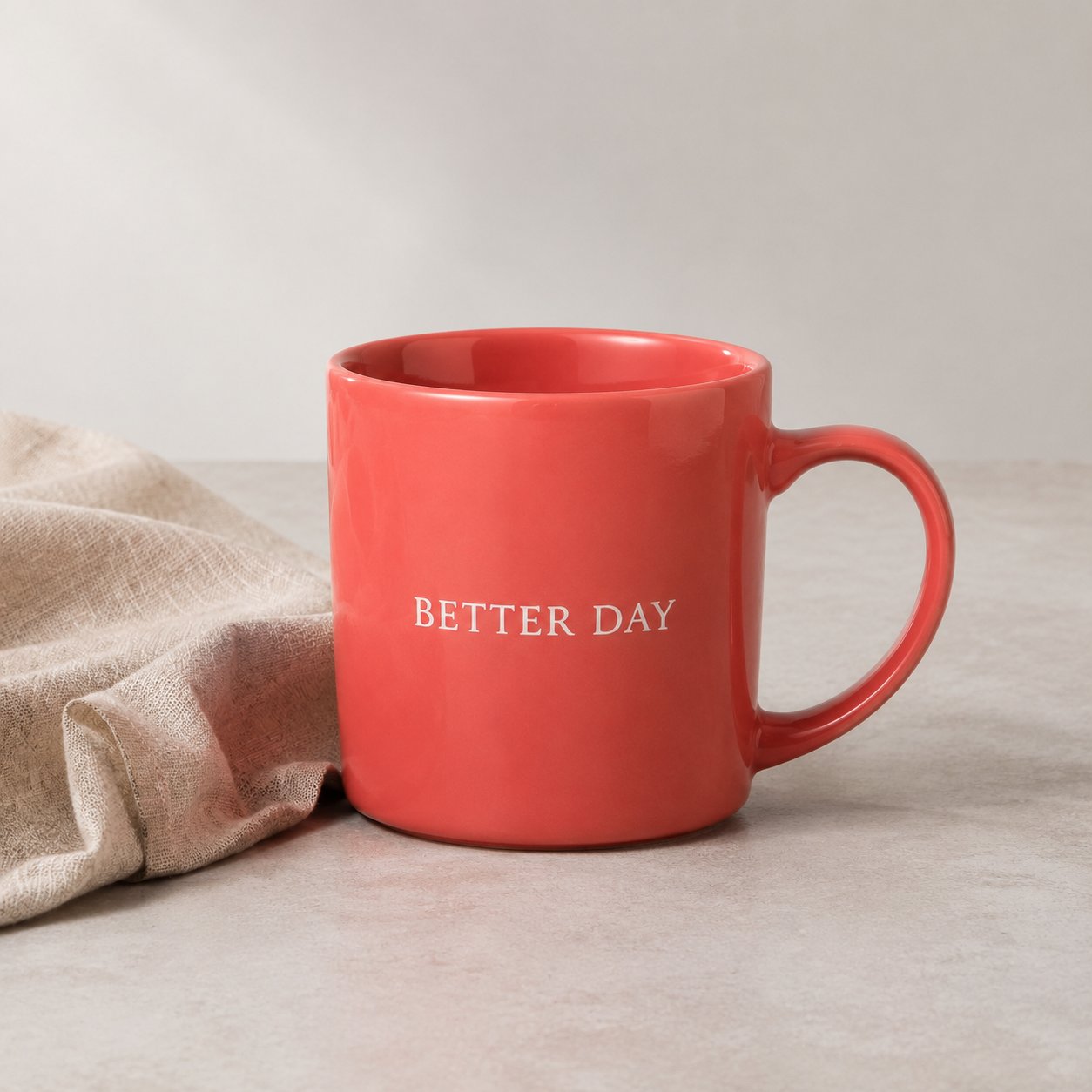
**1. Original delivered image for the `1024x1024` request (actual result: `1254×1254`):**

<Frame>
  <img src="https://mintcdn.com/bettertoken-d796114e/hPGTCgdK9IohJYOA/images/gpt-image-guide/product-1k-0.png?fit=max&auto=format&n=hPGTCgdK9IohJYOA&q=85&s=975ebb5653a1a0e6847310d8448a56d9" alt="GPT Image 2 product image: requested 1024×1024, returned 1254×1254" style={{ borderRadius: '0.5rem' }} width="1254" height="1254" data-path="images/gpt-image-guide/product-1k-0.png" />
</Frame>

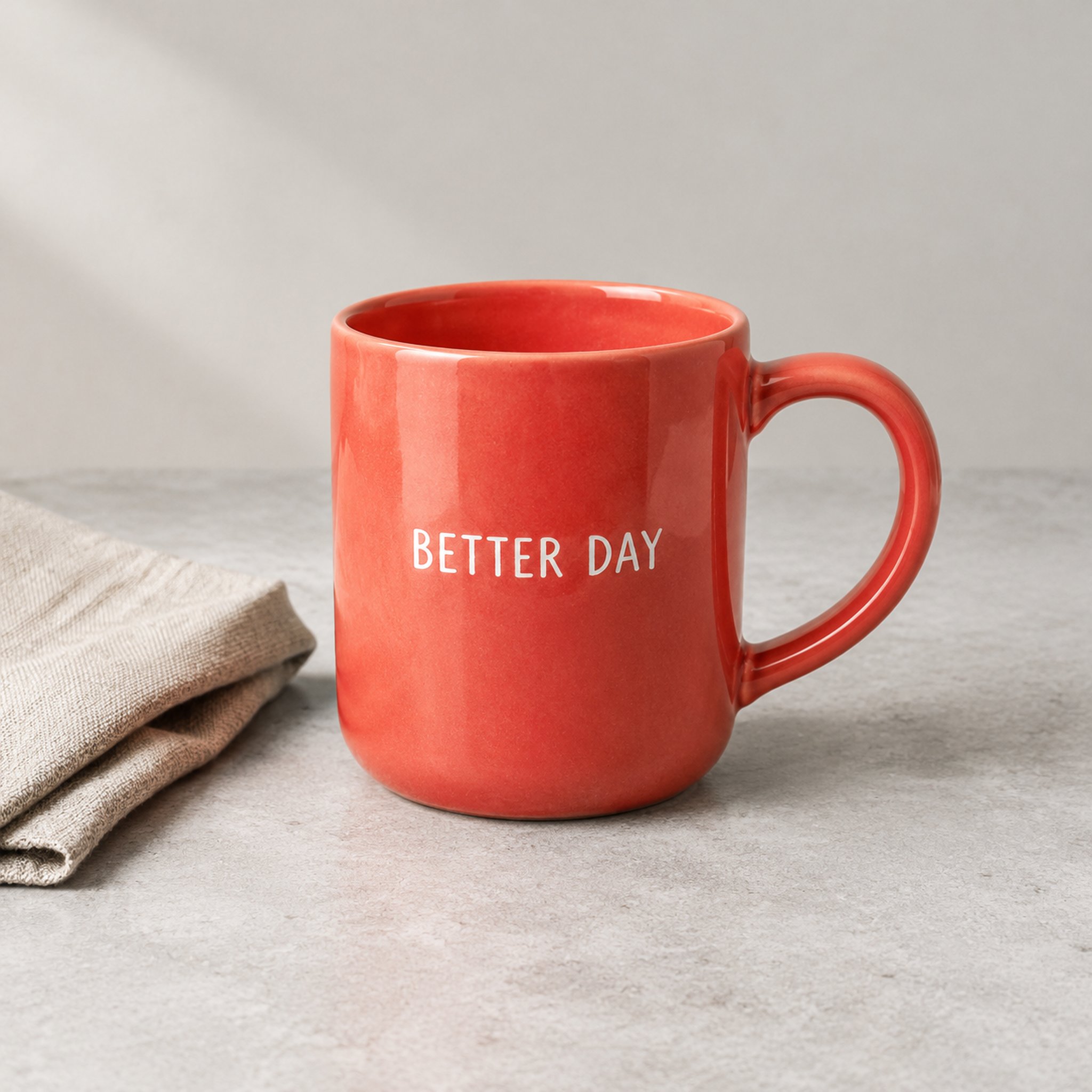
**2. Original delivered image for the `2048x2048` request (actual result: `2048×2048`):**
<Frame>
  <img src="https://mintcdn.com/bettertoken-d796114e/hPGTCgdK9IohJYOA/images/gpt-image-guide/product-2k-0.png?fit=max&auto=format&n=hPGTCgdK9IohJYOA&q=85&s=a290e92bd7db319ed801c06640c7ba8d" alt="GPT Image 2 product image: requested and delivered at 2048×2048" style={{ borderRadius: '0.5rem' }} width="2048" height="2048" data-path="images/gpt-image-guide/product-2k-0.png" />
</Frame>

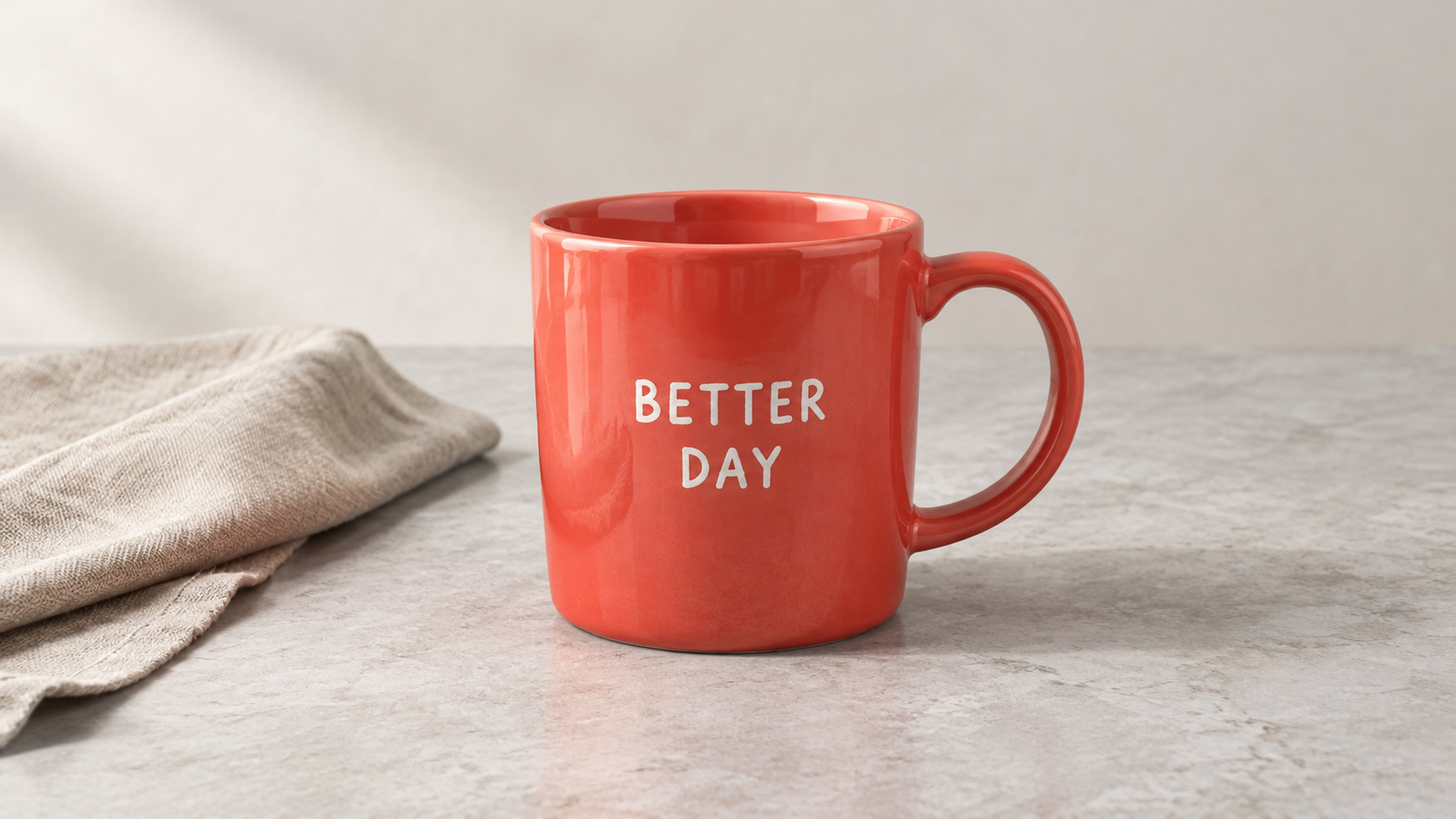
**3. Original delivered image for the `3840x2160` request (actual result: `3840×2161`):**
<Frame>
  <img src="https://mintcdn.com/bettertoken-d796114e/hPGTCgdK9IohJYOA/images/gpt-image-guide/product-4k-0.png?fit=max&auto=format&n=hPGTCgdK9IohJYOA&q=85&s=1e68f4d96829d9e52f9fa88aceac3c27" alt="GPT Image 2 landscape product image: requested 3840×2160, returned 3840×2161" style={{ borderRadius: '0.5rem' }} width="3840" height="2161" data-path="images/gpt-image-guide/product-4k-0.png" />
</Frame>

**4. Cropped at original size from corresponding areas of all three images (mug lettering and material details):**
<Frame>
  <GptImageComparison kind="crops" label="100% original-pixel crop comparison of details from the three product images" labels={["Requested 1K · Returned 1254²","Requested 2K · Returned 2048²","Requested 4K · Returned 3840×2161"]} caption="Each panel is a 480×480 crop at original pixel resolution. Images were generated independently with different compositions. Page scaling does not change file pixels." />
</Frame>

**Test observations**:

* **High visual completeness**: All three images show the coral-red glaze reflections, right-side handle, pale gray stone tabletop, beige linen fibers, and clearly readable white “BETTER DAY” lettering.
* **Differences from independent sampling**: Each generation is an independent sample, so the mug's proportions, font weight, and cloth folds naturally differ (for example, the lettering in the 4K landscape image is arranged on two lines). The cropped images show the actual details in each image; they are not a controlled optical sharpness test with identical compositions.
* **Billing boundary shown directly**: Although the first request was for `1024x1024`, it delivered a high-resolution `1254×1254` square image, so it was billed at the same **2K tier (¥0.11)** as the second `2048×2048` image.

***

### Example B: Local product recoloring, showing the actual effect and limits of Mask

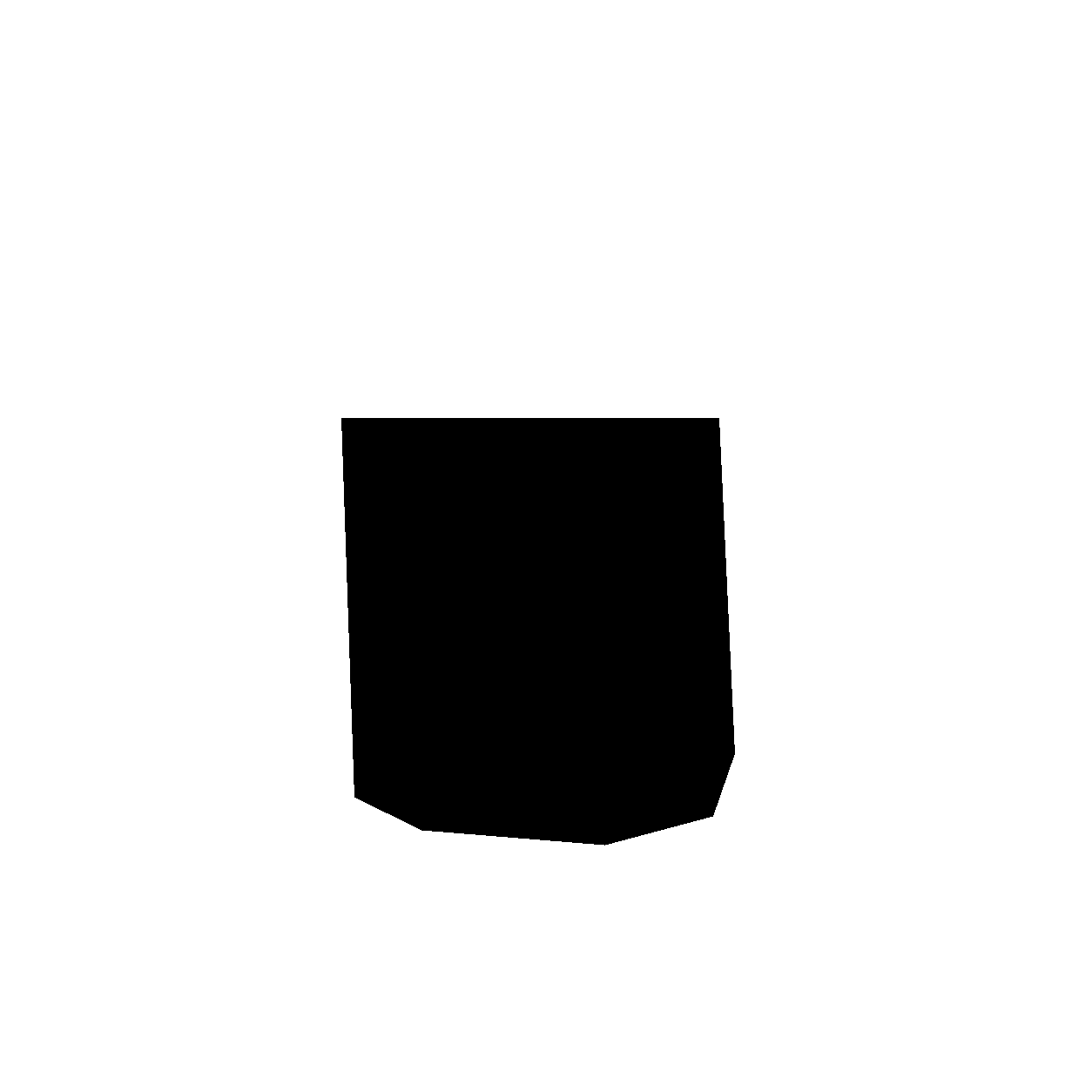
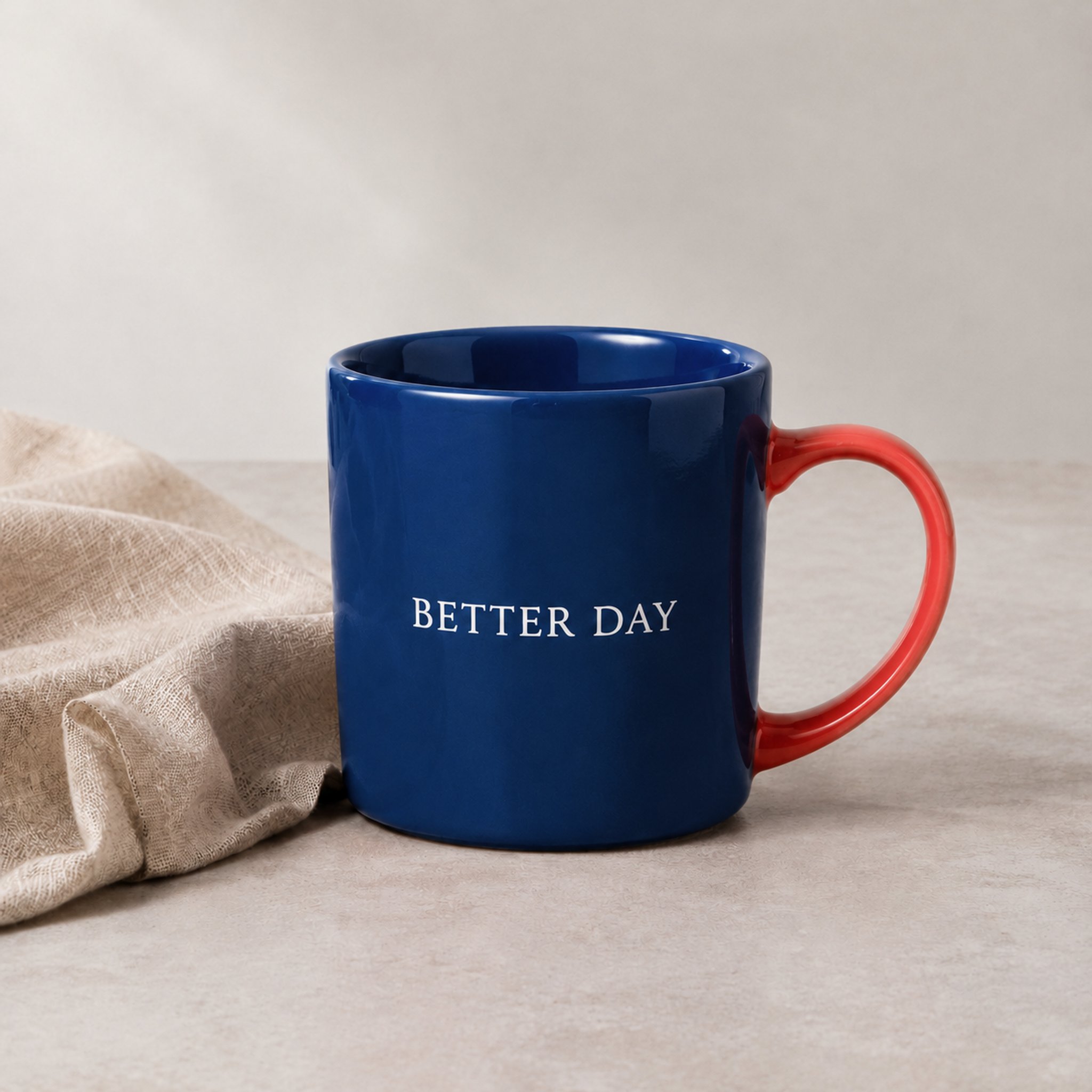
We used the first product image from Example A (`1254×1254`) as the input image and created a same-size Alpha-channel mask image [mask-mug.png](/images/gpt-image-guide/mask-mug.png)—**only the polygonal mug-body area is transparent (allowed to be redrawn); the handle, inner rim, and background are opaque (must be preserved). The mug lettering is inside the transparent area, and the prompt asks to preserve it.**

<Frame>
  <GptImageComparison kind="mask" label="Original image, mask overlay illustration, and editing result" labels={["Original","Green overlay: editable area","Actual editing result"]} caption="Reduced only for the comparison layout. The mug rim outside the mask also changed color. Original API outputs are retained separately." />
</Frame>

<Frame>
  <img src="https://mintcdn.com/bettertoken-d796114e/hPGTCgdK9IohJYOA/images/gpt-image-guide/mask-diagram.png?fit=max&auto=format&n=hPGTCgdK9IohJYOA&q=85&s=7d648791e31a2358ee47907bc3755fae" alt="Mask range diagram: black is the transparent editable area and white is the opaque protected area" style={{ borderRadius: '0.5rem' }} width="1254" height="1254" data-path="images/gpt-image-guide/mask-diagram.png" />
</Frame>

*(Note: The image above is a black-and-white visualization. Black represents the editable area and white represents the protected area. The actual file uploaded through the API is `mask-mug.png` with an alpha channel.)*

**Scene design (Chinese concept)**:

> Change only the coral-red mug body inside the transparent mask to deep navy blue. Preserve the ceramic material, lighting, and reflections. Keep the white “BETTER DAY” lettering, red handle, linen cloth, tabletop, background, and overall composition unchanged. Do not add or remove any objects.

**Actual English prompt used (model: `gpt-image-2`, `size="2048x2048"`, `quality="high"`)**:

```text theme={null}
Change only the coral-red mug body inside the transparent mask to deep navy blue. Preserve ceramic texture, lighting and reflections. Keep the white "BETTER DAY" lettering, red handle, linen cloth, tabletop, background and composition unchanged. Do not add or remove any objects. Do not change anything outside the transparent mask.
```

**Actual edited result (`2048×2048`, 38.51 seconds, cost ¥0.11):**
<Frame>
  <img src="https://mintcdn.com/bettertoken-d796114e/hPGTCgdK9IohJYOA/images/gpt-image-guide/product-mask-0.png?fit=max&auto=format&n=hPGTCgdK9IohJYOA&q=85&s=1a3ba294610d624bd6a09bc7c03aa228" alt="GPT Image 2 Mask edit: mug body turned deep blue, handle stayed red, but the inner rim was also recolored" style={{ borderRadius: '0.5rem' }} width="2048" height="2048" data-path="images/gpt-image-guide/product-mask-0.png" />
</Frame>

**Detail showing changes outside the protected area:**

<Frame>
  <GptImageComparison kind="boundary" label="Enlarged Mask-protected area: the rim and inner wall were outside the transparent mask but also turned blue" labels={["Original: red rim and inner wall","After editing: rim and inner wall also turned blue"]} caption="Corresponding areas are enlarged or scaled for display, not a pixel-by-pixel consistency comparison. Both areas are outside the transparent mask." />
</Frame>

**Counterexample: the “2 circles changed color” sample from regression testing (Mask accepted ≠ precise isolation)**

<Frame>
  <GptImageComparison kind="circles" label="Regression-test counterexample: only the left circle was transparent and requested to change, but the protected right circle changed too" labels={["Original: two red circles","Green: only the left may be edited","Result: both circles turned blue"]} caption="Existing BetterToken API samples. The protected object on the right was also changed. Images are reduced only for the layout." />
</Frame>

**Test observations (limitations disclosed plainly)**:

* **The main recoloring request was achieved**: The outside of the mug body successfully turned deep navy blue while retaining ceramic highlights. **The red handle outside the mask, the linen on the left, and the background were generally preserved; the “BETTER DAY” lettering inside the mask remained readable.**
* **Strict Mask boundary failed (changes spread beyond the mask)**: A close look at the rim and inner wall shows that the coral-red areas originally inside the opaque protected region were also changed to deep blue. In the more extreme geometric “two circles changed color” test, the unmasked right-hand circle also changed color.
* **Usage recommendation**: When uploading a reference image and Mask, make sure their canvas dimensions match (transparent where changes are allowed, opaque where content must be preserved), and state both “what to change” and “what to preserve” in the prompt. For industrial or commercial images with brand logos, small packaging text, or strict edge requirements, **always zoom in and inspect protected-area boundaries after generation**.

***

## 7. Prices and actual usage costs: what are you ultimately charged?

BetterToken is committed to transparent pricing. The following is a public price snapshot for **2026-10-19** (CNY applies to enterprise RMB accounts; USD applies to regular USD accounts. These are priced independently and are not converted using live exchange rates):

| Model | 1K price / image | 2K price / image | 4K price / image |
| :- | :- | :- | :- |
| **`gpt-image-2`** (CNY / USD) | ¥0.035 / \$0.0062 | ¥0.11 / \$0.0194 | ¥0.13 / \$0.0229 |
| **`gpt-image-2.5-flare`** (CNY / USD) | ¥0.035 / \$0.0062 | ¥0.15 / \$0.0265 | ¥0.18 / \$0.0318 |
| **`gpt-image-2.5-sunburst`** (CNY / USD) | ¥0.035 / \$0.0062 | ¥0.15 / \$0.0265 | ¥0.18 / \$0.0318 |

At the public unit prices above, assuming all 100 generated images are actually delivered in the corresponding billing tier, the reference cost for 100 calls is as follows (arithmetic estimate):

| Model | Cost for 100 1K images | Cost for 100 2K images | Cost for 100 4K images |
| :- | :- | :- | :- |
| **`gpt-image-2`** (CNY / USD) | ¥3.50 / \$0.62 | ¥11.00 / \$1.94 | ¥13.00 / \$2.29 |
| **`flare` or `sunburst`** (CNY / USD) | ¥3.50 / \$0.62 | ¥15.00 / \$2.65 | ¥18.00 / \$3.18 |

> 💡 **Key budgeting point: estimate costs by the “actual delivered tier,” not the “request parameter”!**
>
> As shown in the tests above, some requests sent today to `flare`, `sunburst`, or `gpt-image-2` for `1024x1024` (1K) delivered `1254×1254` images. The system therefore assigned the actual result to **2K** (charging ¥0.15 or ¥0.11, rather than the 1K price of ¥0.035). If all 100 `1024x1024` requests to `flare` returned `1254×1254`, those 100 images would cost **¥15.00 (arithmetic estimate)** at current prices.
>
> The system also assigns tiers using the target dimensions and a reasonable deviation threshold (for example, `3840×2159` is normally assigned to 4K and `1536×1024` to 1K). Do not hard-code a recalculation in your business logic based only on whether “the longest side is greater than 1024.” **Always use the `bettertoken_image_billing` field in the response body as the billing source of truth.**

### Why can't you look only at the “low price per image” on the surface?

When comparing image API costs across platforms, developers should account for three costs:

1. **A quote is comparable only when the actual result meets the target dimensions**: A request advertised as “4K supported at a very low price” that actually returns a downgraded 1024 image cannot be used in a production environment that needs high-resolution images, so it is not a valid 4K price for comparison.
2. **Include failures and rework in the total cost**: The invalid-parameter tests in this round were free. If an image was successfully delivered but the result was unsatisfactory, submitting another generation is a new request and should be budgeted separately. The 4 product and Mask case images shown in this guide (3 generated images + 1 edit) were each delivered in a single request. The Mask sample had the out-of-mask recoloring described above. Their prices were ¥0.11, ¥0.11, ¥0.13, and ¥0.11, for a **real total cost of only ¥0.46 for all 4 images**, matching the bill and account deduction exactly. If unstable routes or incompatible parameters force repeated generation, the actual all-in cost of getting one usable asset can rise even when the quoted price per image is low.
3. **Reduce hidden engineering adaptation costs**: BetterToken's unified parameter conventions, capability-based intelligent routing, and real-time pixel and billing fields reduce the development work needed to adapt each service and compile size and cost information yourself.

***

## 8. Copy-ready request examples

Store your BetterToken API Key in the `BETTERTOKEN_API_KEY` environment variable, then copy and run the commands below to get started.

### Example 1: JSON request to generate a high-resolution product image (`POST /v1/images/generations`)

The following example calls `gpt-image-2` to generate one high-resolution `2048x2048` product image (`model` can be replaced directly with `gpt-image-2.5-flare` or `gpt-image-2.5-sunburst`):

```bash theme={null}
curl https://bettertoken.ai/v1/images/generations -o response.json \
  -H "Authorization: Bearer $BETTERTOKEN_API_KEY" \
  -H "Content-Type: application/json" \
  --data-binary @- <<'JSON'
{
  "model": "gpt-image-2",
  "prompt": "Photorealistic ecommerce studio photograph. A coral-red ceramic mug with a handle on the right sits on a pale gray stone tabletop, with a folded beige linen cloth to its left. The mug reads \"BETTER DAY\" in clear white lettering. Soft directional light from upper left, subtle glaze reflections, visible linen fibers and natural contact shadows. Entire mug in frame, centered composition, simple neutral background. No other objects, no watermark, no additional text.",
  "size": "2048x2048",
  "quality": "high",
  "n": 1,
  "response_format": "b64_json",
  "output_format": "png"
}
JSON
```

* **Size specification**: For a 4K landscape image, change `"size"` to `"3840x2160"` (do not use `"4096x4096"`). Valid dimensions must currently meet all of these conditions: width and height are both multiples of 16, the longest side is no more than 3840, the aspect ratio of long side to short side is no more than 3:1, and the total pixel count is between `655,360` and `8,294,400`.
* **File format identification**: Even when the request specifies `"output_format": "png"`, some underlying nodes may return binary content in JPEG format. When saving or processing images, identify the actual image format from its header (Magic Bytes); do not hard-code the file extension.

### Example 2: Multipart reference image and Mask-based local editing (`POST /v1/images/edits`)

Prepare the original image `product-1k-0.png` and a same-size transparent mask `mask-mug.png` (if you only need regular reference-image editing, delete the `-F "mask=..."` line):

```bash theme={null}
curl https://bettertoken.ai/v1/images/edits -o response.json \
  -H "Authorization: Bearer $BETTERTOKEN_API_KEY" \
  -F "model=gpt-image-2" \
  -F "image=@product-1k-0.png;type=image/png" \
  -F "mask=@mask-mug.png;type=image/png" \
  -F 'prompt=Change only the coral-red mug body inside the transparent mask to deep navy blue. Preserve ceramic texture, lighting and reflections. Keep the white "BETTER DAY" lettering, red handle, linen cloth, tabletop, background and composition unchanged. Do not add or remove any objects. Do not change anything outside the transparent mask.' \
  -F "size=2048x2048" \
  -F "quality=high" \
  -F "n=1" \
  -F "response_format=b64_json"
```

### Example 3: Read actual delivered pixels and billing information (response structure and parsing code)

In addition to the standard `data[].b64_json`, BetterToken's response body contains the `bettertoken_image_billing` extension field:

```json theme={null}
{
  "created": 1792398084,
  "data": [
    {
      "b64_json": "iVBORw0KGgoAAAANSUhEUgAA..."
    }
  ],
  "bettertoken_image_billing": {
    "currency": "CNY",
    "settled_amount": "0.11",
    "outputs": [
      {
        "index": 0,
        "width": 2048,
        "height": 2048,
        "billing_resolution": "2K",
        "currency": "CNY",
        "amount": "0.11"
      }
    ]
  }
}
```

You can use the following Python snippet to **decode the image, identify its actual format, read its dimensions, and verify the bill** in one step:

```python theme={null}
import base64
import io
import json
from pathlib import Path
from PIL import Image  # 需要 Pillow

# 将 API 的 JSON 响应保存为 response.json 后执行。
resp_json = json.loads(Path("response.json").read_text())
if "error" in resp_json:
    raise RuntimeError(resp_json["error"])

billing = resp_json["bettertoken_image_billing"]
outputs = {item["index"]: item for item in billing["outputs"]}
for index, item in enumerate(resp_json["data"]):
    img_bytes = base64.b64decode(item["b64_json"], validate=True)
    with Image.open(io.BytesIO(img_bytes)) as image:
        image.load()
        width, height = image.size
        ext = {"PNG": "png", "JPEG": "jpg", "WEBP": "webp"}.get(image.format)
        if ext is None:
            raise ValueError(f"未处理的图片格式：{image.format}")
    Path(f"output_{index}.{ext}").write_bytes(img_bytes)
    info = outputs[index]
    print(f"图片 {index}：原图 {width}×{height}；计费档位 {info['billing_resolution']}")
    print(f"单张费用：{info['amount']} {info['currency']}")
    if (width, height) != (info["width"], info["height"]):
        print("图片像素与响应尺寸不一致，请保留结果并联系支持。")
print(f"本次结算：{billing['settled_amount']} {billing['currency']}")

```

***

**References**:

* [OpenAI official documentation: Image Prompting Guide](https://developers.openai.com/api/docs/guides/image-prompting)
* [OpenAI Cookbook: Image generation and editing with high input fidelity](https://developers.openai.com/cookbook/examples/generate_images_with_high_input_fidelity)


This documentation is built and hosted on [Mintlify](https://mintlify.com), a developer documentation platform.